
myPointGuard v2.2.1
Shanghai Sigeyuan Intelligent Technology Co., Ltd.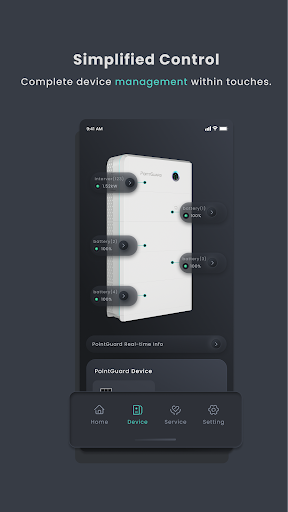





About this app
Developer Description
Your PointGuard System in one hand.
Designed to give you full visibility and control, myPointGuard app provides real-time energy monitoring, enriched data graphs, and an array of advanced features. Keep track of your home energy flow and get the most out of your system performance has never been easier.
For installers, myPointGuard app offers efficient system commissioning, effective system management and advanced self-inspection functionality, streamlining your job every step of the way.
Key Features:
Effortless energy monitoring and device control
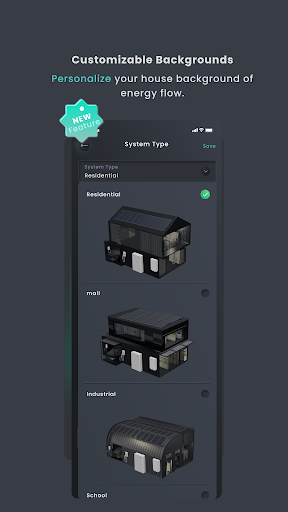
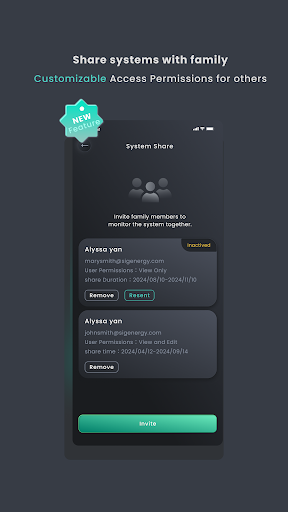
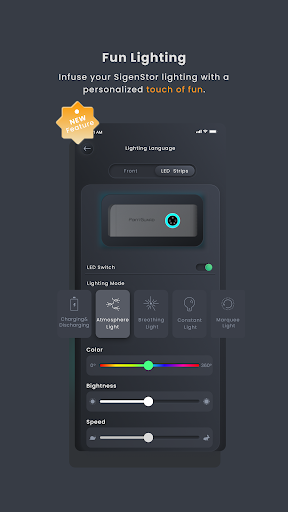
Flexible and personalized system configuration
Optimized home energy production and consumption
Exclusive installer features to boost efficiency
What's New
-System Data Download: Homeowners can now download system data for in-depth analysis.
-Notification Center: Enable push notifications for software updates and on/off-grid switching, and customize message preferences and select from three channels for notifications.
-Service Request Tracking: Monitor real-time progress details of submitted service requests.
-Bug fixes, stability and performance improvements.
Version Information
- Version
- 2.2.1
- Downloads
- 500+
- Updated on
- Apr 7, 2025
- Released
- Sep 4, 2023
- Requires
- Android 6.0
Statistics
Google Play Rating History
Rating Distribution
Downloads Over Time
myPointGuard has been downloaded times. Over the past 30 days, it averaged downloads per day.
Shaded area shows 30-day prediction based on historical trends
Historical data collection started recently. More data points will be available over time.
myPointGuard users say on Google Play
 Frank Minor
Great! 👍👍
 Rex
Rex
well thought out app with lots of features. The widgets need some attention, they take up way more room than they need to, making them practically unusable.
 Jan Johnson
Ok app for monitoring. Needs some polishing. For one, there are some spelling mistakes under smart devices. It's pool pUmp, not pool pOmp. When it comes to monitoring the smart loads, it's supposed to be "Today, this month, and lifetime", they all show the same kWh. There's no history. On the home tab, under "smart Home device usage details", why can't I see all my loads, or at least be able to have a drop-down. Lastly, it would be nice to be able to modify the house graphic on the home page
ApkTrusted Ratings & Reviews
More from Shanghai Sigeyuan Intelligent Technology Co., Ltd.
See more apps

Scan this QR code to download

Forwarding you to the page at Google Play market in seconds...
Open Google Play market now