Pocket Printer v1.3.6
Karsten International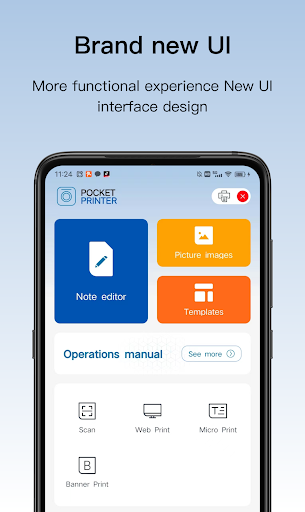
About this app
Developer Description
This is a beautiful and convenient app
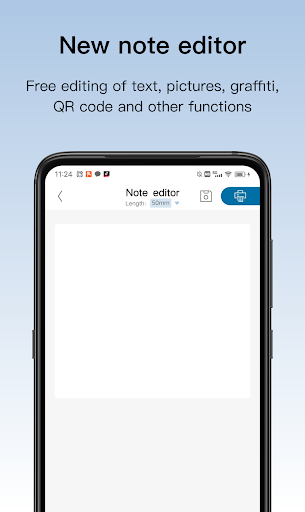
【Note editor】You can edit the content freely, set the artboard you want to print, insert text, pictures, ICONS, bar codes, QR codes, etc;
【Picture image】Image editing tools, you can freely crop, rotate, filter, insert text and so on;
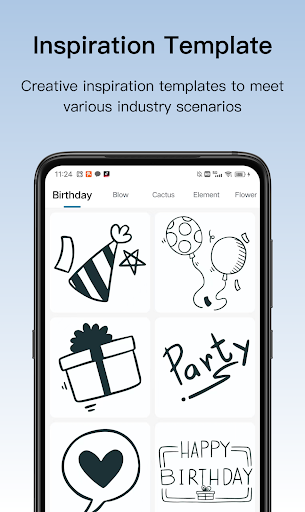
【Templates】Sticky note、To do list、Decorative,Built-in rich templates;
More functions and creative, welcome to use and explore.
What's New
Version Information
- Version
- 1.3.6
- Downloads
- 100K+
- Updated on
- Dec 5, 2025
- Released
- Feb 26, 2023
- Requires
- Android 6.0
Statistics
Google Play Rating History
Rating Distribution
Downloads Over Time
Pocket Printer has been downloaded times. Over the past 30 days, it averaged downloads per day.
Shaded area shows 30-day prediction based on historical trends
Historical data collection started recently. More data points will be available over time.
Pocket Printer users say on Google Play
 Tony “TM” Morris
Absolutely great little printer the templates are also pretty cool and so easy to use.
 me too
Works very well with the lidl label printer. Be aware that the manual for the printer is wrong, the qr code for pairing isn't needed and the qr code to get this app goes to a dead link. The app is easy to use and the resulting labels are good quality prints. 1 star deducted for the confusing and outdated manual. Can't fault the app itself though.
 C Li
C Li
Nearly returned the printer after wasting a lot of labels because there are no clear instructions. To pair you need to turn on Bluetooth AND location for some unknown reason. Frustrated trying to make the keyboard appear to enter text? Dble tap on the "enter contents here" & the keyboard will appear. Edit size & positions of the various 'templates' given before printing. Print preview doesn't show what will be printed hence waste of labels. Please fix all the above to make a good app.
 S. C
S. C
struggling to change the paper orientation. it is printing across the 'top' of the label rather than along the 'length' of the label? Cannot find any settings? Appreciate your reply but I have found an alternative app now. Thank you.
 SMILE
SMILE
Bought this today. Great layout template, but for some reason, I can not connect on my S21, using the QR code on the Lidl packaged box. Reinstalled app, cleared cache/ data, Bluetooth/precise location verified, unit is on, but no luck. Switched the unit off on as I did with the phone.
ApkTrusted Ratings & Reviews
More from Karsten International
See more apps

Scan this QR code to download

Forwarding you to the page at Google Play market in seconds...
Open Google Play market now