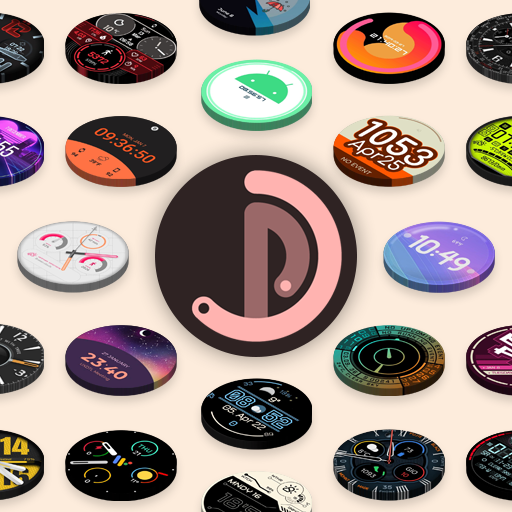
Pujie Watch Faces - Wear OS 4- v6.5.14
Pujie





About this app
Developer Description
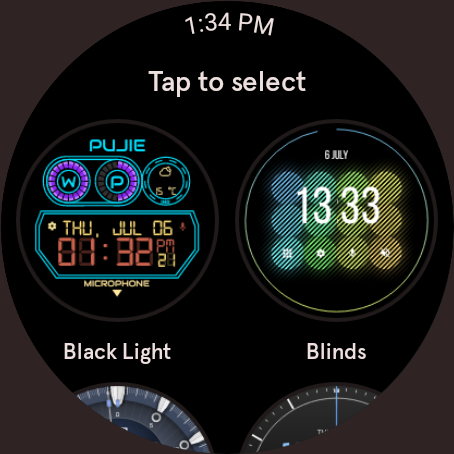
Watch face maker for Wear OS 4 smartwatches with 1000's of watch faces
This version is not compatible with the Galaxy Watch 7/8, the Galaxy Watch Ultra and the Pixel Watch 3. And will not be compatible with Wear OS 6 or newer watches. If you have a Wear OS 6 watch, check out:
Pujie Watch Faces - Wear OS 6
→
https://play.google.com/store/apps/details?id=com.pujie.watchfaces
This version is fully compatible with all WearOS 2.x, 3.x & 4.x devices. Or watches which have been upgraded to Wear OS 5.
This includes the following:
• Samsung Galaxy Watch 4, 5 & 6
• Google Pixel Watch 1 & 2
• Fossil smartwatches
• Mobvoi TicWatch Series
→ ONLINE
https://pujie.io
Tutorials:
https://pujie.io/help/tutorials
Cloud Library:
https://pujie.io/library
Documentation:
https://pujie.io/documentation
→ INTERACTIVE WATCH FACE / LAUNCHER
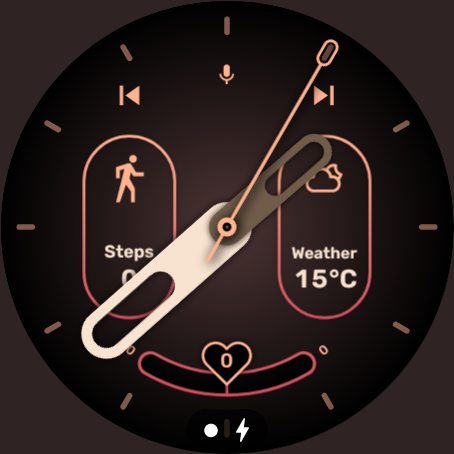
Pujie Watch Faces allows you to assign custom actions to a huge number of possible tap targets. The Tap drawer, a panel with 6 tap targets and all your custom elements make up to unlimited assignable tap targets! It's a watch face and launcher in one!
Choose from:
• The Calendar, Fitness, Weather view or The Tap Drawer
• Any installed watch or phone app or shortcut
• Tasker tasks!
• Watch or phone actions (volume, play/pause music, etc)
→ DESIGN
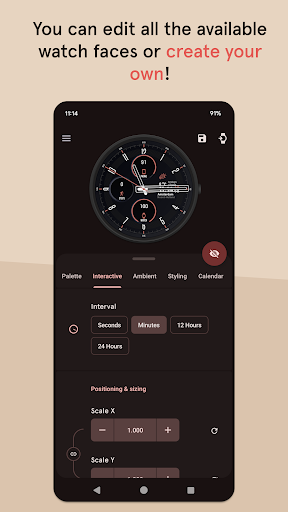
Design your own watch elements (watch hands, backgrounds, complications, custom elements) with the included watch element designer! Pujie Watch Faces has the most advanced watch face maker, supporting true vector graphics and images.
→ WATCH FACE LIBRARY
The watch face library is an online social library of watch faces and watch parts.
Read more:
https://pujie.io/library
→ WIDGET
Even when you don't own a smartwatch you can use Pujie Watch Faces. Use the same app to create a home screen clock widget!
→ KEY FEATURES
All settings are available using the Pujie Watch Faces phone app. Some settings are available from the configuration menu on the watch.
• 20+ watch faces to get you started
• Choose from 1500+ fonts
• Design your own watch elements
• Animated
• Tasker integration (variables & tasks)
• Start any watch or phone app
• Square, rectangular and round watches
• Calendar integration!
• Weather data, Celsius or Fahrenheit
• Phone and smartwatch battery status
• Multiple time zones
• Share your watch faces with others
• And much more
→ SUPPORT
!! Please don't rate us 1-star, just contact us. We respond mighty fast !!
https://pujie.io/help
How do I install the watch face?
1 Wear OS 2.x & Wear OS 3.x: Download the watch app from the Play Store on the watch.
2. Long press your watch and choose Pujie Watch Faces as your watch face, or select it using the WearOS app.
How do I activate a widget?
1. Long press your home screen or go to the widget section in the app drawer (depends on your launcher)
2. Choose Pujie Watch Faces.
3. Design a new style, or choose one of your designs
4. Place and re-size to your liking
What's New
• Minor compatibility update
Version Information
- Version
- 6.5.14
- Downloads
- 100K+
- Updated on
- Oct 6, 2025
- Released
- Oct 16, 2014
- Requires
- Android Varies with device
Statistics
Google Play Rating History
Rating Distribution
Downloads Over Time
Pujie Watch Faces - Wear OS 4- has been downloaded times. Over the past 30 days, it averaged downloads per day.
Shaded area shows 30-day prediction based on historical trends
Historical data collection started recently. More data points will be available over time.
Pujie Watch Faces - Wear OS 4- users say on Google Play
 H Malloy
As of 5 June 2025 not installable on Galaxy Watch Ultra? This isn't Pujie's fault so I raised my rating back to 5 stars, but I can't use it anymore. The recent update made it even better! Thank you! I upgraded from Samsung's Active 2 to their Galaxy Watch 4 so I could keep using Pujie and I'm glad I did! Works great on Wear OS. Great watch face designer! The developer is very responsive and I really appreciate it.
 Hansen Twins
good for beginner, great for advanced user.. i just noticed one weakness, there's no automatic offset shadow for Hands (hour hand, min hand, sec). for tick mark, there's option for this !!! please add this feature for hands.
 Michal Zalewski
So I bought a new Samsung watch. More specifically Samsung watch 7. So I went to install puije bc. I had my fav watchface on the app and had bought it. But when I tried, there were only error messages that it didn't work. This is a problem since I can't access the app even more. On my Samsung watch 5 it worked good. So why doesn't it work on my Samsung 5? But that my experience with the app was good it's a 3/5 stars. Pls help 😭
 Will Stover
Does not work on Samsung galaxy ultra. It shows as "not compatible with this device". Once you can make it work for this watch, I'll happily change to 5 stars as I love this app. I've already emailed decs, hoping this gets fixed.
 Un owen
had issues with this for quite a while on two different watches. the digital time part of the watch face will change to random time not the current time and there's no way to update it. it was so bad on my pixel watch 2 that I had to sell that watch and purchase a Galaxy watch 6. but the problem is still remains!
ApkTrusted Ratings & Reviews
More from Pujie
See more apps
Similar Apps

Prestige: Watch Faces Wear OS
Free
Willow - Photo Watch face
Free

Androidify
Free

TIMEFLIK Watch Faces
Free

FaceLab: Watch Faces
Free
Facer Watch Faces
Free

Recreative Watch Faces
Free

Muviz Watch Faces Collection
Free
PhotoWear Classic Watch Face
Free

StarWatchfaces - Wear OS Shop
Free

Watch Face - Minimal & Elegant
Free

Face Gallery Pro Wear Tizen OS
Free
ustwo Watch Faces
Free

PhotoWear Watch Face
Free
WatchMaker Watch Faces
Free

FaceDial for Wear OS
Free
Scan this QR code to download

Forwarding you to the page at Google Play market in seconds...
Open Google Play market now