
SecureAuthToken vVARY
PUREPLAY STUDIOS LLC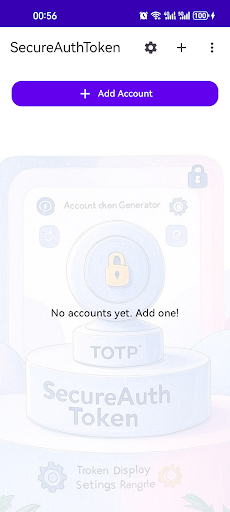


About this app
Developer Description
Secure TOTP Authenticator for accounts. Local PIN, backup, dark mode, no ads!
> Key Features:
> - TOTP Token Generation: Securely generate and display TOTP codes for all your accounts.
> - Account Management: Add, edit, and delete accounts with ease.
> - Real-Time Token Refresh: Codes auto-refresh every 30 seconds.
> - Copy to Clipboard: Tap to instantly copy your TOTP code.
> - Customizable Settings: Choose code length, refresh interval, and more.
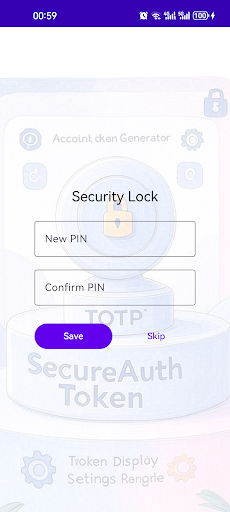
> - PIN & Biometric Lock: Protect your tokens with a PIN or biometric authentication.
> - Backup & Restore: Export/import your accounts securely (no cloud, local only).
> - Dark Mode: Full support for dark theme and beautiful backgrounds.
> - No Ads, No Tracking: 100% privacy, no data leaves your device.
> - User Guide & Privacy Policy: Clear instructions and transparent privacy.
>
> Why Choose SecureAuthToken?
> - Privacy-First: All data is stored locally. No cloud, no analytics, no ads.
> - Modern UI: Clean, intuitive interface with dark mode and custom backgrounds.
> - Open & Secure: Built with the latest Android security best practices.
> How to Use:
> 1. Tap the "+" button to add a new account.
> 2. Enter your account name and secret key (from your service provider).
> 3. Your TOTP code will appear and refresh automatically.
> 4. Tap the code to copy it for quick login.
> 5. Set a PIN or enable biometrics for extra security.
> 6. Use backup/restore to transfer tokens between devices (local only).
> Typical Use Cases:
> - Secure login for Google, GitHub, Microsoft, Amazon, and any TOTP-compatible service.
> - Protect your work, personal, and cloud accounts with 2FA/MFA.
> - Manage multiple tokens for family or team members on one device.
> Note: This app does not sync or upload your data. All tokens are stored securely on your device.
3. App Usage Scenarios
Personal Security: Use SecureAuthToken to protect your email, social media, and banking accounts with TOTP-based 2FA.
Workplace MFA: Employees can manage multiple work-related tokens (VPN, cloud, admin panels) in one secure app.
Device Migration: Easily export and import your tokens when switching to a new phone, without cloud sync.
Family/Team Use: Manage and back up tokens for family members or small teams, all locally and securely.
Version Information
- Version
- -
- Downloads
- 100+
- Updated on
- -
- Released
- Jul 20, 2025
- Requires
- Android Varies with device
Statistics
Google Play Rating History
Rating Distribution
Downloads Over Time
SecureAuthToken has been downloaded times. Over the past 30 days, it averaged downloads per day.
Shaded area shows 30-day prediction based on historical trends
Historical data collection started recently. More data points will be available over time.
SecureAuthToken users say on Google Play
 humaira riz
its a best
ApkTrusted Ratings & Reviews
More from PUREPLAY STUDIOS LLC
See more apps


Scan this QR code to download

Forwarding you to the page at Google Play market in seconds...
Open Google Play market now