
Heart Rate Sentinel vVARY
QuBit Time™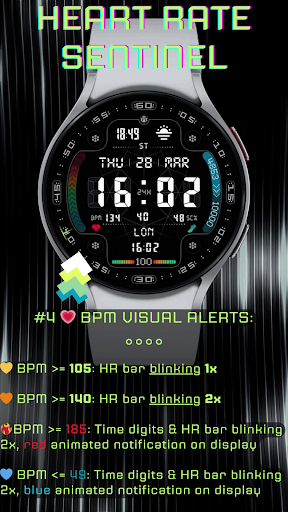
About this app
Developer Description
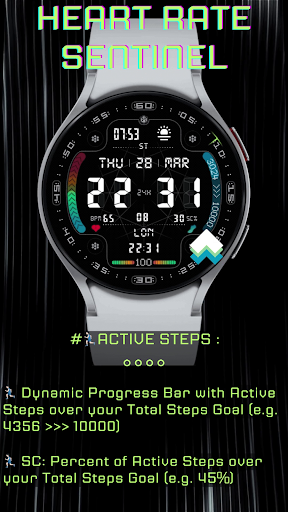
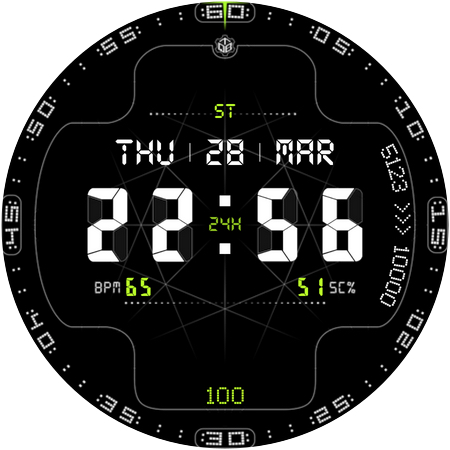
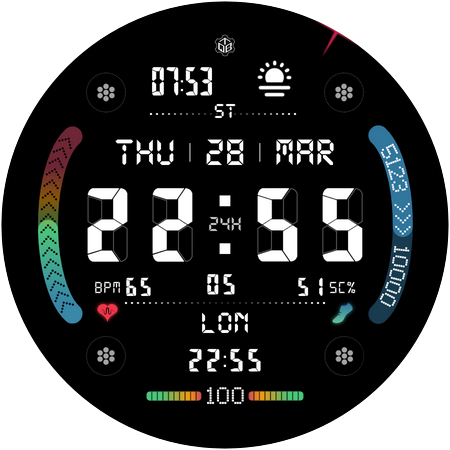
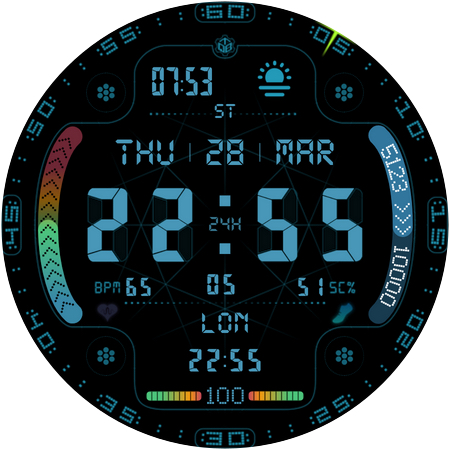
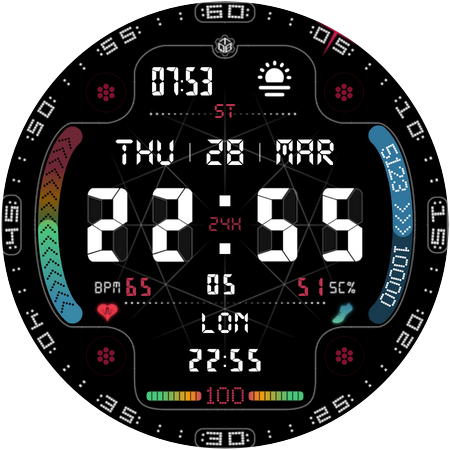
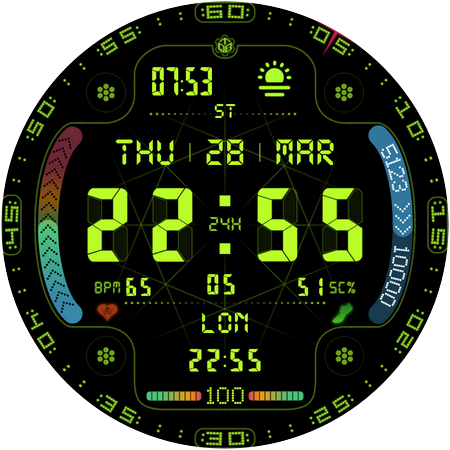
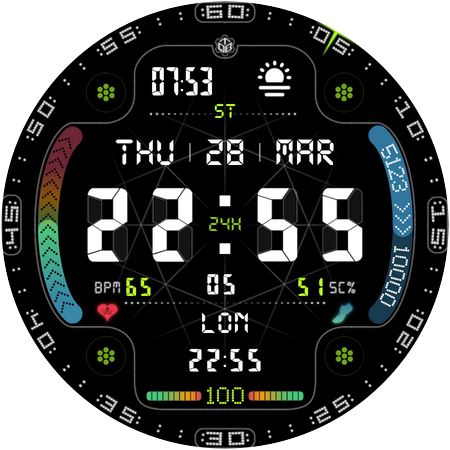
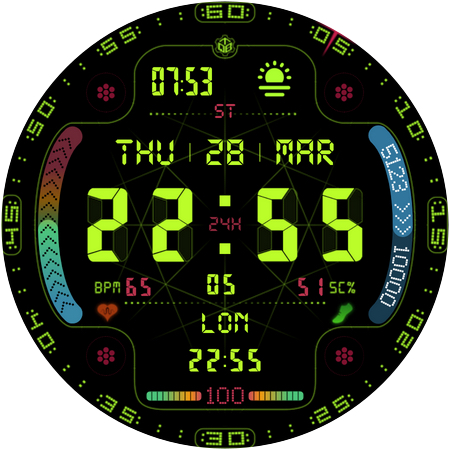
Sportive watchface with Visual Alert on Heart Rate and Health for Wear OS
FEATURES:
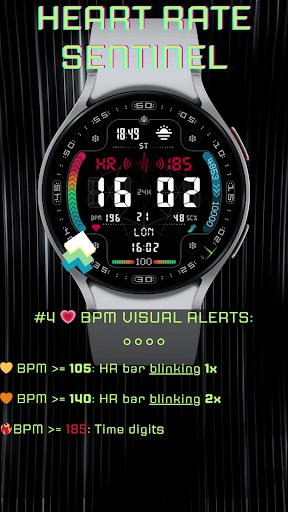
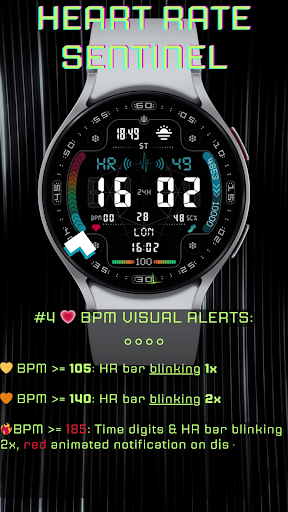
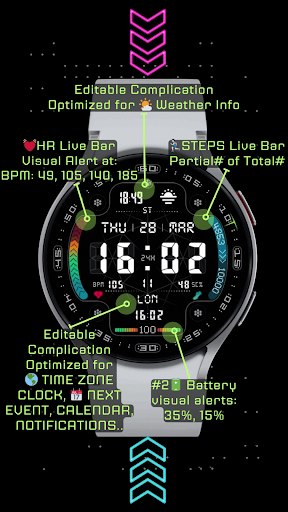
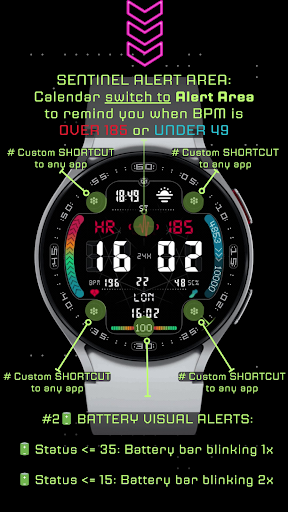
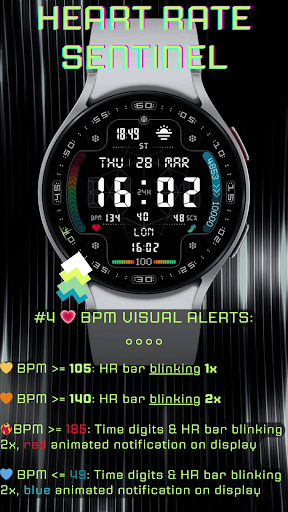
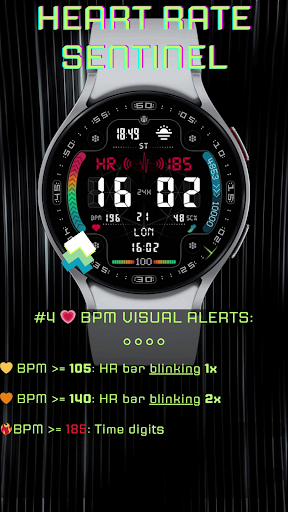
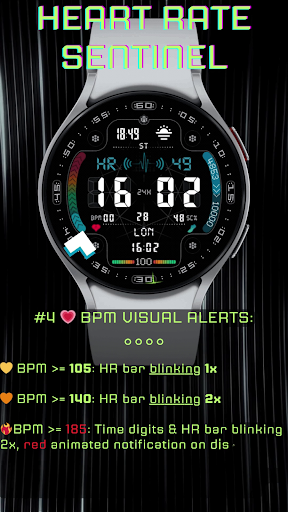
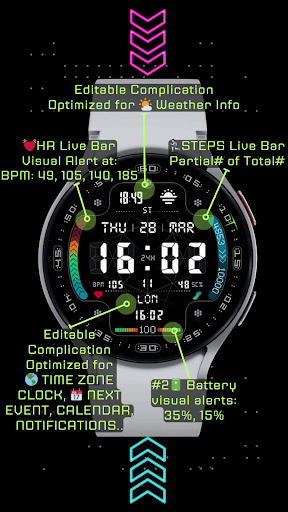
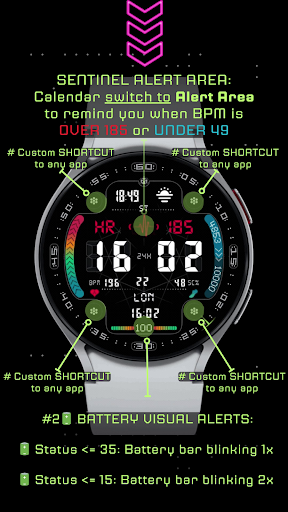
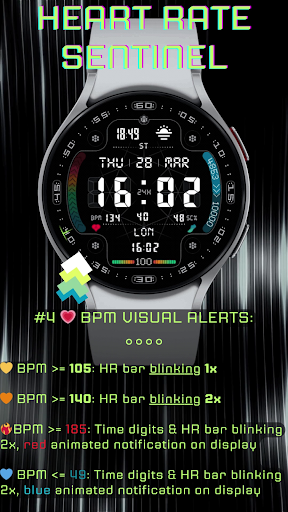
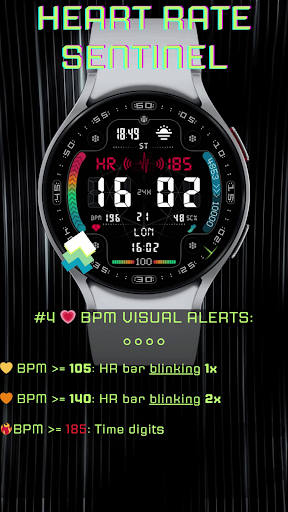
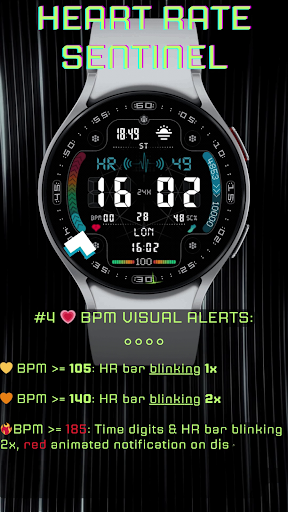
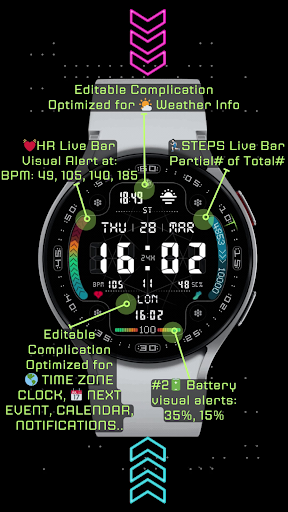
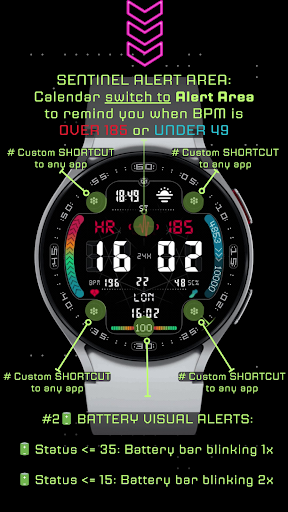
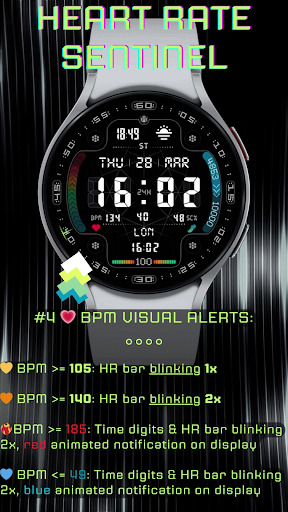
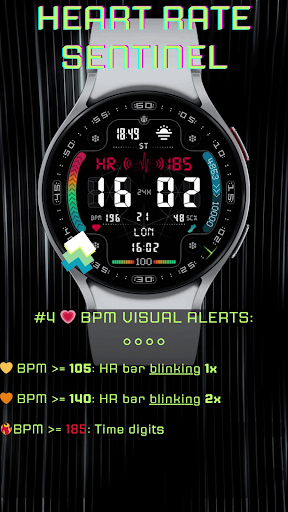
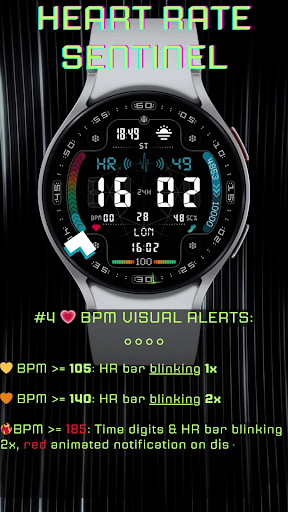
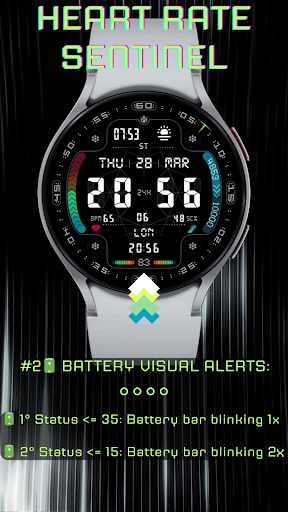
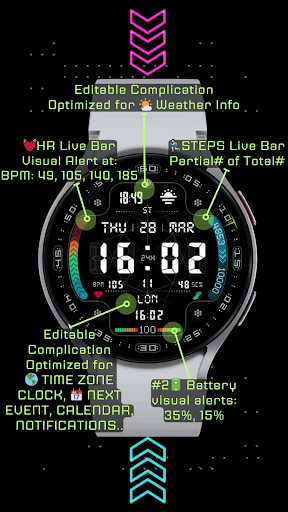
- ❣️ Heart Rate BPM VISUAL ALERT, to remind you BPM too high or too low:
- 💛 BPM above105: HR bar blinking 1 time per second
- 🧡 BPM above 140: HR bar blinking 2 times per second
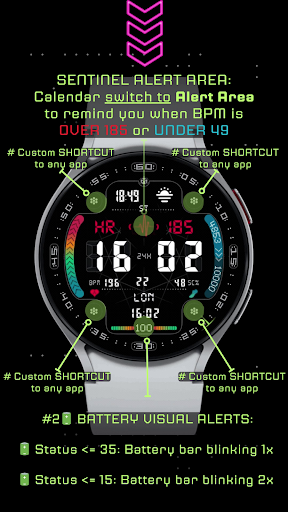
- 🔥 BPM above 185: Time digits and HR progress bar blinking 2 time per second, red animated notification on display
- 💙 BPM below of 45: Time digits and HR progress bar blinking 1 time per second, blue animated notification on display
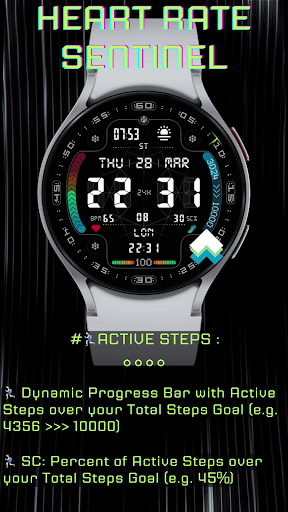
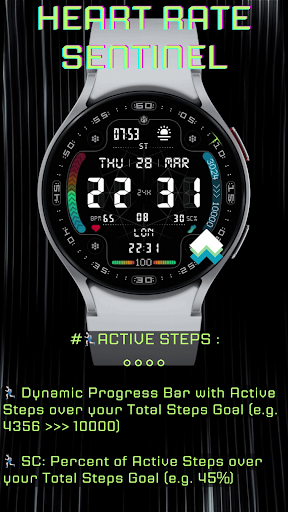
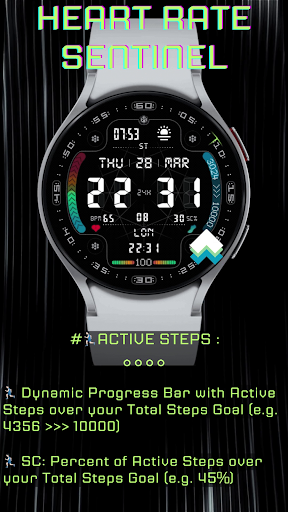
- 🚶Steps progress bar with Partial over Total Steps Goal(e.g. 3615 of 10000) and counter with % of Total Steps Goal (e.g. 34%). Only for MOBVOI (TicWatch) USERS with Wear OS: 3.5 and
TicHealth: 5.0.0-3176.2442: PLEASE NOTE at this moment Total Steps Goal can't synch with TicHealth App and it will show instead a default value of 6000 steps as Total Steps Goal. Hopefully, could be be fixed in a next update from Mobvoi. - 2 Editable Complication, Optimized for 🌦️Weather Info and 🌍 World Clock (however, you can choose any other complication available on your device based on Icon + Short Text)
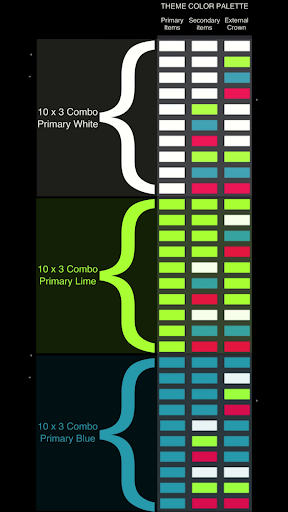
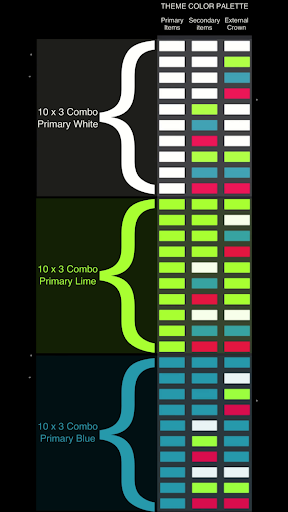
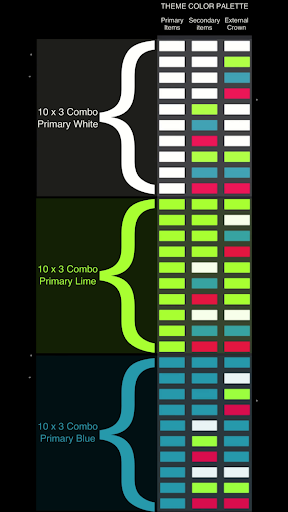
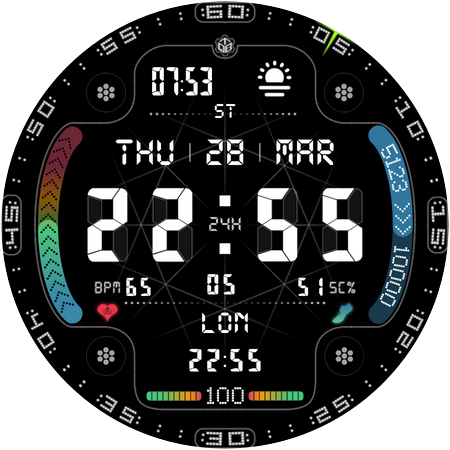
- 3 Main Color Themes (White, Lime, Blue) and 2 Backgrounds (1 graphical and 1 empty with circular seconds dots ) with 30 possible color combinations of elements (White, Lime, Blue, Red) for each background
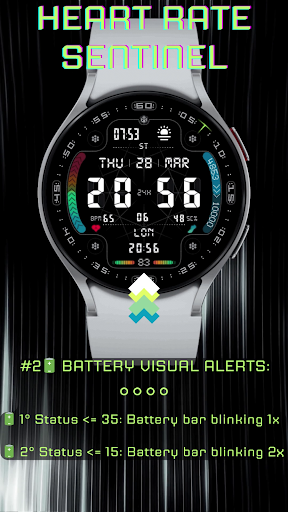
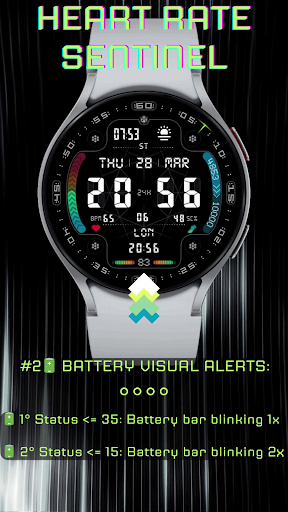
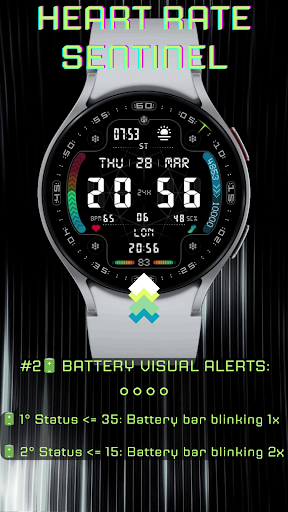
- 🔋 Battery Bar below/equal 35%: blinking 1 times per second
- 🔋 Battery Bar below/equal 15%: blinking 2 times per second
- 🔗 🔗 🔗 🔗 4 Shortcut to an app of your choice
- 🗓️ Calendar, DST/ST indicator
- Automatic 12H/24H
- Blinking time dots
- Seconds with graphic indicator rotating
SUPPORTED DEVICES:
All smartwatches with round display and Wear OS 3.5/4 (API 30+)
📝 INSTALLATION NOTES:
This watch face is intended for smartwatches with round display and Wear OS 3/4 (API 30+).
The mobile app only serves as a placeholder to make it easier to set up and find the watch face on your Wear OS watch. Other than install the watch face from the app, you can simply select your watch device from the Install drop-down menu and wait for Google Play to install on your watch.
In case you're having issues with custom complications after recent update, consider full watch face reinstall.
Please send any problem reports or requests for help to our support address:
quantum.bit.time@gmail.com
Follow us on our socials:
Facebook
https://www.facebook.com/people/QuBit-Time/61552532799958/
Instagram
https://www.instagram.com/qubit.time/
Telegram
https://t.me/QuBitTime_QA
What's New
- Updated the 4 small Circle Complications, now fully editable in Settings.
- Graphical improvements
- Added Animated Circular Seconds
Version Information
- Version
- -
- Downloads
- 500+
- Updated on
- Jul 14, 2025
- Released
- Feb 24, 2024
- Requires
- Android Varies with device
Statistics
Google Play Rating History
Rating Distribution
Downloads Over Time
Heart Rate Sentinel has been downloaded times. Over the past 30 days, it averaged downloads per day.
Shaded area shows 30-day prediction based on historical trends
Historical data collection started recently. More data points will be available over time.
Heart Rate Sentinel - Google Play Rankings
Top Rankings
| Rank | Country | Category | List | Change |
|---|---|---|---|---|
| — |
Ranking History in
No ranking data available yet. Rankings are updated daily.
#75 in Top Paid Health And Fitness in Argentina


#75 in Top Paid Health And Fitness in Egypt
#75 in Top Paid Health And Fitness in Philippines
#75 in Top Paid Health And Fitness in Pakistan
Heart Rate Sentinel users say on Google Play
 Peter Walker
I installed this on my TicWatch Pro 5. If you are looking for a lot of infos and app-lauching from the watchface, this is the best app i found. A lot of info has been crammed onto the screen including 2 complications and 4 app launch buttons in the corners. It is well designed and the data is large enough to read, although the step-counter could be made more readable and limit configurable. It is not possible to change the app-launch links without changing watch-faces. Power use is a little high
ApkTrusted Ratings & Reviews
More from QuBit Time™
See more apps

Similar Apps
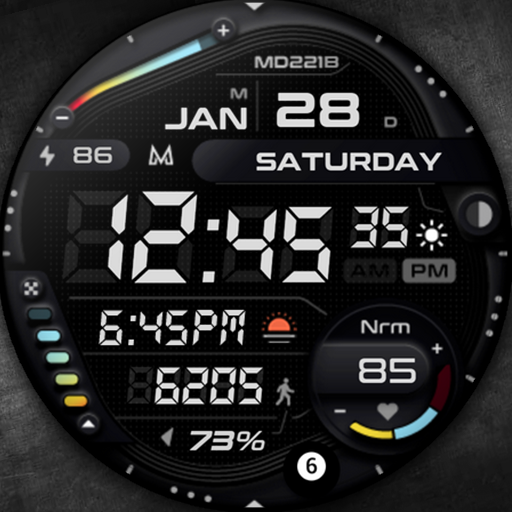
MD221B Digital watch face
Paid

SamWatch Digital Seth 2022
Paid

SG-130
Free
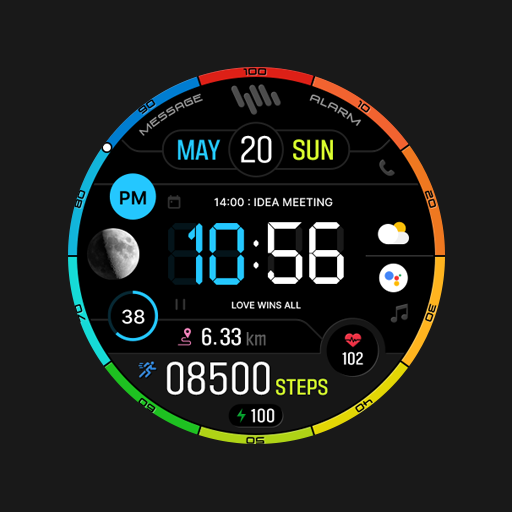
SamWatch Digital X
Paid
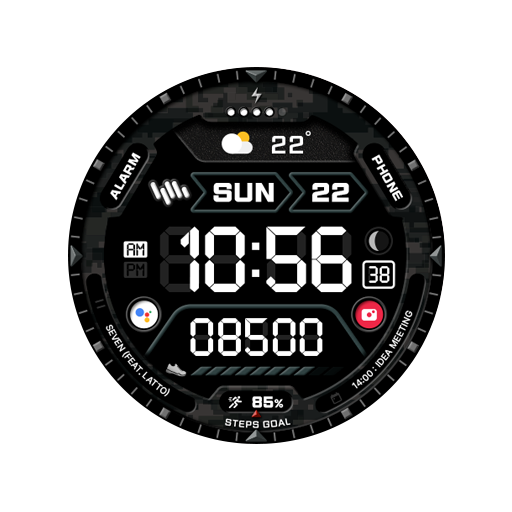
SamWatch Military Z
Paid

ORB-07 Clarity
Paid
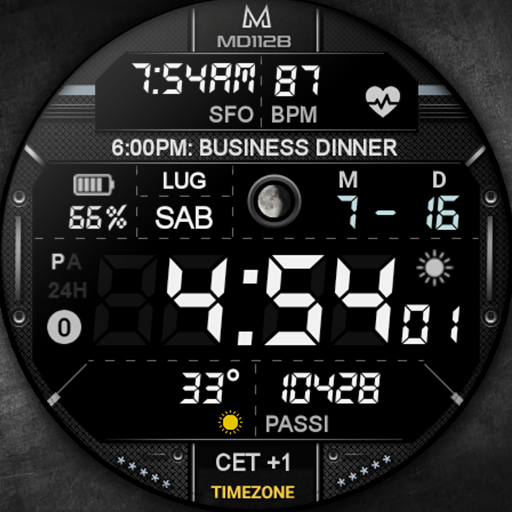
MD112B Digital watch face
Paid

SamWatch Digital Selene 2022
Free
ORB-04 Quadratic
Free

SD82
Paid

Digital 16
Paid

MD285 Digital watch face
Free

Weather Forecast Short Term 99
Free
Ballozi MERTEK Digital Retro
Free

MD229 Digital watch face
Paid

CFS128 Flip Calendar
Paid
Scan this QR code to download

Forwarding you to the page at Google Play market in seconds...
Open Google Play market now