
NoteGuard Secure Group Sharing vVARY
algodextrous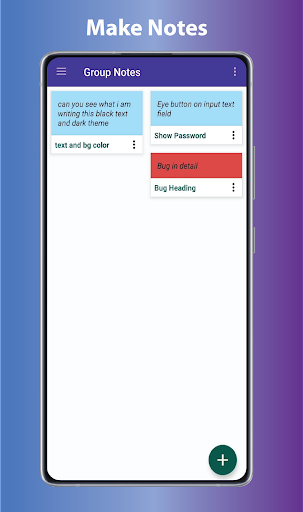
About this app
Developer Description
Manage your notes and set reminder for task, collaborate with others.
You can put text, images, video, audio, and drawings in the notes or set a reminder for a specific task that needs to be done on a priority basis.
Features:
• Save notes directly into the cloud.
• Logging in to this app is optional but to access your notes on a different device than signing up is mandatory
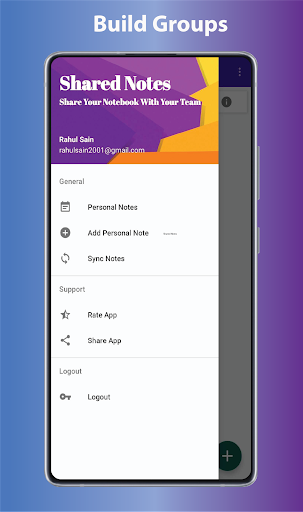
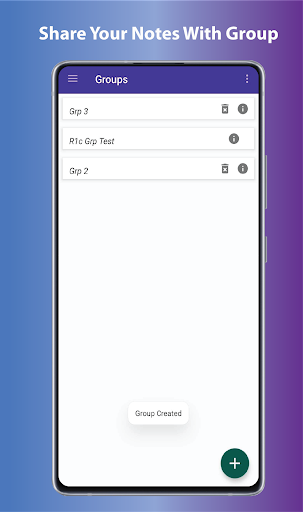
• Make groups by adding their email id that is used for signing in for this app.
• Saves notes in the group.
• Only author can edit their notes.
• Only group admin can add or remove members.
• Users can leave any group of their choice.
How to use sign up/log in:
• Click on the top left burger icon
• Click on sync which will ask you to save the notes you have made while using a temporary account.
• Login if you already made an account or sign up if not.
• By registering, now you can see these notes on any device.
• All the data are safe and secured through google cloud.
Give us your Feedback.
Enjoy the App!
Version Information
- Version
- -
- Downloads
- 500+
- Updated on
- -
- Released
- Jan 17, 2022
- Requires
- Android Varies with device
Statistics
Google Play Rating History
Rating Distribution
Downloads Over Time
NoteGuard Secure Group Sharing has been downloaded times. Over the past 30 days, it averaged downloads per day.
Shaded area shows 30-day prediction based on historical trends
Historical data collection started recently. More data points will be available over time.
NoteGuard Secure Group Sharing users say on Google Play
 Rahul Sain
I could write notes and make groups instead of manually sending them in person or over any other platform
 Sofi S
The layout is unnecessarilly confusing and whenever I tried to add my friend to a group it just wouldn't work.
ApkTrusted Ratings & Reviews
More from algodextrous
See more apps




Scan this QR code to download

Forwarding you to the page at Google Play market in seconds...
Open Google Play market now