
Reverse Image Search – RIMG v1.3.1
Wios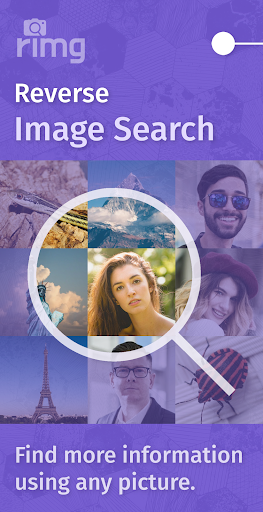


About this app
Developer Description
Search by image using multiple search engines to get accurate results.
You can use reverse image search to:
🐠 filter out catfishes;
❤️ expose dating scammers;
🪴 identify plants, arts, and people;
🖼 find similar products; and
➕ perform any other image search.
Some features:
📷 Snap picture from camera to search
🖼 Search from gallery or URL
🌐 Look in Google, Bing, and Yandex
💾 Save pictures from webpages
In Image Search, to search a pre‑existing image, you can either select it from your phone’s camera roll (gallery) or enter a URL to that picture. If you wish to search an object that is in front of you, you can also take a picture from within the app and use that picture to search by image. This feature is especially useful when you are traveling and want to find out what stands right in front of you. You can also take a picture of any product or item that you see to search similar objects from around the web. Many users also reverse image search artworks to identify the original artist of an art‑piece, so they can accurately and appropriately credit the artist when posting their work online.
For any image you select, the app constructs a secure channel to execute a search. The selected image, through the channel built by the app, is passed onto the search engines. When a search engine receives the picture, it will display detailed results pertaining to that picture. This app is NOT affiliated to any of the search engines featured in it.
The search result usually contains other partially or fully matched pictures. The search engines also report any similar images from other sources. If the picture contains an identifiable individual or landmark, the search engine will display additional informative details on that individual or landmark. To do an in‑depth research, you can visit the website that the search engines find.
Get Image Search to initiate a free reverse image search. It will help you find more information on that picture you are curious about.
By downloading and using this app, you acknowledge that you have read and accepted the terms and privacy policy outlined on the following pages.
Terms of service: https://rimg.us/docs/terms.html
Privacy policy: https://rimg.us/docs/privacy.html
What's New
Version Information
- Version
- 1.3.1
- Downloads
- 100K+
- Updated on
- Jul 30, 2025
- Released
- Apr 16, 2022
- Requires
- Android 6.0
Statistics
Google Play Rating History
Rating Distribution
Downloads Over Time
Reverse Image Search – RIMG has been downloaded times. Over the past 30 days, it averaged downloads per day.
Shaded area shows 30-day prediction based on historical trends
Historical data collection started recently. More data points will be available over time.
Reverse Image Search – RIMG users say on Google Play
 Chase Cutts
It's fast. And so far, in the short amount of time that I've been using it, the search results have been spot-on 9 out of 10 times. And I really like the design of having multiple options for the search engine. It's so much better than anything Google has, for sure.
 Eolo
Eolo
much improved.
 Brett Mastema
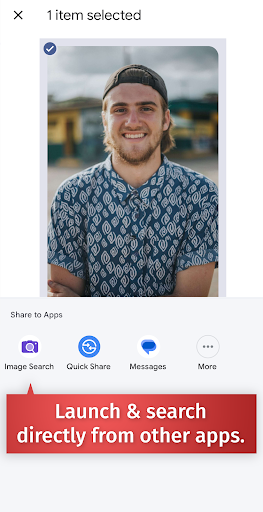
I find myself needing reverse image quite a lot. I like that I can share an image to this app and quickly search multiple places. The Yandex site doesn't work at all anymore. the lenso.ai search has a capcha box to verify I'm human that always says I have failed. so It also doesn't work. Since Bing reverse search has become terrible, pretty much this is only good for Google which If that's the case I should just import into Lens. I had no way to send the app my feedback so I edited my review.
 Herb Hall
half the time its not working! now it hasn't worked at all always claims I'm having internet problems! when I'm not
 dave bergstrom
I rate a 0. Rarely loads
ApkTrusted Ratings & Reviews
More from Wios
See more apps
Scan this QR code to download

Forwarding you to the page at Google Play market in seconds...
Open Google Play market now