
Bills - Expense Monitor Remind v4.4
RInfoLabS








About this app
The Bills - Expense Monitor Remind app solves the problem of keeping track of bills and expenses for individuals who struggle with organization and timely payments, benefiting those who need a simple and straightforward financial management tool. With its excellent 5.0/5 user rating, it stands out in the Finance category for its ease of use and effectiveness. Compared to alternatives, this app's lack of permissions and ad-free experience make it a compelling choice for those valuing privacy and minimalism. However, its limited feature set might fall short for users requiring more comprehensive financial management capabilities.
Pros
- The app's excellent 5.0/5 rating and over 1,000 downloads indicate a high level of user satisfaction and social proof, suggesting that it effectively meets the needs of its target audience.
- With no permissions required, users can be assured of their data privacy, which is a significant advantage in the Finance category where sensitive information is often involved.
- The paid model without in-app purchases or ads ensures a clean and uninterrupted user experience, allowing users to focus on managing their bills without distractions.
- The developer's transparency, with a provided website and email for contact, adds to the app's credibility and trustworthiness.
- The app's simplicity and focus on a single task make it accessible to a wide range of users, including those who are not tech-savvy or prefer straightforward financial tools.
Cons
- The app's limited feature set might not cater to users who require more advanced financial management tools, such as budgeting, investment tracking, or bill automation.
- The lack of a free version or trial might deter some potential users who prefer to test an app before committing to a purchase, potentially limiting its reach.
- With only 5 total ratings, the user review base is currently very small, which might not accurately represent the full spectrum of user experiences and opinions.
- The app's requirement for Android 5.0 or higher might exclude users with older devices, limiting its compatibility and accessibility to a broader audience.
Best for: The ideal user for the Bills - Expense Monitor Remind app is an individual with basic to moderate technical skills, likely between the ages of 25 and 55, who values simplicity and ease of use in a financial management tool, and is looking for a straightforward solution to track and remind them of their bills without the need for advanced budgeting or investment features.
Developer Description
Bills is the simple bill tracker. Helps you to manage your bills.
Do you Hate paying extra money? Do you worry about forgetting to pay your bills while you go about your busy schedule?
Bills Reminder is the solution that you're looking for.
Bills App helps you relax when it comes to the financial side of life by reminding you to pay your bills on time right.
Features:
- Add,Edit and Delete Bills
- Recurrent/Repeat Bills : Every Week, Two Weeks, Three Weeks, Four Weeks, Five Weeks, Six Weeks, Seven Weeks, Eight Weeks, Monthly, Two Months, Three Months, Six Months, Yearly
- Calendar View
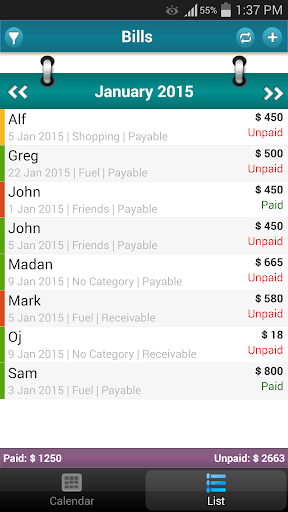
- List View of Bills
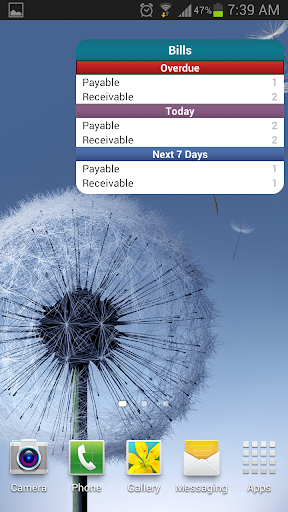
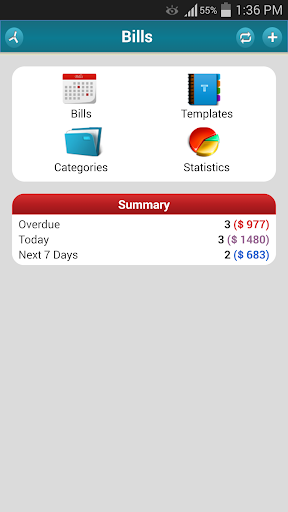
- Overview : Over due,Today, Next 7 days bills
- Identify the state of bills by individual marker on dates
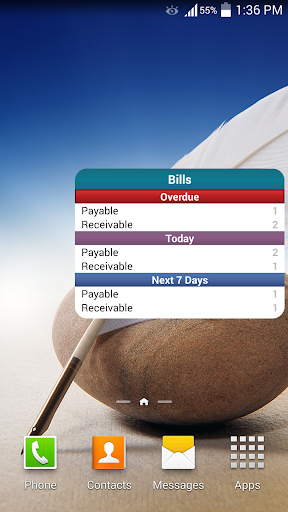
- Widget showing no. of Overdue, Today,Next 7 days Bills
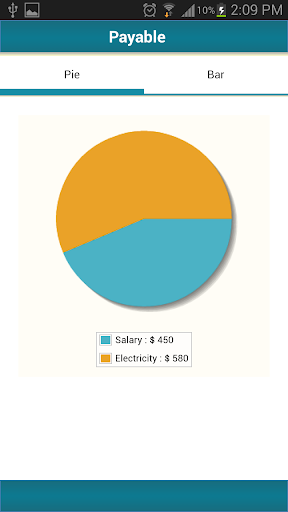
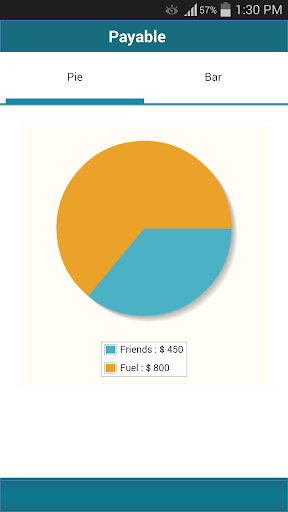
- Statistics : Pie Chart, Bar Chart
- Supports Local Decimal Separator like dot in US, comma in French
- Use the built-in calculator to quickly calculate bill amounts
- Add bills with categories, amount,priority and notes
- Different Calendar Styles
- Reminder
- Templates
- Categories
- Filter by Payable, Receivable
- Share Bill
- Shows this month total paid amount,unpaid amount
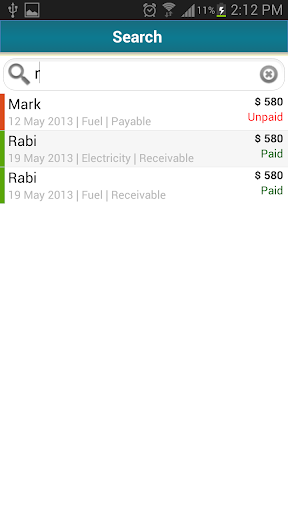
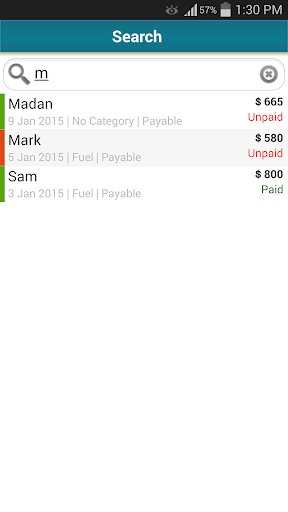
- Search Bill by Name
- Simple and Easy to use
- Export
- Backup and Restore to/from SD Card.
- Multiple currency support
- Order List by Name/Status/Type/Priority
- Online Backup/Restore Option
Permissions :
- Write to SD card permission to export payments
- Vibrate to remind payment
Please do not move the application to the sd card if you want to use the widgets (general limitation of the Android operating system)!
Due to Android market policy, you will have only 15-minutes refund window. Please check with Demo version before purchase.
Please feel free to contact "ramidi.srikanthreddy@gmail.com" if you have any questions, comments or recommendations.
Unfortunately Google Play does allow to respond to the comments here, so please contact the developer directly.
Thanks for your support!!
Privacy
Given that the app requires no permissions, the risk of data collection or privacy breaches appears to be minimal. However, users should still be cautious when inputting sensitive financial information and ensure they are downloading the app from a trusted source. Regularly reviewing the app's privacy policy and terms of service is also advisable.
Tips
For first-time setup, users should start by adding all their recurring bills to the app to get a comprehensive view of their expenses. To optimize performance, closing the app when not in use can help conserve battery life. Additionally, users can explore integrating this app with other financial tools, such as budgeting apps, to create a more holistic financial management system.
What's New
- Back Button
Version Information
- Version
- 4.4
- Downloads
- 1K+
- Updated on
- Nov 25, 2025
- Released
- May 12, 2013
- Requires
- Android 5.0
Statistics
Google Play Rating History
Rating Distribution
Downloads Over Time
Bills - Expense Monitor Remind has been downloaded times. Over the past 30 days, it averaged downloads per day.
Shaded area shows 30-day prediction based on historical trends
Historical data collection started recently. More data points will be available over time.
Bills - Expense Monitor Remind users say on Google Play
 A Google user
This is a simple, easy to use, and effective app. The only issue I have is the Receivable counts as a paid bill which makes it impossible to compare income to payable for budgeting purposes.
A Google user
Made a backup in the free version off all my bills, but can only restore on paid version. Paid version says no backups found. So unless the development can see this and tell me how to fix it real quick before my 15 minute refund window is up, I'm uninstalling and getting a refund. Didn't spend all that time inputting bills to get a feel of the program only to have to do it again after buying it. Free and paid version saves need to be streamlined together.
A Google user
I purchased this full version but quite honestly, nothing's much different. U're better off keeping the FREE version if u have it. Doesn't even allow for you to add "Income". Only your bills. I'd like to see the difference in amt subtracted from INCOME when noting that its been paid. Cant do that w/o income being able to be added!
A Google user
I downloaded this app hoping it would restore all my data from the free one and it didn't so I quickly got my refund back. But then I saw something that said you could restore your data and save it to your SD. card, so I downloaded it again to try that DID NOT WORK, So then I was hoping to get a refund and I hit un install AND THERE WAS NO REFUND DONT WAIST YOUR MONEY HOPING YOUR STUFF WILL TRANSFER
ApkTrusted Ratings & Reviews
More from RInfoLabS
See more apps




Similar Apps


Scan this QR code to download

Forwarding you to the page at Google Play market in seconds...
Open Google Play market now