
Royal TSD v2.5.6
Royal Apps GmbH






About this app
Developer Description
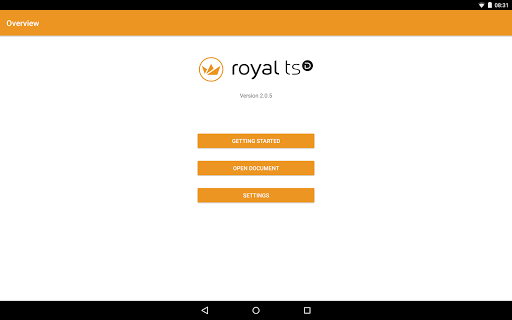
Easy and secure management of your remote systems with RDP, VNC, SSH, Web, etc.
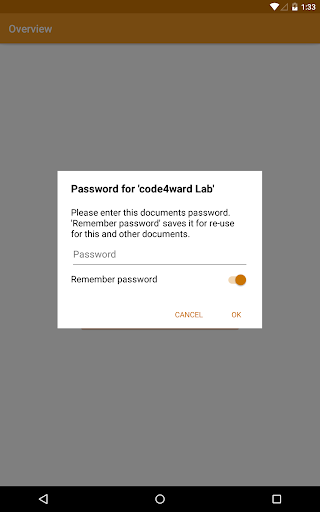
Those documents can be opened directly from any installed cloud provider like Google Drive, Dropbox or OneDrive. You can even send the documents via email or copy them to your device via USB and then open them with Royal TSD.
Connecting to the remote machines with RDP, VNC, SSH or Telnet is possible with specialized 3rd party apps.
With Royal Server you don't need to connect to the remote desktop anymore. You can manage Windows Events, Windows Services, Windows Processes, Terminal Services, Hyper-V and VMware virtual machines and can start PowerShell scripts on the remote machine directly from Royal TSD.
E.g. if you find an error in the Event Log, then you could restart a service, kill a process, reset a Terminal Services connection or stop and start a Hyper-V virtual machine. When you use PowerShell scripts, then there is no limit of what you can do.
Some supported connection types can be tweaked and optimized for your mobile device. E.g. Remote desktop connections can be configured to always use a lower color depth or screen resolution to save bandwidth.
What's New
Version Information
- Version
- 2.5.6
- Downloads
- 1K+
- Updated on
- Aug 7, 2025
- Released
- Nov 9, 2016
- Requires
- Android 5.0
Statistics
Google Play Rating History
Rating Distribution
Downloads Over Time
Royal TSD has been downloaded times. Over the past 30 days, it averaged downloads per day.
Shaded area shows 30-day prediction based on historical trends
Historical data collection started recently. More data points will be available over time.
Royal TSD - Google Play Rankings
Top Rankings
| Rank | Country | Category | List | Change |
|---|---|---|---|---|
| — |
Ranking History in
No ranking data available yet. Rankings are updated daily.
#18 in Top Paid Business in Vietnam

#18 in Top Paid Business in Poland
#18 in Top Paid Business in Pakistan
#18 in Top Paid Business in India
Royal TSD users say on Google Play
 A Google user
Works like it should, never gives me a problem. Very easy to set up; had it connected on the first try. I also use the Mac version which is similar. Once you have your connections and identity entered you don't have to think about it, it connects and displays properly. I use it to access a database cluster management UI after hours.
A Google user
Really wanted it to be an all in one app like it is on Mac and PC (though it properly said in the description otherwise). That said the transition to the preferred apps is not laborious and it works similar to the Mac and PC versions.
A Google user
As others people said this should be all in one apps like on PC without the need of 3rd party apps (I hope in the future you will improve that). I'm waiting the possibility to create document etc... in the next release as you said :)
A Google user
Limited to no functionality compared with the desktop version. 4/10 could try harder.
A Google user
You cannot directly set up a connection from this app, you are required to send your Royal settings from your computer to your device. If you manage to get through the convoluted process of emailing yourself a rtsd document and then installing it into this app, congratulations! You will then be greeted by an error when initiating a connection, the error saying: "There is no application installed which can start this connection. This app requires other apps to start it." Then it just returns to the menu. It doesn't even try to facilitate the a download for a plugin that would initiate the connection. Worthless app!
ApkTrusted Ratings & Reviews
More from Royal Apps GmbH
See more apps
Scan this QR code to download

Forwarding you to the page at Google Play market in seconds...
Open Google Play market now