Voice Recorder vVARY
Samsung Electronics Co., Ltd.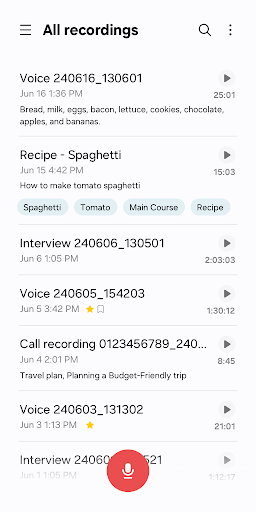

About this app
The Voice Recorder app by Samsung Electronics Co., Ltd. solves the problem of needing a reliable and simple voice recording tool, benefiting most users who require quick and easy audio note-taking, such as students, journalists, and business professionals. Compared to alternatives in the Tools category, this app stands out due to its simplicity and lack of ads, but may fall short in terms of advanced features. With over 1 billion downloads and a 4.0-star rating, it's clear that this app has been well-received by the Android community. Its minimalistic approach and seamless integration with Samsung devices make it a top choice for those seeking a hassle-free voice recording experience.
Pros
- The Voice Recorder app boasts an impressive download count of over 1 billion, indicating a high level of social proof and trust among users, which is a significant advantage in the Tools category.
- As a free app with no ads or in-app purchases, users can enjoy uninterrupted voice recording without any monetization-related distractions, making it an attractive option for those seeking a straightforward recording experience.
- The app's simplicity and ease of use make it accessible to users of all technical skill levels, from beginners to advanced users, allowing anyone to quickly record and manage voice notes.
- With no permissions required, users can rest assured that their data and device security are not compromised, which is a significant pro considering the sensitive nature of voice recordings.
- The app's offline capability allows users to record voice notes even without an internet connection, making it a reliable tool for use in various environments and situations.
Cons
- One concern is the app's limited feature set, which may not cater to advanced users seeking more sophisticated voice recording and editing capabilities, potentially limiting its appeal to a broader user base.
- The lack of updates and versioning information may raise concerns about the app's maintenance and support, potentially impacting its long-term reliability and compatibility with future Android versions.
- Some users may find the app's design and user interface to be outdated or less intuitive compared to more modern voice recording apps, which could affect the overall user experience.
- The app's exclusivity to Samsung devices may limit its compatibility and availability to users of other Android devices, potentially restricting its adoption and user base.
Best for: The ideal user for the Voice Recorder app is likely a busy professional, student, or individual who requires a quick and easy way to take voice notes, such as journalists, lecturers, or meeting attendees, and values simplicity, ease of use, and reliability in a voice recording tool, with a moderate to high level of technical proficiency and a need for a hassle-free recording experience.
Developer Description
- Voice recorder for Samsung Galaxy series
• Record easily anytime, anywhere
Start recording quickly and easily from anywhere, including from your Galaxy smartphone, tablet, or watch.
Record through the built-in microphone, a Bluetooth headset, or a compatible external microphone.
• Record in various recording modes
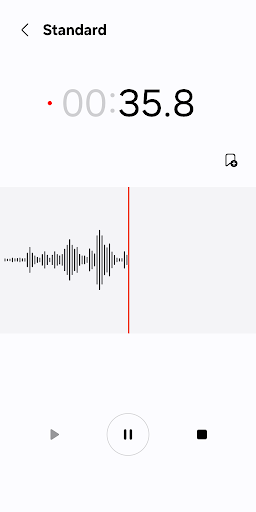
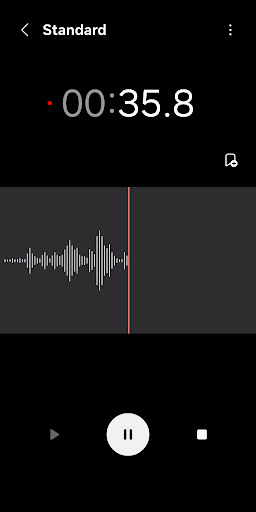
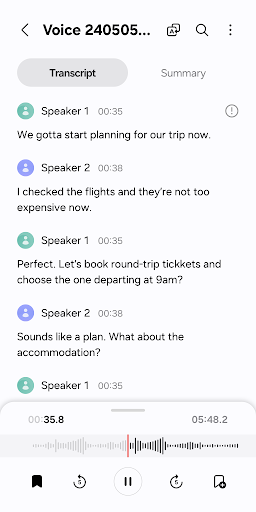
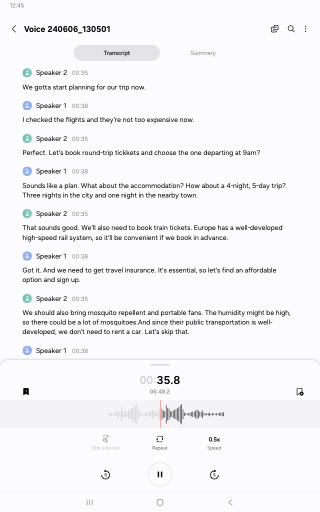
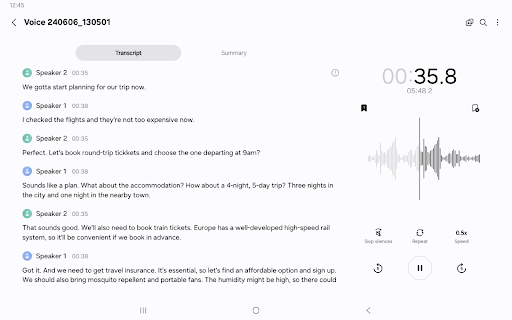
[General] It allows you to record easily. It shows the waveform of the audio.
[Interview] Record yourself and another person’s voice using the microphones on the top and bottom of your phone. It shows the waveform for each voice, which you can play back separately.
• Bookmark important moments
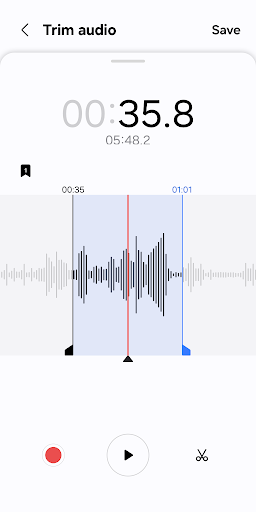
You can add bookmarks to easily find important content.
You can also collect only the snippets you bookmarked or play them right away.
• Block calls while recording
When you get a call while you’re recording, you can continue recording without answering.
• Share only the data you need
Share your recorded audio or transcribed text by selecting only the data you want to share.
※ Supported features may vary depending on the device.
To use this app, the following permissions are required. You can use the basic features of the app without giving the optional permissions.
Required permissions
• Microphone: To record voices and other sounds
• Music and audio: To save the recorded files
Optional permissions
• Nearby devices: To check Bluetooth headset information to allow the Bluetooth microphone recording feature
• Notifications: To notify the user when recording or playing
• Contacts: To block calls while recording
• Call log: To import call recording files
Privacy
Given that the Voice Recorder app requires no permissions, users can be confident that their data and device security are not compromised. However, it's essential to note that voice recordings may still be stored locally on the device, and users should take precautions to secure their device and recordings, such as using a secure lock screen and encrypting their device. Additionally, users should be cautious when sharing or transferring voice recordings to ensure they are not inadvertently sharing sensitive information.
Tips
To get the most out of the Voice Recorder app, users should familiarize themselves with the app's simple interface and explore its basic features, such as recording, playing, and deleting voice notes. Additionally, users can optimize their recording experience by using an external microphone or headset to improve audio quality, and by regularly cleaning up their recordings to free up storage space on their device. By doing so, users can ensure a seamless and efficient voice recording experience.
What's New
Version Information
- Version
- -
- Downloads
- 1.0B+
- Updated on
- Aug 27, 2025
- Released
- Mar 24, 2016
- Requires
- Android Varies with device
Statistics
Google Play Rating History
Rating Distribution
Downloads Over Time
Voice Recorder has been downloaded times. Over the past 30 days, it averaged downloads per day.
Shaded area shows 30-day prediction based on historical trends
Historical data collection started recently. More data points will be available over time.
Voice Recorder users say on Google Play
 Hyeyeon Han
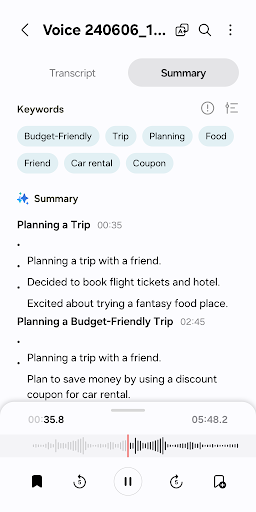
The transcribe feature is awesome.
 LL Bailey
no way to have it voice activated to eliminate big blank time in recording. positive it seems truly free, the ONLY one I have found, and is compact size in phone capacity.
 Kirsten Wolt
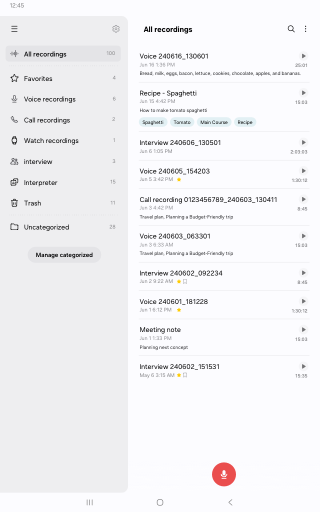
it's ok, but when you press the triangle to play from the list, if you don't hit it just right it opens the individual player. then you have to go back to the list every time to start new recording instead of already being at the list and able to hit play for the next recording. To me, they should make any touch on the right side in the list mode be play. it's too small of a space to hit on a tiny triangle exactly right.
 AJ Kirk
Basic to the point of uselessness. Are you an author, journalist or photographer who wants to record thoughts and events as they occur? No problem, if you want 97 files by the end of the day because you can't append new content to one file, or pause recording to move to another app. It has transcription? sure, except for punctuation. you end up with an unreadable slab of text.
 Arash Khanjani
Terrible terrible app because after sometimes all of your recorded voices will be gone and disappear and there is no special backup unless you do it on Google Drive and this is a problem i cannot ever trust this again
ApkTrusted Ratings & Reviews
More from Samsung Electronics Co., Ltd.
See more apps
Smart Tutor for SAMSUNG Mobile
Free

POWERbot-S
Free

Samsung WE VoIP
Free

Galaxy Buds Core Manager
Free
Samsung Accessory Service
Free

Galaxy Buds+ Manager
Free

Galaxy Buds2 Pro Manager
Free

Galaxy Buds FE Manager
Free

Galaxy Buds Pro Manager
Free

Galaxy Buds3 Manager
Free

Galaxy Buds2 Manager
Free

Galaxy Buds Manager
Free

Samsung Plus 2
Free

POWERbot-E
Free

Galaxy Buds3 Pro Manager
Free

Galaxy Buds3 FE Manager
Free
Similar Apps

Voice Recorder
Free
Easy Voice Recorder
Free
Voice Recorder & Voice Memos
Free
Simple Voice Recorder
Free

voice recorder - pro recorder
Free

ASR Voice Recorder
Free

Voice Recorder Audio Sound MP3
Free

Call Recorder - Talker ACR
Free

Call Recorder - Auto Recording
Free

Recorder AI:Voice&Meeting Note
Free

All Call Recorder
Free

Transcribe Speech to Text
Free
AI Transcribe Speech to Text
Free

OtterAI Transcribe Voice Notes
Free

Dolby On: Record Audio & Music
Free

RecCloud - AI Speech to Text
Free
Scan this QR code to download

Forwarding you to the page at Google Play market in seconds...
Open Google Play market now