ALDLdroid v1.47
Sébastien Giroux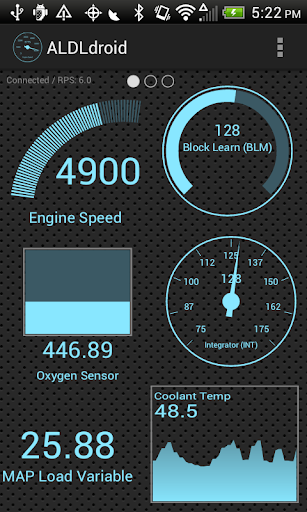




About this app
Developer Description
OBD1 ECMs application. Data log or tune directly from your phone or tablet!
ALDLdroid is compatible with TunerPro files (ADX) for data logging, just make sure you have the ADX file for your ECM before purchasing the app. If the app doesn't come pre-packaged with the ADX file you need, you will need to add your file to the ADX directory of the ALDLdroid folder on your Android device once you've started the app for the first time and the folders structure has been created.
The application has also been used beyonds GM ECMs. With the proper XDF file (make sure your file is not encrypted), it can do tuning file editing on other car/motorcycle brands such as BMW N54, Buell, DSM, Ducati, Ford, Holden, Nissan, Porsche, Volvo, Fiat, Renault, etc. Just make sure your can source the XDF file for your application before purchasing the app.
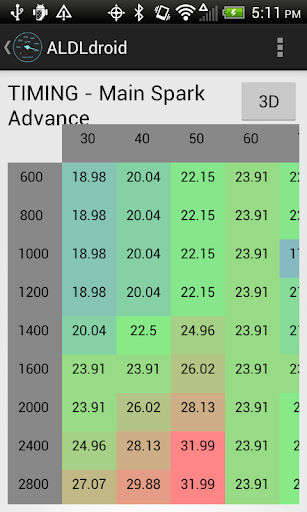
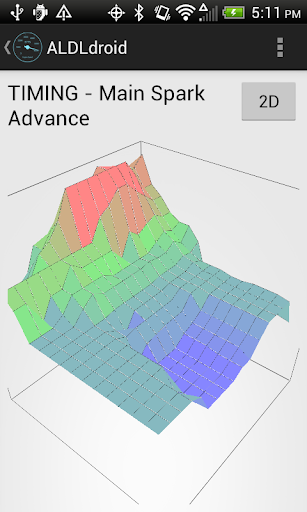
The tuning section uses TunerPro files as well (XDF) to allow editing BIN files. Real-time tuning is currently supported with the Moates Ostrich and the Moates AutoProm hardware. Real-time tuning for NVRAM based ECUs has also been added (only tested with Australian ECUs such as the Delco '808). Chip programming is also possible using the Moates BURN1/BURN2 hardware.
Currently, connection to the ECM can be made using Bluetooth or USB (FTDI). Make sure that your Android device support one of these two connection methods. USB host mode is supported on most devices these days but note that having a USB port on your Android device doesn't automatically means it support USB host mode.
For GM OBD-I, ALDL adapters to connect the application to your GM ECM for data logging can be purchased here if you don't already own one:
- Bluetooth version: https://reddevilriver.com/home-page/ols/categories/bluetooth-scan-devices
- USB version: https://reddevilriver.com/aldl.html or http://aldlcable.com/
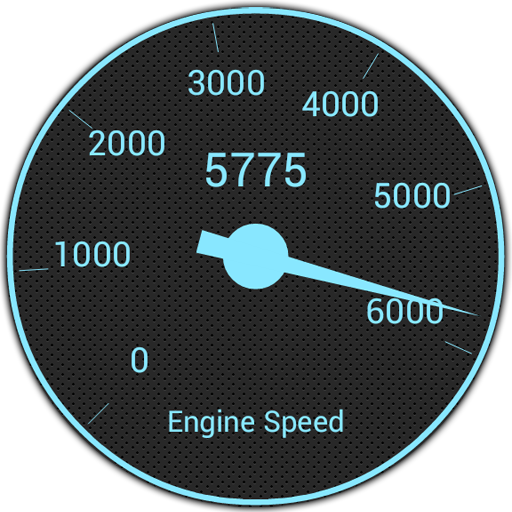
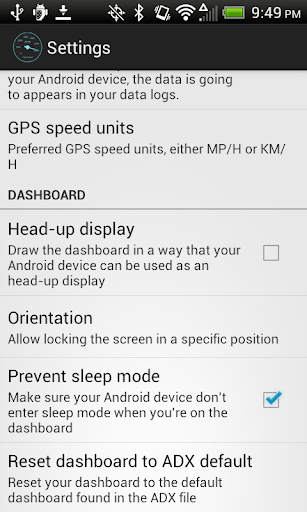
By double tapping on any page of the dashboard, you enter the dashboard edit mode. That mode allow full customization (add/edit/delete) of the dashboard indicators. You can easily drag indicators where you want them. You can also add indicators in the format you want: gauge, basic readout, bar graph or histogram. Colors can be customized along with some styling. Alarms can be set and once your alarm value has been entered to trigger an alarm, an indicator can be configured to turn red and/or the Android app can vibrate.
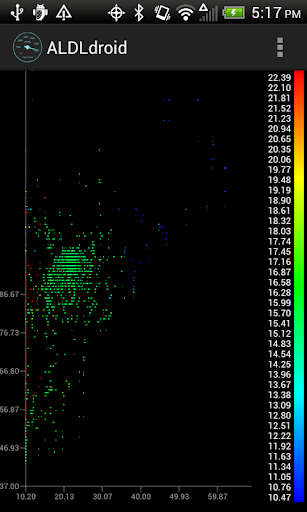
The app includes a couple log viewers. One allow you to see your data logs in a scatter plot format where you can select the X/Y/Z axis from columns of your data log files. The second one allow you to see your GPS data on a map and can be merged with the third viewer that is the regular log viewer that can shows time series of data from any columns of your data log files. See screenshots to see all three of them.
No refund can be made after the 15 minutes allowed by Google Play. It would probably be a good idea to check with online communities that use the same ECM as you if they had success with this app before purchasing.
If you're running into any issue with the app, don't panic, just email me and I will try my best to help. Don't write a bad review until you gave me a chance to help :) Note that I might not have access to your exact setup (Car ECM, Android device, etc) so please provide as much information as possible.
I'm not responsible for any damage that could be caused by this app to your vehicle or anything else (although I really don't see how anything bad could happen). Buy and use at your own risks. Drive safe!
Like us on facebook: https://www.facebook.com/aldldroid
What's New
- Added support to import XDF/BIN files to tuning section
- Minimum Android version is now 6.0
Version Information
- Version
- 1.47
- Downloads
- 1K+
- Updated on
- Dec 1, 2025
- Released
- Nov 25, 2013
- Requires
- Android Varies with device
Statistics
Google Play Rating History
Rating Distribution
Downloads Over Time
ALDLdroid has been downloaded times. Over the past 30 days, it averaged downloads per day.
Shaded area shows 30-day prediction based on historical trends
Historical data collection started recently. More data points will be available over time.
ALDLdroid - Google Play Rankings
Top Rankings
| Rank | Country | Category | List | Change |
|---|---|---|---|---|
| — |
Ranking History in
No ranking data available yet. Rankings are updated daily.
#76 in Top Grossing Auto And Vehicles in Germany
ALDLdroid users say on Google Play
 Brent Scott
I'm very impressed how well this app worked on my Odb1 1990 Corvette. I appreciate the founder for making this app available for the relic Odb1 vehicles. Being able to use an inexspensive tablet instead of a laptop, is a great benifit. I leave the tablet on a permanent mount in the car, so I can see and capture real time data all the time. Also this app has better filtering than Tuner pro's Version 5, I always had to revert back to Tuner Pro Version 4 for data capture. Thanks again for a great product!
 A Google user
Worked straight away with my Holden Commodore VR. Very handy to be able to use my phone instead of the laptop
A Google user
while I like the app especially the fact I can use it on my phone or tablet I wish the values we're in something tangible instead of voltages, percent of TPS, actual AFR for O2 sensor, kPa for map readings, instead of voltage this way you could actually use the data that you're given without needing a conversion chart. this would be especially helpful when you need to see what's going on immediately as you're driving.
A Google user
Dident work a waste of $18
ApkTrusted Ratings & Reviews
Similar Apps



Scan this QR code to download

Forwarding you to the page at Google Play market in seconds...
Open Google Play market now