Cover Photo Maker : Post Maker v1.1.8
Nilesh Jain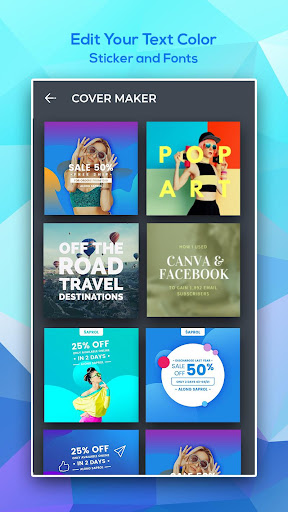
About this app
Developer Description
Create easily! Cover maker and graphics design, social media post app.
Cover Photo Maker is simple & easy for anyone interested in graphic design.
Design or Create your own Cover photos Art, Banners and Thumbnails in a snap.
Social Media Cover photos, Banner, Thumbnail, post for Facebook, YouTube are like handshakes: they provide a first impression that can either be positive or negative. Is your cover photo encouraging viewers to keep reading your profile or contributing to a lack of energy that causes visitors to quickly navigate away?
Cover Photo Maker & Post Maker is an app specifically for designing social media posts. With one click, you can select sizing that's perfectly scaled for a Facebook cover photo & post square size, so you don't have to hassle with resizing an image.
This cover photo maker is super fast and super easy, making it ideal for those with little design experience. In seconds you'll have a sleek, professional cover photo to boost your Facebook's image and design professional thumbnail for youtube video to boost your view.
How to make a cover photo
1. Spice it up
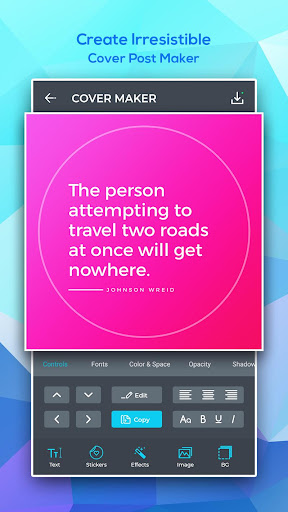
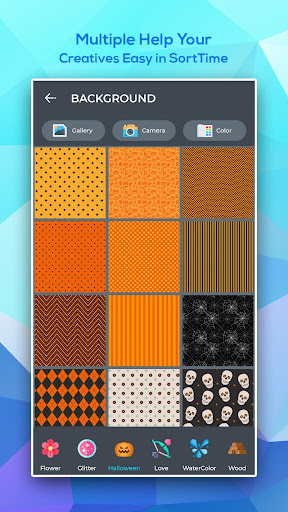
Now get creative by click on "Background". Either upload your own photo, choose one of thousands of stock images, or go with a solid color. Choose a theme that fits your brand. There are a variety of different designs that each express a unique mood, but if you're not sure which to choose - just choose one and you can always change later.
2. Select the size (ratio) as per your needs
Select the Size you want - or choose a ratio. Like for Instagram choose 1:1 , for Facebook cover page choose - Cover Size. ( There are more than 10 presets that almost fit for every need but you also have a choice for Custom Cover Photos - choose custom size.)
3. Add an eye-catching images and stickers.
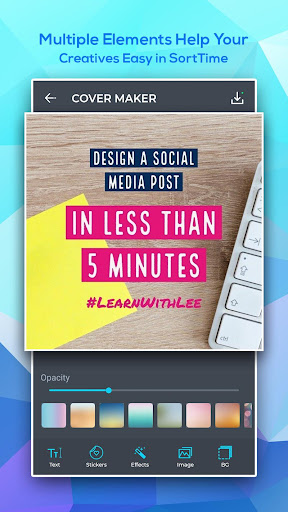
Keep it simple and elegant - choose from 100s of stock stickers or you can select your own images. Change their Hue, size it and place it on the backgrounds.
4. Amp up your message with fonts
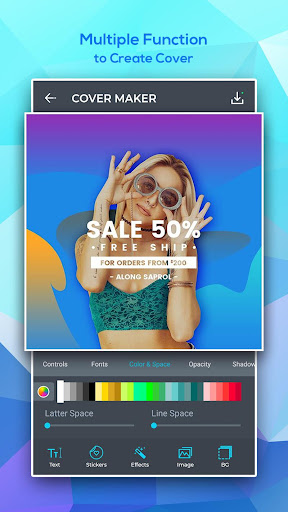
Every good banner/Cover Photo needs compelling typography. Select "Text", Write your message. Then you can change - Text Fonts ( 100's of beautiful fonts for free), color, Curve Text, Shadow, Size and much more.
5. Spread the word
Once you've tweaked and tinkered to your heart's desire and you feel satisfied with your image, it's time to share it with the world. Click the "Share" button at the top of the page and you can download your graphic, then upload it as your Facebook cover photo.
Ready to give your Facebook / YouTube channel / Business a face-lift? Try out Cover Photo Maker Post and design free Facebook covers that will boost your image and help you further your brand.
- Beautiful typography
Choose from a variety of free professionally designed fonts for every occasion.
- Iconic Backgrounds/Stickers/Art
Select from thousands of photos/Backgrounds/Tiles from the app or pick from your personal collections.
Professional themes
- Limitless customization options
The personalizing options in Cover Photo Art are not only many, they are also incredibly easy to use. Each of these options can be applied with the click of a button, so you don't have to spend hours fine-tuning your image.
- The unique power of Cover Photo Art / Banner Art
Cover Photo Maker was created to be an aid to those with little or no design experience, making it completely straightforward to use.
Explore our wide variety of best-in-class layouts, colors, and fonts. Easily tweak them with the text, photos, and icons that best fit your needs. Best for Banners, Cards, Dates, Covers, Flyers, Invitations,Photo Collages, Brochures, Menus, Pamphlets and Other Designs
What's New
2. Add New Cover Photo Templates
3. Minior Bug Fixing
4. Performance Enhancement
5. Add New Banner Backgrounds
6. Improve editing tools for cover photo design
Thank You for using the Cover Photo Maker app! We regularly update our app to fix bugs, improve performance and add new features to help you connect with your friends.
Version Information
- Version
- 1.1.8
- Downloads
- 500K+
- Updated on
- Aug 15, 2025
- Released
- Nov 2, 2018
- Requires
- Android 6.0
Statistics
Google Play Rating History
Rating Distribution
Downloads Over Time
Cover Photo Maker : Post Maker has been downloaded times. Over the past 30 days, it averaged downloads per day.
Shaded area shows 30-day prediction based on historical trends
Historical data collection started recently. More data points will be available over time.
Cover Photo Maker : Post Maker users say on Google Play
 Aspiepunk Octavia Dawn of Heather L.
I love it, but, I use it for collage purposes only...it's easier for me than figuring out photoshop. (have a bad short term memory) (aka...I'm Autistic with a side order of ADHD-C)
 Sara Saeed
An excellent application for editing covers, But what prevented me from giving a full rating is the font. There is no diversity in languages fonts except the English font
 Michael (Mike1)
Good photo editor application to use
 Nadison Solomon
Very nice app no ads
 Shoukhin Alam
Nice
ApkTrusted Ratings & Reviews
More from Nilesh Jain
See more apps
Wedding Invitation Card Maker
Free

Esport Logo Maker
Free
Poster Maker : Flyer Maker
Free
Logo Maker & Graphic Design
Free

Invitation Maker, Ecards Maker
Free
Ultimate Thumbnail Maker
Free

Brochure Maker : Catalog Maker
Free

Ultimate Business Card Maker
Free
Auto Background Changer
Free
Auto Background Changer
Free

PicsU: Cut Cutout Photo Editor
Free
Similar Apps

PixaGen: Ai image generator
Paid

Ai Logo Maker : Design Studio
Paid

Banano Pro İmage Generator
Free

DesignEvo - Logo Maker
Free

Text & Image to Video AI Gen
Paid

DreamBuild: Sketch to 3D
Paid

Logo Maker Design AI Generator
Free

AR Drawing: Learn & Sketch Art
Free

Logo Maker, AI Logo Generator
Free

3D Photo: Imager
Paid

Evite: Email & SMS Invitations
Free

Poster Maker AI Flyer maker
Free

Tattoo AI: Ink Design Try-On
Paid

Invitation Maker & Card Design
Free

Ultimate Design BARbershop
Free

Desygner: Graphic Design Maker
Free
Scan this QR code to download

Forwarding you to the page at Google Play market in seconds...
Open Google Play market now