
SMZ INTEGRITY5 vVARY
SMZ™






About this app
Developer Description
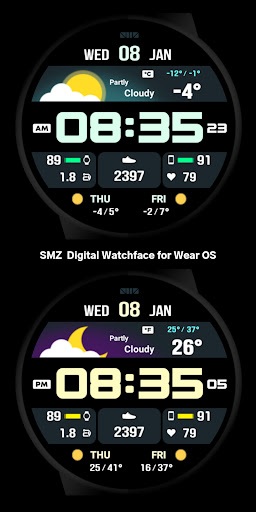
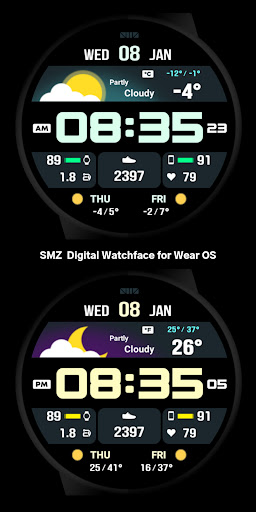
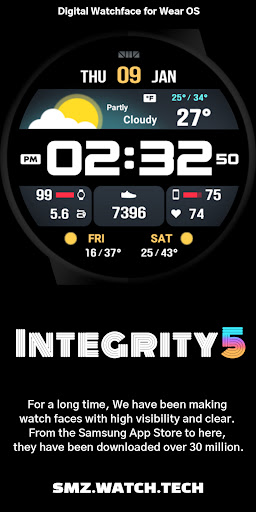
SMZ Digital Watchface for Wear OS
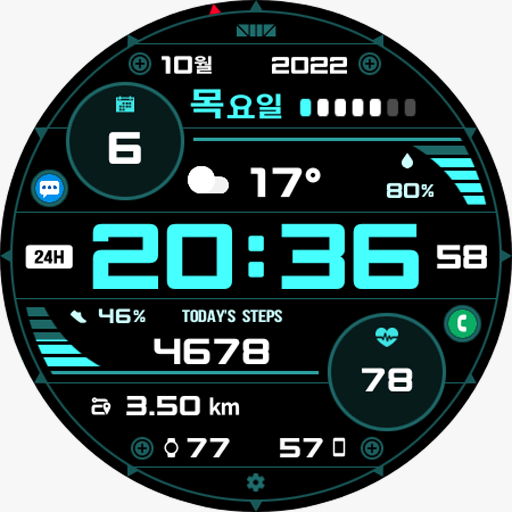
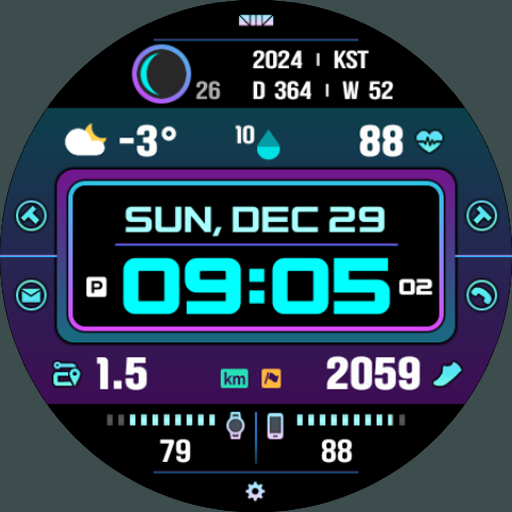
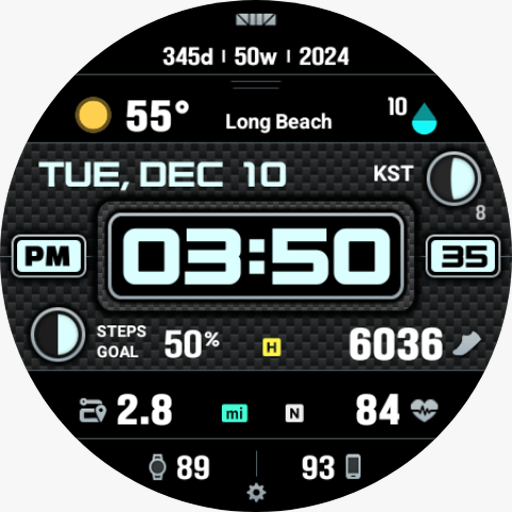
1. Current Time
2. Date, Week, Month
2. Current Weather Conditions and Temperature
3. Today's Low/High Temperature
4. Tomorrow's Weather and the Day After Tomorrow's Weather
5. Steps and Moved distance
6. Heart Rate
7. Watch Battery and Phone Battery
[Customizing Options]
1. Color (30 colors)
2. BG (4 types of backgrounds)
3. BG2 (4 types of backgrounds)
4. Time font (3 types)
5. Language (The date part supports all languages)
6. Language2 (The weather section supports most languages)
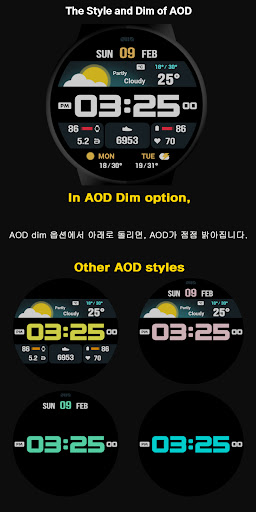
7. AOD Style (5 types)
8. AOD Dim (5 levels of brightness)
9. Complication (1 editable complication, 7 editable shortcut zones, 3 fixed shortcuts)
[CUSTOMIZE]
For customization of watchface, touch and hold the screen and touch on [Coustomize] button.
[How to use 24-hour format]
If you want to change the time format, you can set it in the path below on the phone connected to the watch.
*The connected phone - Settings - General management - Date and time - Use 24-hour format.
If checked, the watch will also be in 24-hour format, and if unchecked, the watch will be in 12-hour format.
[The DARKNESS of the AOD screen]
In the Customize section, 'AOD Dim' adjusts the darkness of all the AOD screen.
[Phone Battery Level]
Phone Battery Complications app from amoledwatchfaces™
Dev's link - https://play.google.com/store/apps/dev?id=5591589606735981545
To use this function, the 'Phone Battery Complication' app must be installed on your phone and watch.
Download path :
https://play.google.com/store/apps/details?id=com.weartools.phonebattcomp
*How to set. - https://cafe.naver.com/smzwatch/22
[SMZ Instagram]
http://www.instagram.com/smz.watch.tech
[SMZ Facebook]
https://www.facebook.com/smz.watchface
[SMZ Homepage]
https://www.smzwatch.com
[E-mail is always welcome]
smz.watch.tech@gmail.com
Version Information
- Version
- -
- Downloads
- 100+
- Updated on
- -
- Released
- Jan 10, 2025
- Requires
- Android Varies with device
Statistics
Google Play Rating History
Rating Distribution
Downloads Over Time
SMZ INTEGRITY5 has been downloaded times. Over the past 30 days, it averaged downloads per day.
Shaded area shows 30-day prediction based on historical trends
Historical data collection started recently. More data points will be available over time.
SMZ INTEGRITY5 users say on Google Play
 Iain Mann
Another winner from SMZ. Weather graphics are great. A couple more selectable shortcuts would be useful. This watchface is well designed, easy to read and makes operating the watch so much easier.
ApkTrusted Ratings & Reviews
More from SMZ™
See more apps





Scan this QR code to download

Forwarding you to the page at Google Play market in seconds...
Open Google Play market now