
LingoTube dual caption player v1.8.4
주식회사 스프링워크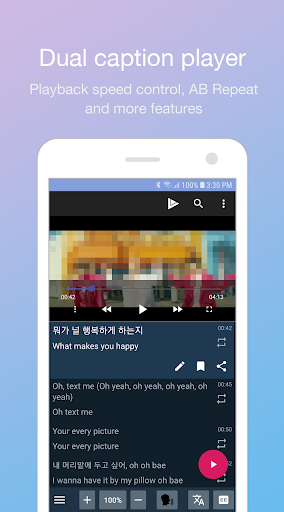

About this app
Developer Description
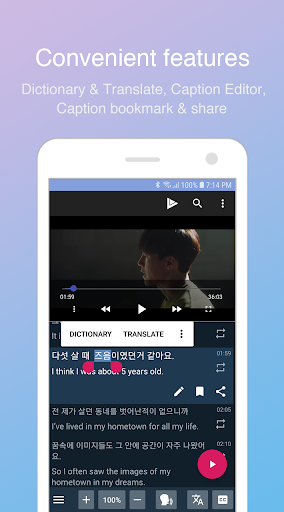
Dual subtitle player for language learner - English, Korean, Spanish, Japanese
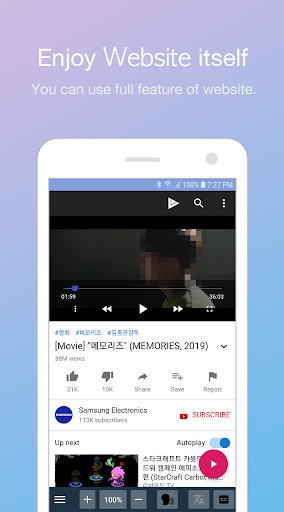
You can surf and enjoy all the features of the most famous streaming site.
LingoTube adds many features to the site for language learning.
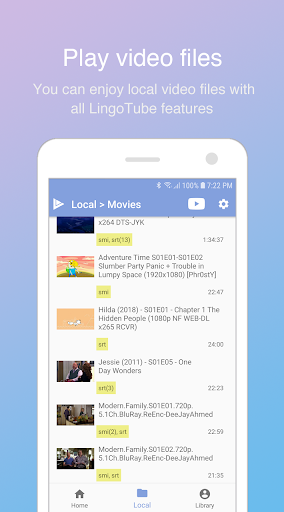
You can also play video files with subtitle files. (Supports SRT, SMI)
* It provides catalogs for learners. (English, Korean, Spanish, Japanese)
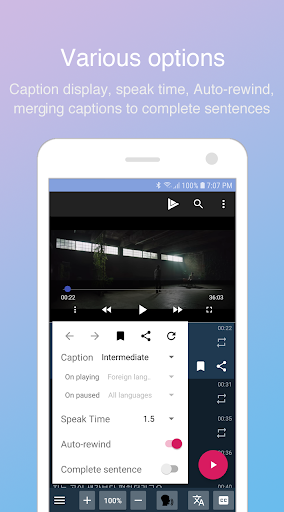
* Based on your level, you can choose subtitle mode.(foreign language / native language / all languages)
* It change subtitle mode automatically during play and pause.
* You can control playback speed.
* It supports AB repeat and practice mode. (Listen-> Speak-> Listen)
* It provides Google translated subtitles.
* You can use dictionaries and translations (require third-party apps)
* You can edit, bookmark and share subtitles.
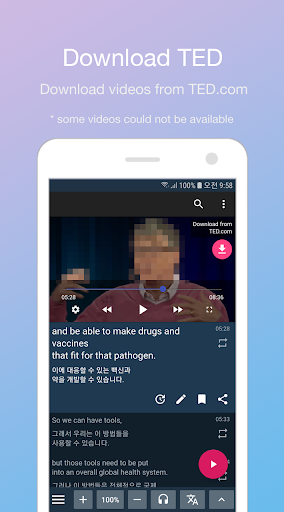
* You can merge subtitles into complete sentences. it is effective for TED videos.
* When paused, it rewinds to the start of the current subtitle.
What's New
- You can disable on-screen volume/brightness control in the settings.
- Support audio file
- Play button customization (position, size, margin)
- Auto-rewind customization (2~4 seconds before)
Version Information
- Version
- 1.8.4
- Downloads
- 1M+
- Updated on
- Mar 21, 2024
- Released
- Dec 5, 2019
- Requires
- Android 5.0
Statistics
Google Play Rating History
Rating Distribution
Downloads Over Time
LingoTube dual caption player has been downloaded times. Over the past 30 days, it averaged downloads per day.
Shaded area shows 30-day prediction based on historical trends
Historical data collection started recently. More data points will be available over time.
LingoTube dual caption player users say on Google Play
 Bunny Bug
good! I had an issue but they fixed it, now it works really good and im so happy.
 Anonymous Doan
This app is good and has many improvements. However, I want to improve how to select a paragraph from A to B faster (instead of having to select each sub, which is very inconvenient). Sentence completion mode crashes every time I refresh and in sentence completion mode there should also be a highlight feature and the option to start over at any sentence in the paragraph (instead of just being able to start over from beginning of the Paragraph)
 Blitz
Blitz
Honestly great app but in the last time its been quite buggy and choppy and often glitches out and watching any videos on it becomes annoying.
 Tahan Noor
This app now often does not support translation. Although the video has translation, the app does not support it and the translation suddenly disappears from half the video. Please note.
 Roustam
Good app, but a lot of ads
ApkTrusted Ratings & Reviews
More from 주식회사 스프링워크
See more apps
Similar Apps

PocketTube: YouTube Groups
Free

IZZY - Stream Israel
Free

Dr. Dish Player
Free

YoutooTV
Free

vidIQ for YouTube
Free

NSCA TV
Free
Visha-Video Player All Formats
Free

Vimeo
Free

Focus Video - Video Compressor
Free

English-Dutch translator
Free

MagellanTV Documentaries
Free
Gaminik: Auto Screen Translate
Free

Victra
Free

MyDramaList - Asian Drama DB
Free

HQ Video Player & Casting
Paid

Sight & Sound TV
Free
Scan this QR code to download

Forwarding you to the page at Google Play market in seconds...
Open Google Play market now