My Work Shift Calendar-Planner vVARY
SR Group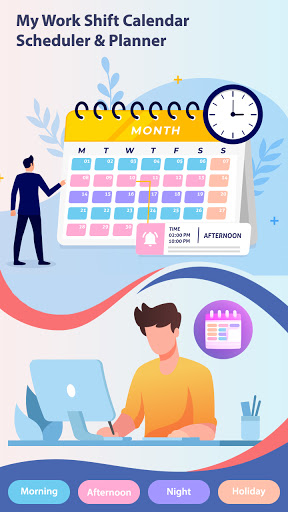
About this app
Developer Description
Shift calendar & work scheduler to track shifts, hours, pay & reminders fast!
Effortless Shift Management & Work Schedule Organizer
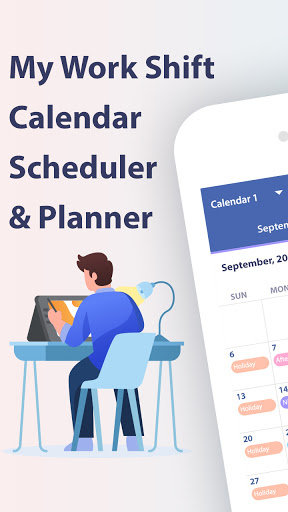
Stay organized, track your work shifts, and maximize your productivity with My Work Shift Calendar – Scheduler & Planner — the ultimate work shift calendar app designed for shift workers, freelancers, and multi-job professionals. Whether you work rotating shifts, night shifts, part-time, or multiple jobs, this app simplifies scheduling and shift tracking so you never miss a beat!
Key Features:
📅 Multi-Job Shift Scheduler
Manage up to 10 separate calendars to easily organize shifts for multiple jobs or projects. Switch between jobs with a tap and keep your entire work life in one place.
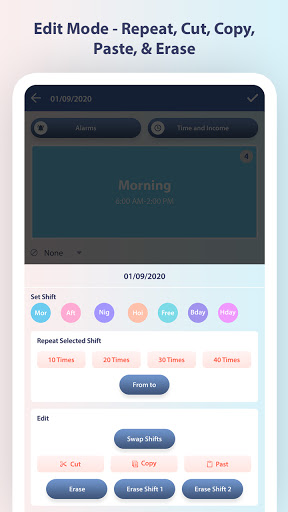
🎨 Intuitive Paint Mode & Edit Mode
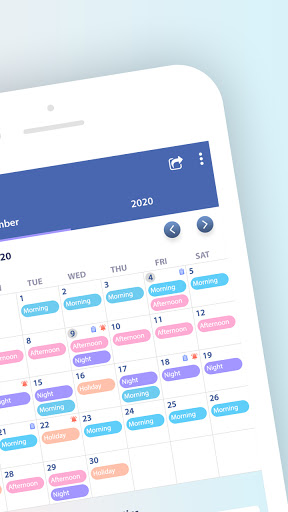
Add shifts effortlessly using Paint Mode—select your shift and tap days to fill your schedule quickly. Use Edit Mode to repeat shifts up to 40 times, set date ranges, or cut, copy, paste, swap, and erase shifts for total flexibility.
⏰ Customizable Shifts & Breaks
Add unlimited shifts with specific start/end times, split shifts, break periods, and hourly wages. Set salary per hour and overtime pay to track earnings accurately.
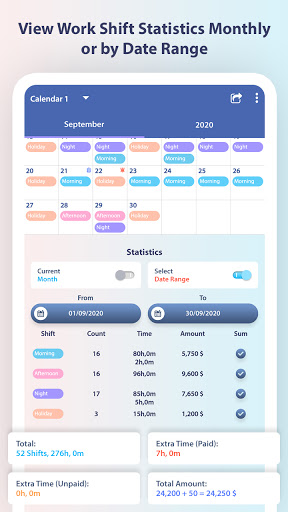
📊 Comprehensive Shift Statistics
View detailed monthly and yearly summaries including total hours worked, number of shifts, extra paid/unpaid time, and total income generated. Perfect for budgeting and payroll.
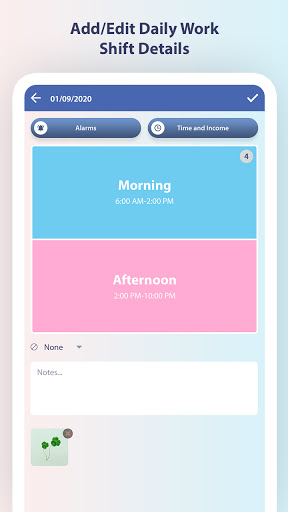
📝 Notes, Images & Reminders
Add notes, attach images, and set reminders for important shift details or events to stay on top of your schedule.
⚙️ Fully Customizable Interface
Set your preferred first day of the week, date format, and customize colors for shifts, backgrounds, and text for easy shift differentiation.
☁️ Google Drive Backup & Restore
Keep your data safe with automatic Google Drive backups. Restore your calendar anytime on any device—never lose your work shifts again.
📤 Easy Sharing Options
Share your daily or weekly shift details as text or images via email, messaging apps, or social media.
Why Choose My Work Shift Calendar?
Designed specifically for shift workers, nurses, retail staff, security personnel, freelancers, and anyone with complex or rotating schedules.
Quick and easy shift input with Paint Mode to save you time.
Advanced editing tools give you total control over your schedule.
Track your earnings and work hours without manual calculations.
Stay organized with notes, reminders, and image attachments.
Cloud backup for peace of mind and data security.
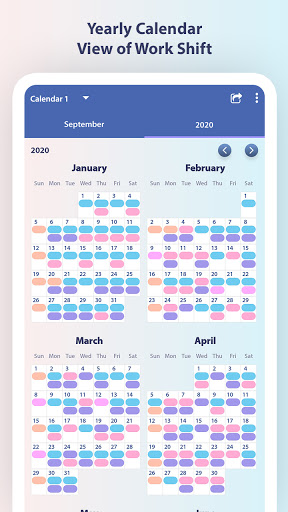
Customizable views: daily, weekly, monthly, yearly.
Perfect For:
Shift workers & employees with irregular hours
Freelancers & contractors juggling multiple jobs
Students & part-time workers managing class and work
Managers & team leaders scheduling team shifts
Anyone looking for a simple but powerful shift calendar & planner
Download My Work Shift Calendar – Scheduler & Planner now and take control of your work life! Manage shifts, track hours, and never miss a payday again.
In-app purchases
$6.99 per item
Version Information
- Version
- -
- Downloads
- 100K+
- Updated on
- -
- Released
- Oct 23, 2020
- Requires
- Android Varies with device
Statistics
Google Play Rating History
Rating Distribution
Downloads Over Time
My Work Shift Calendar-Planner has been downloaded times. Over the past 30 days, it averaged downloads per day.
Shaded area shows 30-day prediction based on historical trends
Historical data collection started recently. More data points will be available over time.
My Work Shift Calendar-Planner users say on Google Play
 eliza amac
So far it's great. I just hope they do have some android widget to display shuft sched immediately without opening the app . Please include this on the next app update.
 suzanne southey
Great app, does the job for me ..
 music
music
1.Add 24 hours clock 2.add widgets to simply add my shift 3.add option to see dates performed "particular shift"
 Cannon Foddr
Can't really 'try it out' before deciding to purchase or not.Start up ap, watch ads, Tap to edit shift color, watch ads, tap to 'paint' watch ads, try to set up a repeat shift watch ads..hell sometimes I have to watch 3 ads before I can continue...to even try out the features that could take me a few minutes to explore can take 2-3+ times longer while waiting for 20-30 sec ad to play.Some ads have a 'skip' but others don't. what I have found is I can't figure out how to do repeat 3shift patterns
 Ashley Throckmorton
Constant Ads. Very basic.
ApkTrusted Ratings & Reviews
More from SR Group
See more apps
eInvoice: Invoice Generator
Free

JPG to PDF Converter, PDFTools
Free
25000 Messages, Wishes, Quotes
Free

Intermittent Fasting Tracker
Free

Life Goal Planner &Affirmation
Free

Purchase and Sales Book
Free

HealthMate.AI: Diet & Fitness
Free
Docs Reader - All File Viewer
Free

BreathSync: Heal Your Chakras
Free

Baby Photo - Baby Snaps Story
Free

Logic Puzzles: Brain IQ Games
Free

Doctor Rx Medical Report Maker
Free

OneClick App Lock: Photo Vault
Free

QuickSlide : PPT Slide Viewer
Free

AI Letterhead Maker With Logo
Free

Quick Payslip Maker
Free
Scan this QR code to download

Forwarding you to the page at Google Play market in seconds...
Open Google Play market now