
Norton Family Parental Control v7.9.6.16
NortonMobile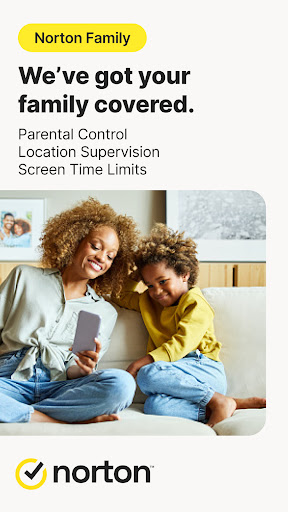

About this app
Norton Family Parental Control solves the problem of managing kids' online time by providing a comprehensive toolset for parents to monitor and limit their children's internet usage. This app benefits parents of young children who are concerned about their kids' online safety and want to ensure they are using the internet responsibly. Compared to alternatives in the Parenting category, Norton Family stands out with its robust feature set and reputable developer, but falls short with its mixed user rating and limited device compatibility. The app's lack of permissions requests is a notable advantage, indicating a focus on user privacy.
Pros
- With over 1 million downloads, Norton Family has demonstrated significant social proof, indicating a large and active user base that appreciates its functionality.
- The app's free model without in-app purchases or ads provides a seamless and uninterrupted user experience, allowing parents to focus on managing their kids' online time without distractions.
- Norton's reputation as a trusted security software developer lends credibility to the app's ability to provide effective parental control features.
- The app's regular updates ensure that it stays current with the latest online threats and provides ongoing support for parents seeking to manage their kids' online activities.
- The absence of permissions requests suggests that the app is designed with user privacy in mind, minimizing potential risks associated with data collection.
Cons
- The mixed user rating of 3.3 out of 5 stars indicates some concerns with the app's performance, functionality, or user experience, which may deter potential users.
- Some users may find the app's features limited compared to other parental control apps on the market, which could impact its effectiveness for certain families.
- The lack of information about the data that might be collected, even without permissions, could raise privacy concerns for some users, especially given the sensitive nature of parental control.
- Device compatibility issues have been reported by some users, which could affect the app's usability across different Android devices.
Best for: The ideal user for Norton Family Parental Control is a tech-savvy parent or guardian of children aged 6-16 who are looking for a reliable and easy-to-use tool to manage their kids' online time, block inappropriate content, and monitor their online activities, with a focus on ensuring their children's safety and responsible internet usage.
Developer Description
Norton Family helps you manage the time your kids spend online.
At home, attending school, or on the go, Norton Family helps keep children focused on what’s most important.
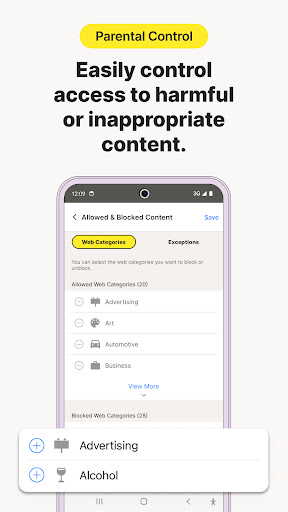
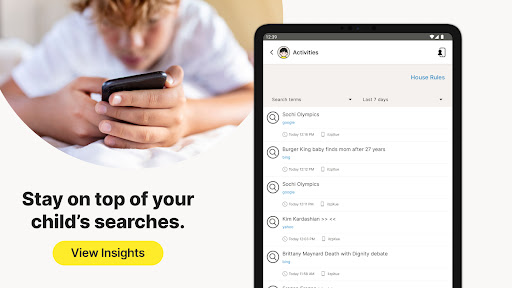
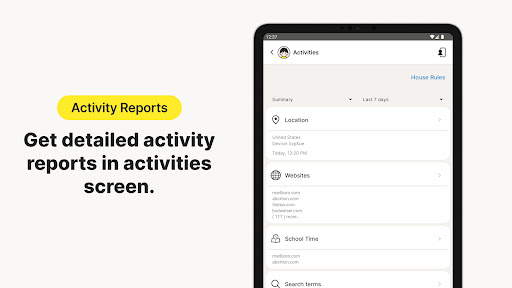
• Monitor the sites and content your child views
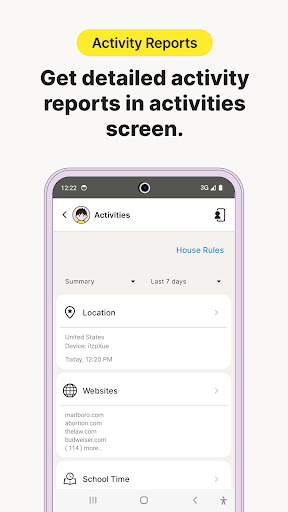
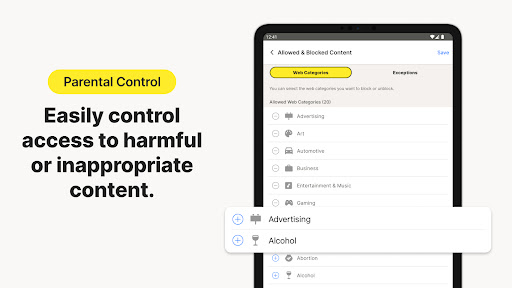
Make the Web safer for your kids to explore—by keeping you informed of which sites your kids are visiting, and letting you block potentially harmful and inappropriate content.‡
• Set limits on your child’s internet access
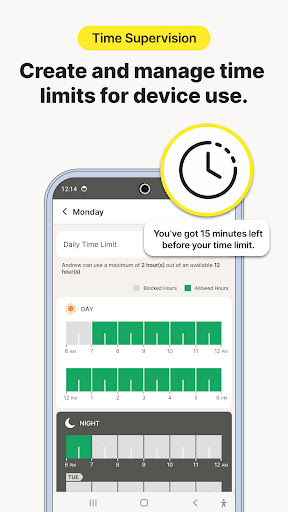
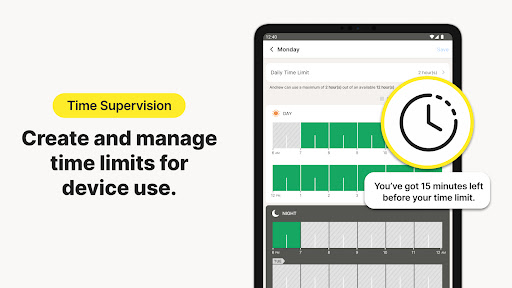
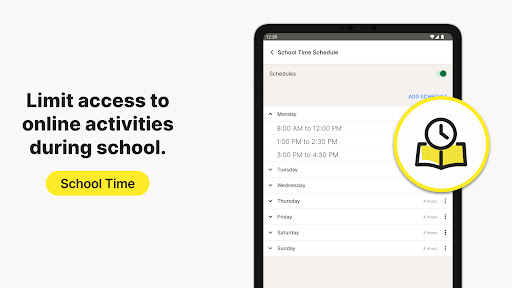
Help your kids balance time spent online by scheduling screen time limits for their device usage.‡ This can helps you focus your child on schoolwork and avoid online distractions while remote learning or at bedtime.‡
• Stay informed about your child’s physical location
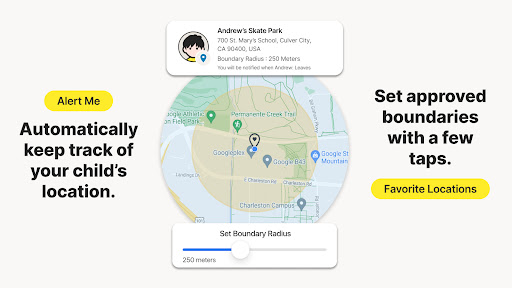
Use geo-location features in the app to track your child’s location. Receive alerts if you’re your child arrives in or goes beyond areas of interest established by you. (4)
Here are some of the Norton Family features parents can use to help protect their child’s online activities.
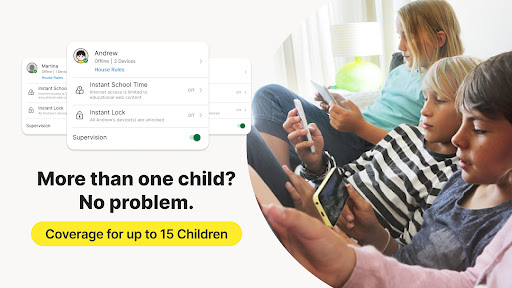
• Instant Lock
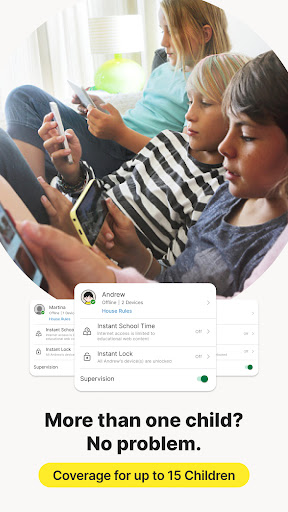
Help your kids take a break by locking the device, so they can re-focus, or join the family at dinner. You can still contact your children and children can still contact each other while the device is in lock mode.
• Web Supervision
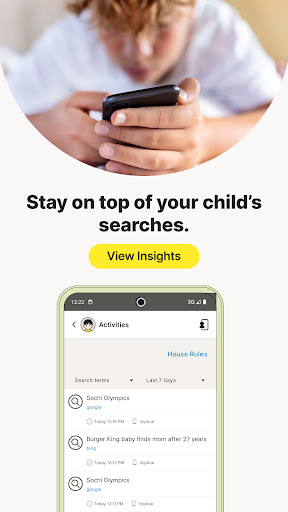
Let your kids explore the Web freely, with tools that help you block unsuitable websites while keeping you in the know about which sites they’re visiting. (6)
• Video Supervision
See a list of the YouTube videos your kids watch on their PCs or mobile devices and even view a snippet of each video, so you know when you need to talk. (3)
• Mobile App Supervision
See which apps your kids have downloaded on their Android devices. Choose which ones they can use. (5)
Time Features:
• School Time
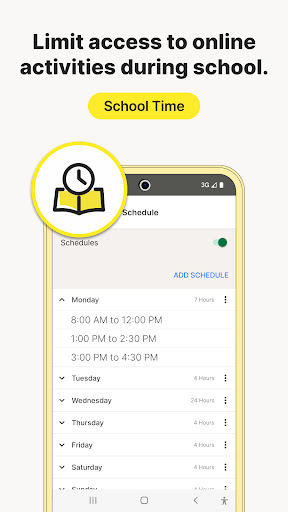
Remote learning requires the internet, so pausing the internet on your child’s device is not an option. Manage content access to relevant categories and websites to help your child maintain focus while school is in session.
Location Features:
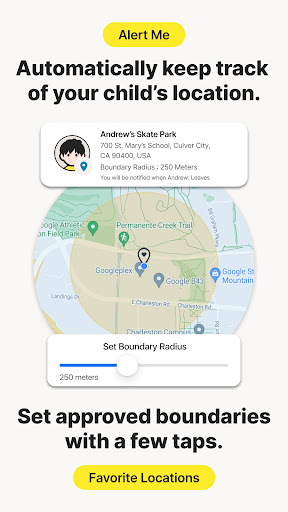
• Alert Me
Stay informed about your child’s location automatically. You can set specific dates and times to receive automatic alerts of the location of a child’s device. (2)
‡ Norton Family and Norton Parental Control can only be installed and used on a child’s Windows PC, iOS and Android devices but not all features are available on all platforms. Parents can monitor and manage their child’s activities from any device – Windows PC (excluding Windows 10 in S mode), iOS and Android – via our mobile apps, or by signing into their account at my.Norton.com and selecting Parental Control via any browser.
‡‡ Requires your device to have an Internet/data plan and be turned on.
1. Parents can sign in to my.Norton.com or family.Norton.com and select Parental Control to view their child’s activity and manage settings from any supported browser on any device.
2. Location Supervision features are NOT available in all countries. Visit Norton.com for details. To work, the child’s device must have Norton Family installed and be turned on.
3. Video Supervision monitors videos that your kids view on YouTube.com. It does not monitor or track YouTube videos that have been embedded in other websites or blogs.
4. Location Supervision requires activation before use.
5. Mobile app must be downloaded separately.
6. Norton Family uses AccessibilityService API to collect data about websites viewed through browsers on your child's device. It is also used to prevent the child from removing permissions without a parent’s authentication.
Privacy Statement
NortonLifeLock respects your privacy and is dedicated to safeguarding your personal data. See http://www.nortonlifelock.com/privacy for more information.
No one can prevent all cybercrime or identity theft.
Privacy
Given the app's lack of permissions requests, it appears to prioritize user privacy, but it's still essential for parents to review the developer's privacy policy to understand what data might be collected. Users should also be cautious when setting up the app to ensure they understand what features are enabled and how they impact their kids' online activities. Regularly reviewing the app's settings and updates can help maintain a safe and controlled online environment.
Tips
To get the most out of Norton Family, parents should start by thoroughly reviewing the app's setup process to ensure all features are appropriately configured for their child's device. Utilizing the app's reporting features can provide valuable insights into a child's online behavior, helping parents make informed decisions. Additionally, integrating Norton Family with other parental control tools or services can enhance its effectiveness in managing kids' online time and activities.
What's New
Version Information
- Version
- 7.9.6.16
- Downloads
- 1M+
- Updated on
- Aug 6, 2025
- Released
- Feb 1, 2012
- Requires
- Android 8.0
Statistics
Google Play Rating History
Rating Distribution
Downloads Over Time
Norton Family Parental Control has been downloaded times. Over the past 30 days, it averaged downloads per day.
Shaded area shows 30-day prediction based on historical trends
Historical data collection started recently. More data points will be available over time.
Norton Family Parental Control users say on Google Play
 Lance Williams
Brilliant tool and much better than Google Family for enhanced web filtering, app control and screen time. The web filtering and alerting is the standout feature. It works on my eldest kid's phone too which isn't controlled under my Google Family account anymore.
 Fabs S
After initial problems to extend user time and use my parental pin to log in and troubleshoot the laptop as an Admin, it somehow started working. Norton parental app has improved and I am liking the app's ability to block specific sites and prevent the deinstallation of Norton parental app on the monitored laptop by the child.
 Leonel Freitas
1. If I block the Google Play Store app via Norton Family, will the Google Play background update service still download and install updates automatically for apps already installed on the device? 2. If I block other app stores (for example, Microsoft Store or App Store) with Norton Family, do those stores also stop updating apps automatically, or do they only prevent the user from opening the store?
 Frederic Portier
The inability of the app to control and grant remotely and reliebly in real time some extra computer time to my children is very disappointing. it is hugely frustrating when you need extra time for home work " and it does not work (so frequently!!). Control functionalities are also basic and would deserve some upgrades to be really useful in daily life.
 J A
J A
Update: This app just seems to be constantly going downhill. Legitimate websites are erroneously categorized, making it almost unusable. This includes those that are used by the school, news sites, and online shopping, among others. The time supervision still doesn't work properly. For example, the device was not used all night. At 8 am, it shows that there is no time remaining and is locked.
ApkTrusted Ratings & Reviews
More from NortonMobile
See more apps







Similar Apps
Alli360 by Kids360
Free
Parental Control App- FamiSafe
Free
Parental Control - Kidslox
Free
UBhind(App lock/Screen time)
Free
Parental Control App Blocker
Free

App Limit - Limit apps
Free

Famly
Free

KidsGuard Pro-Phone Monitoring
Free

OurFamilyWizard Co-Parent App
Free
LockTrip
Free

AnyTracker - track anything!
Free

Screen Time for Focus -Blockin
Free

AVG Protection
Free

AirDroid Parental Control
Free

Anti Spy Detector - Spyware
Free

Freedom: App & Website Blocker
Free
Scan this QR code to download

Forwarding you to the page at Google Play market in seconds...
Open Google Play market now