PlayerPro Music Player v5.39
BlastOn SA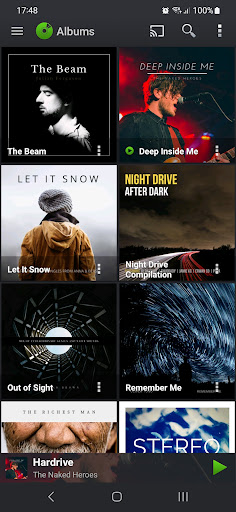
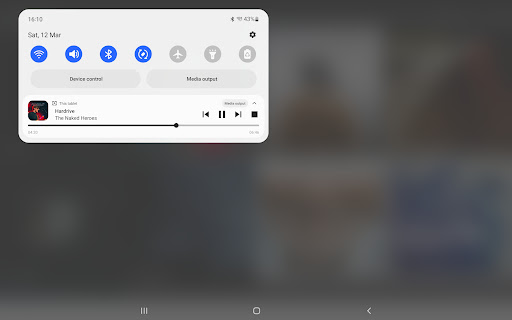
About this app
PlayerPro Music Player solves the problem of providing a comprehensive and feature-rich media player for Android devices, benefiting music enthusiasts and casual listeners alike. With its high rating and large download numbers, it stands out as a top-tier app in the Music And Audio category, comparing favorably to alternatives in terms of its user interface and functionality. However, its free with ads model may be a drawback for some users. The app's developer, BlastOn SA, has established a reputation for delivering high-quality apps, which contributes to PlayerPro's success.
Pros
- With over 10 million downloads and a 4.5/5 user rating, PlayerPro Music Player has demonstrated its ability to meet the needs of a wide range of users, providing a high level of social proof and credibility.
- The app's developer, BlastOn SA, has a reputation for delivering well-maintained and regularly updated apps, which suggests that PlayerPro will continue to receive support and improvements over time.
- PlayerPro's feature set is comprehensive and well-designed, making it an excellent choice for users who want a powerful and flexible media player.
- The app's offline capability and lack of required permissions make it a good option for users who are concerned about data usage and privacy.
- PlayerPro's high rating and large user base suggest that it is a stable and reliable app, with a low risk of crashes or other performance issues.
Cons
- The app's free with ads model may be a drawback for some users, as it can be distracting and may impact the overall user experience.
- Some users may be concerned about the lack of transparency regarding the data collected by the app, despite its minimal permission requests.
- PlayerPro's feature set, while comprehensive, may be overwhelming for some users, particularly those who are looking for a simple and straightforward media player.
- The app's compatibility with certain devices or Android versions may be limited, which could impact its performance and usability for some users.
Best for: The ideal user for PlayerPro Music Player is a music enthusiast who values a high level of customization and control over their media player, and is looking for a comprehensive and feature-rich app that can meet their individual needs, regardless of their technical skill level or age group.
Developer Description
The ultimate media player for Android devices
PlayerPro features a beautiful, fast and intuitive interface, alongside powerful audio configuration options. In addition, there is a choice of several free plugins to complement it: Skins, DSP Pack...
Note: PlayerPro Music Player is a standalone app. Please uninstall this free version after purchase.
KEY FEATURES:
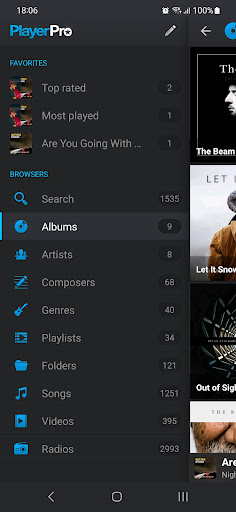
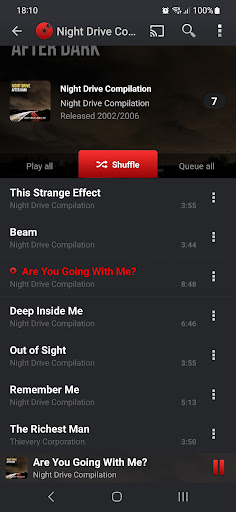
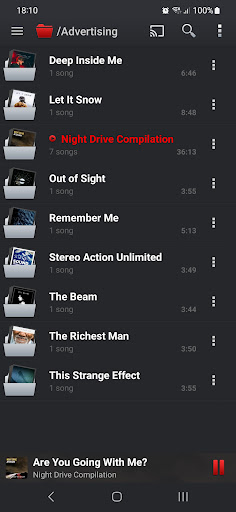
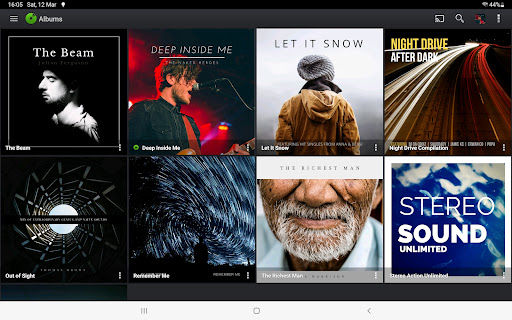
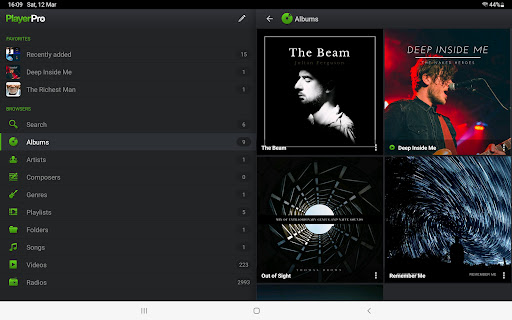
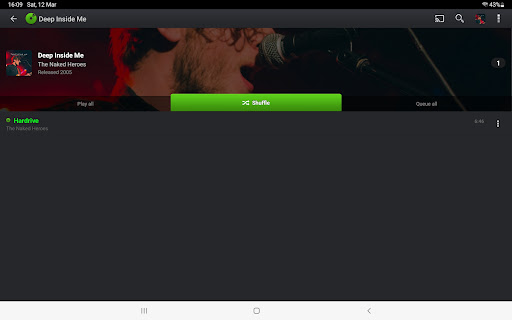
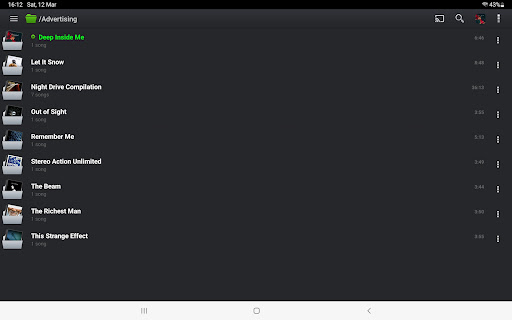
• Browse and play your music in many different ways: by albums, artists, album artists, composers, genres, songs, playlists, and folders.
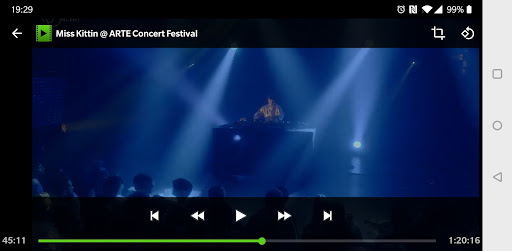
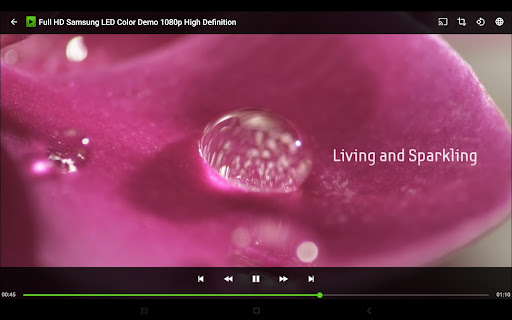
• Browse and play your videos.
• Browse and listen to radios from all around the world.
• Listen to your music while driving thanks to Android Auto.
• Stream your music, videos and radios to your TV or any Chromecast Audio compatible device.
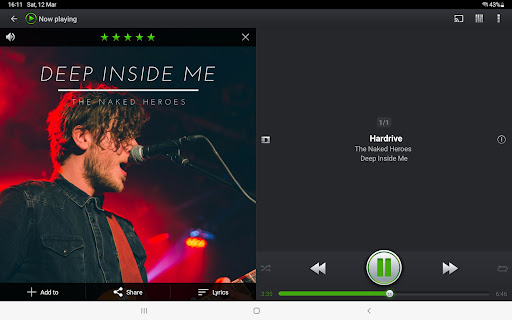
• Liven up your music library with album artwork, artist/composer pictures, and genre illustrations that you can select from a variety of sources: ID3 tags (embedded artwork), SD card folders, Gallery app, and the Internet.
• Change the user interface of the Player by installing one of the many available Skins.
• Customize the layout, choosing between Grid or List views.
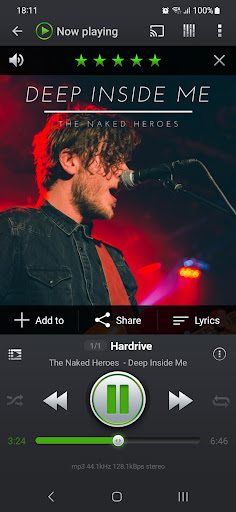
• View and edit the lyrics embedded in the ID3 tags of your music files.
• ID3 Tags editing, in single or batch mode: supports all well known audio formats (Mp3, Mp4, Ogg Vorbis, Flac, Wav, Aif, Dsf, Wma, Opus, and Speex) and up to 15 different tag fields, including advanced ones like artworks, ratings, groupings, and BPMs.
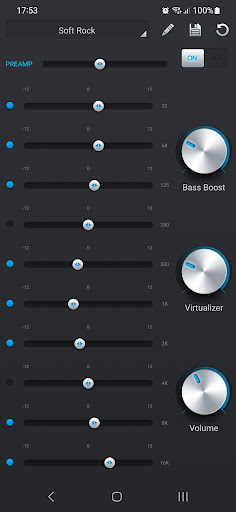
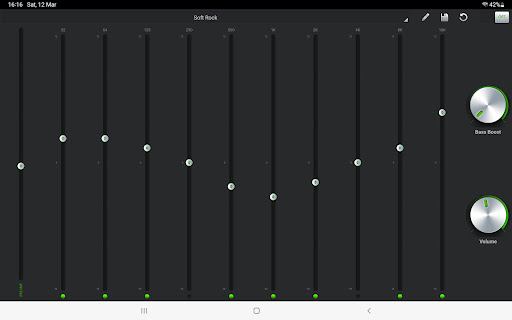
• Default mixable audio effects: 5 band graphic equalizer with 15 default presets, stereo widening effect, reverb effects, bass boost effect, volume control.
• Free additional professional DSP plugin: High-Res audio (up to 32-bit, 384kHz), 10 band graphic equalizer with 20 default presets, Pre-Amp control, bass boost control, stereo widening control, left-right volume control, optional mono output. Gapless playback. Auto/Manual crossfade. Replay gain. Audio Limiter. Go to Settings > Audio and select "Download DSP pack" option to install the free plugin.
• Supports music statistics and smart playlists: Recently added, Top rated, Most played, Recently played, Least played. Build additional smart playlists using the smart playlist editor and the many different criteria it offers: title, album artist, composer, grouping, genre, comment, duration, year, date added/modified, BPM, rating, play count, skip count, last played, and file path.
• Import and export music history and ratings from your favorite desktop music player.
• Music folder selection: restrict your music library to a specific folder.
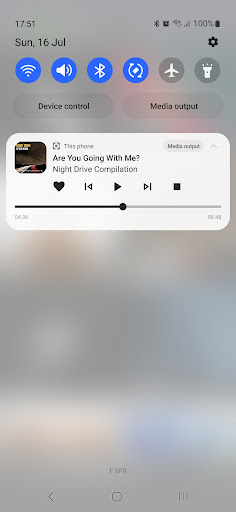
• Choice of 2 lock screen widgets with many customization options: unlock slider, sound toggle, skip tracks using volume buttons, swipe gestures, background selection, controls selection, time display, skin selection ...
• Choice of 5 different home screen widgets (4x1, 2x2, 3x3, 4x4, 4x2). All widgets are customizable: 6 different skins available, option to display artist picture instead of album artwork, option to display ratings etc.
• Google Drive backup/restore: automatically backup your playlists, music stats and settings to Google Drive.
• Supports most popular Scrobblers.
• Sleep timer with fade out.
• Share text notifications, album/artist artwork on your favorite Social Networks.
• Headset support. Customize long press and double/triple press actions.
• Library wide search. Voice search and Google Assistant.
• Swipe gestures: swipe album art to skip songs, double tap or long press to pause/resume playback.
• Shake it feature: give your phone a shake to play next/previous song (e.g.: shake top to bottom or bottom to top to play next/previous song).
... and many other features to discover!
Privacy
Given the app's minimal permission requests, users can be relatively confident that their data is not being collected or shared without their knowledge. However, as with any app, it is still important to be mindful of the ads displayed and avoid clicking on any suspicious or unfamiliar links. To further protect their privacy, users can consider using a third-party ad blocker or reviewing the app's privacy policy.
Tips
To get the most out of PlayerPro Music Player, users should take the time to explore its comprehensive feature set and customize the app to meet their individual needs. This can include setting up playlists, equalizer settings, and other preferences to enhance their music listening experience. Additionally, users can optimize the app's performance by closing unnecessary features or background processes, which can help to reduce battery drain and improve overall usability.
What's New
- Other performance and stability fixes
- Updated translations
Version Information
- Version
- 5.39
- Downloads
- 10M+
- Updated on
- Oct 31, 2025
- Released
- Nov 12, 2010
- Requires
- Android 6.0
Statistics
Google Play Rating History
Rating Distribution
Downloads Over Time
PlayerPro Music Player has been downloaded times. Over the past 30 days, it averaged downloads per day.
Shaded area shows 30-day prediction based on historical trends
Historical data collection started recently. More data points will be available over time.
PlayerPro Music Player users say on Google Play
 Lorraine Vasquez
wonderful music players app with many extra bonus features like the built in equalizer and so much more. really awesome app to discover and experience for sure!!!!! 💯💪🏼😎😏💯
 John Bowen
very good but need to be able to edit the info so you wont have 1 album split into 2 seperate albums with some songs in each albums
 Jeho
Jeho
that's a great app..but also a built in app function and we hope to add online media searching. i hope your kind consideration about my suggestion.
 Ian
Ian
I can't use this as a main music player until the developer fixes the now playing scrubber bar. My device has no navigation bar at the bottom, and I use a swipe gesture to access my home screen, but placing my thumb there jumps to a point in the track while activating the app switcher/home button action.
 Nina Yankova
Review for Music Player Pro I purchased the app and have the receipt, yet it still shows ads and claims my trial period is over. This is very frustrating. On top of that, there are noticeable gaps between songs, which really disrupts the listening experience. I expected a premium, seamless experience after paying, but this feels like a downgrade.
ApkTrusted Ratings & Reviews
More from BlastOn SA
See more apps
PlayerPro Cloudy Red Skin
Free
PlayerPro Blue Wonder Skin
Free
PlayerPro Cloudy Skin
Free

PlayerPro Pink Lady Skin
Free
PlayerPro Red Fusion Skin
Free
PlayerPro DSP pack
Free
PlayerPro Cloudy Green Skin
Free
PlayerPro Music Player Legacy
Paid

PlayerPro Cloudy Pink Skin
Free
PlayerPro Music Player (Pro)
Paid
Similar Apps

Music Player & Podcast
Free
Music Player
Free

Music Player
Free

Video Player All Format
Free

Pulsar Music Player
Free

AIMP
Free
Video Player for Android
Free
Ipod Music & Bass MP3 Player
Free

Music Player - MP3 Player
Free

Music Player - Audify Player
Free
Music Player HD+ Equalizer
Free

Music Player
Free

Music player- bass boost,music
Free
Music Player
Free

Musicolet Music Player
Free

Music Player - MP3 Player
Free
Scan this QR code to download

Forwarding you to the page at Google Play market in seconds...
Open Google Play market now