Create 3D Digital Designs - 3D v2.5
GTSStar .co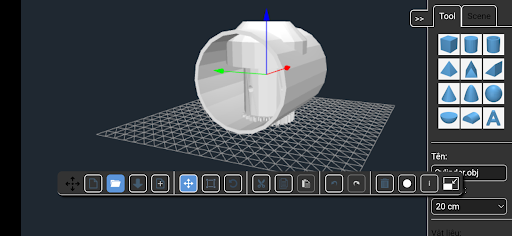
About this app
Developer Description
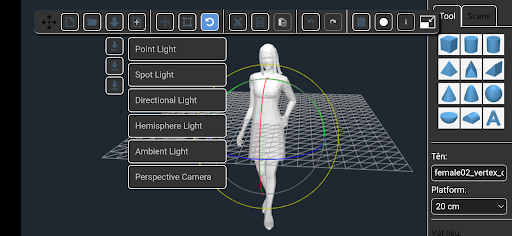
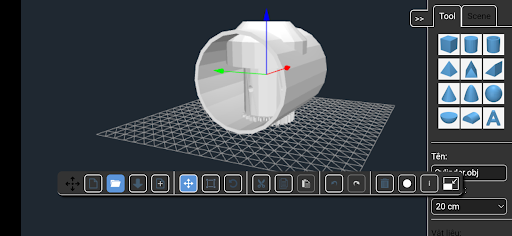
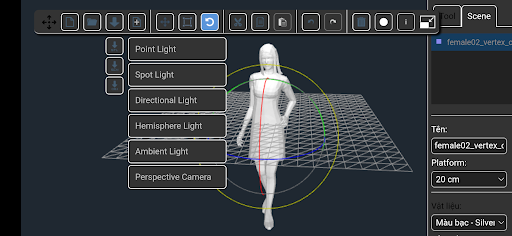
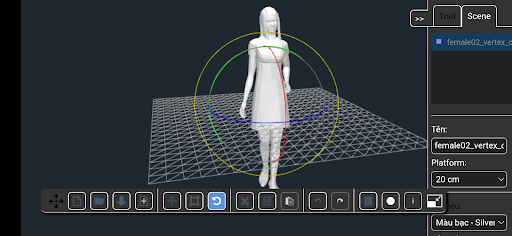
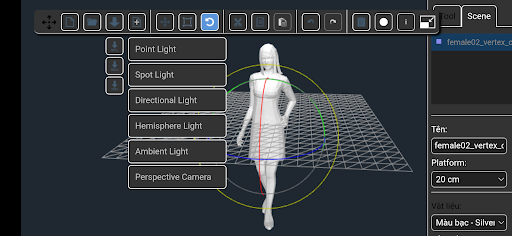
Maker, Edit and View object 3D with models in STL, OBJ and 3DS format
HOW TO USE THE APP:
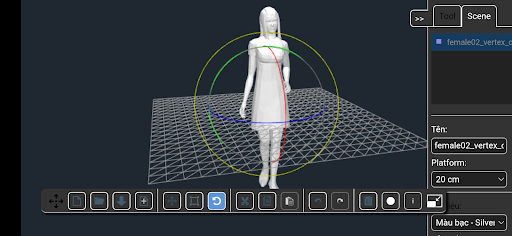
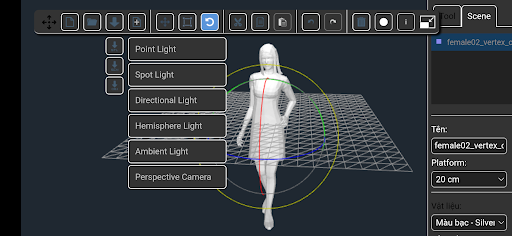
Add geometric shapes (from the right panel) to the plataform to create your own object. Also you can import STL, OBJ and 3DS models to the plataform. Later, export the object as STL, OBJ file (for 3D printing) or as a SCENE file (to keep working on it later).
HOW TO CUT OBJECTS:
1) Add object A to the plaform.
2) Add object B to the platform.
3) Select object B.
4) Select the material 'Hollow' (from the right panel).
5) Export the work as a STL, OBJ file (the object B will erase every object, partially or entirely, that is within it's space). Depending of how complex are the objects, the device may take a few minutes to perform the task.
HOW TO FUSION OBJECTS:
1) Add object A to the plaform.
2) Add object B to the platform.
3) Select object B.
4) Select any material (except 'Hollow') from the right panel.
5) Export the work as a STL file or OBJ file.
HOW TO MOVE AROUND THE PLATFORM:
One finger to rotate, two fingers to zoom in and out and three fingers to move the camera.
What's New
Version Information
- Version
- 2.5
- Downloads
- 50K+
- Updated on
- Jul 9, 2025
- Released
- Dec 25, 2020
- Requires
- Android 7.0
Statistics
Google Play Rating History
Rating Distribution
Downloads Over Time
Create 3D Digital Designs - 3D has been downloaded times. Over the past 30 days, it averaged downloads per day.
Shaded area shows 30-day prediction based on historical trends
Historical data collection started recently. More data points will be available over time.
Create 3D Digital Designs - 3D users say on Google Play
 Alan Johnson
goood design . i like this
 caue “a levix cauema cregox” rego
free, a bit annoying ads, works mostly well. the only modelling app i've tested so far that allowed me to at least change the size of my model (look for ionairventholder on creality cloud). but it only have limited features and only work with objects (not faces, line, or edges). so i couldn't use it for much. thanks for making it free!
 Magda Zaras
Only allows to move an object a set increment of a distance of instead of moving it freely along a chosen axis.
 Eric Crew
Has Potential! One of the main features, and what is called out in the info is the subtraction feature (using the Hollow material type), however, this functionality does not seem to work on my Galaxy Note S20 Ultra, even after letting it sit for minutes on simple objects. If this is resolved, I'd happily increase review. Additionally, the "New" button brings up a dialog box that prompts to "discard changes", but then does nothing, no matter which option you choose, so must force quit to get new
 Chris Poole
Not as described. Doesn't open .stl files
ApkTrusted Ratings & Reviews
More from GTSStar .co
See more apps
Feng Shui Compass
Free

Collection Retro Games
Free

Code Editor Mobile & Compiler
Free

Sagittarius Launcher
Paid
Start Menu Toolbar - Launcher
Paid

Launcher Smart Silverfish
Paid
Taps Launcher Very Fast
Paid

Stability and Faster Launcher
Free

Launcher Sidebar (Launcher wit
Paid

W3D Urban Worms
Free

Playing chess Caro - Tic tac t
Free

Virtual Instruments
Free

Ăn gì, Ở đâu? - Hôm nay ăn gì?
Free
Thước Lỗ Ban - Phong thủy nhà
Free

Expect Launcher
Paid

Flat Launcher
Paid
Scan this QR code to download

Forwarding you to the page at Google Play market in seconds...
Open Google Play market now