
「一級建築士」受験対策Lite vVARY
TK office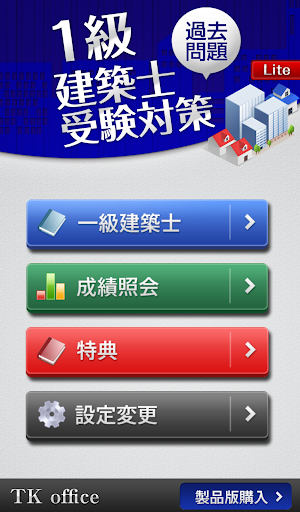



About this app
Developer Description
This is the free version of the "First Class Architect" exam preparation course. It contains a wide range of past exam questions and materials, so you can study during your commute, between work breaks, or while you sleep.
Thank you very much.
===========================
"First-Class Architect Exam Preparation" (Free Version)
============================
~A workbook created by a first-class architect~
Contains questions from the past nine years,
from the fields of "Planning," "Environment & Facilities," "Structure," and "Construction."
Contains:
- 24 past questions
- 108 true/false questions
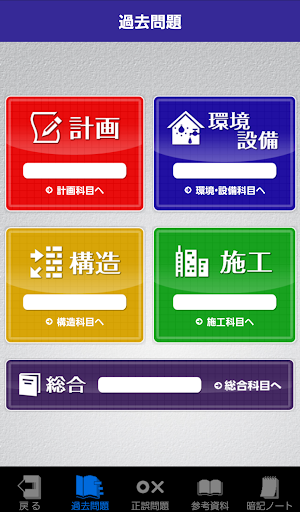
[Subjects Included]
"Planning"
"Environment & Facilities"
"Structure"
"Construction"
[App Configuration]
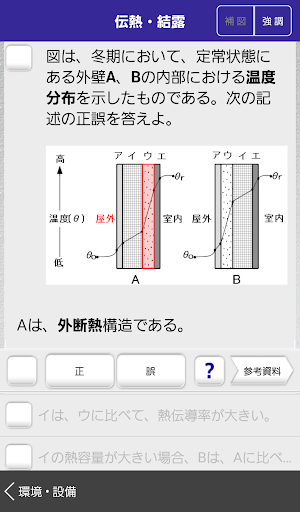
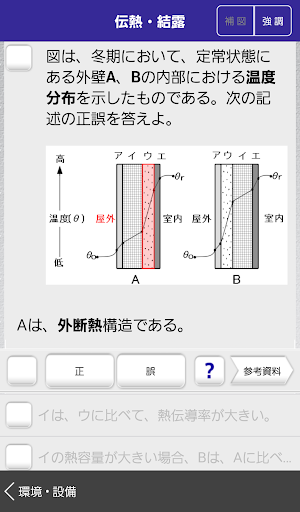
- Past Exam Questions (Multiple Choices)
- True/False Questions (One Question, One Answer)
- Reference Materials
- Flashcards (Missing)
- Report Card
- Settings Screen
[Past Exam Questions] [True/False Questions]
- The order of the four multiple-choice options in past exam questions is randomized each time. You do not need to memorize the order to answer.
- Explanations are provided for all "Correct" and "Incorrect" options.
- You can refer to the "Reference Materials" while answering questions.
- Questions, answers, and reference materials are easy to read with color, underlining, and bold text.
- If a question includes an illustration, a "hint illustration" will be displayed by pressing the toggle button.
- This makes it easier to answer on the go.
- Some questions have supplementary illustrations so you can refer to the illustration when answering, even if the question does not include an illustration.
・The "Difficulty Level" setting allows you to study at a level that suits your ability.
Difficulty Level Setting Criteria for True/False Questions
(Easy) --- Basic questions
(Normal) --- Standard questions + Few Trick Questions
(Practice) --- Standard questions + Many Trick Questions
(Difficult) --- Highly Difficult Questions
・For beginners, we recommend starting with the "Easy" True/False Questions.
[Structural Calculations]
・For structural calculations, the "Procedure" button displays the steps for solving the problem.
・While referring to the steps, you can use the "Hint" button to switch between diagrams and confirm the solution.
・This allows you to visually confirm and memorize the solution without actually solving it.
[Usage Example (When Out)]
1) Use the "Procedure" and "Hint" buttons to switch between diagrams and check whether the steps you came up with are correct.
2) If you're wrong, check the box yourself.
3) If you answer the same question correctly the next time, uncheck the box yourself.
By repeating this process, you can memorize the solution steps without doing any calculations.
You can also filter by "Checked" and practice only the checked questions over and over again.
[Reference Materials]
We've compiled materials here. Use them to organize your knowledge, memorize, and even refer to them when answering questions. Use them however you like.
[Memorization Notebook]
- Important words in the reference materials are in a "missing" format.
- Text appears while you press the button.
- Memorized words can be maintained by double-tapping.
- The percentage of words maintained on the display is reflected in the grade bar.
It's also a good idea to start by memorizing the ones marked with an asterisk.
[Grade View]
- Bar graph (each item)
- Radar (each subject)
- Pie chart (all questions)
[Settings Screen]
- You can select various settings.
(Auto-check, random, auxiliary diagram on/off, grade reset, etc.)
The "*" indicates the number of times a question has been asked in the past from the questions covered in this app.
* : 2 questions in the past 9 years
*3: 3 questions in the past 9 years
*4: 4 questions in the past 9 years
Starting in 2021, the question format changed from 5 multiple-choice questions to 4 multiple-choice questions.
All questions in this app are 4 multiple-choice questions.
As a result, the answers to some questions have been changed.
Thank you for your understanding.
[Usage]
This app is an unofficial learning support app.
This app does not act as a proxy for or support the provision, application, or processing of government services.
For the most up-to-date and official information, please be sure to check the following website.
Ministry of Land, Infrastructure, Transport and Tourism: About First-Class Architects
https://www.mlit.go.jp/jutakukentiku/build/architect.html
Public Interest Incorporated Foundation, Architectural Technology Education and Promotion Center
https://www.jaeic.or.jp/
Version Information
- Version
- -
- Downloads
- 10K+
- Updated on
- -
- Released
- May 18, 2015
- Requires
- Android Varies with device
Statistics
Google Play Rating History
Rating Distribution
Downloads Over Time
「一級建築士」受験対策Lite has been downloaded times. Over the past 30 days, it averaged downloads per day.
Shaded area shows 30-day prediction based on historical trends
Historical data collection started recently. More data points will be available over time.
「一級建築士」受験対策Lite users say on Google Play
 Akiya Yoshigazawa
Nice
ApkTrusted Ratings & Reviews
More from TK office
See more apps





Scan this QR code to download

Forwarding you to the page at Google Play market in seconds...
Open Google Play market now