
EZ-Peak Live v2.3.5
Traxxas
About this app
Developer Description
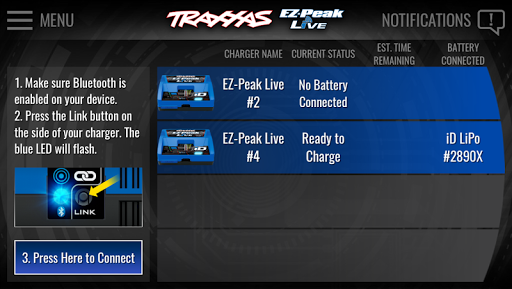
The Traxxas® EZ-Peak Live™ App connects to the Traxxas EZ-Peak Live charger.
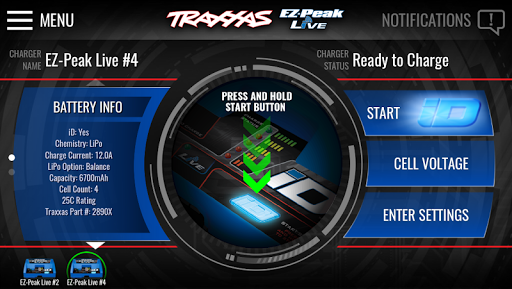
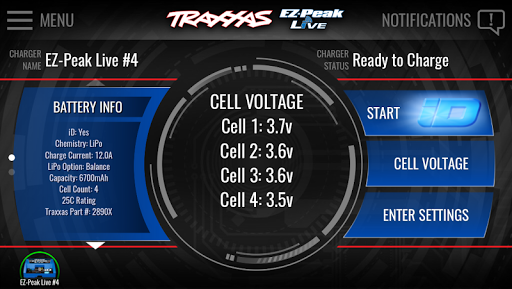
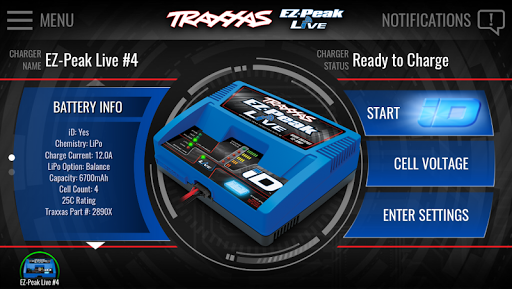
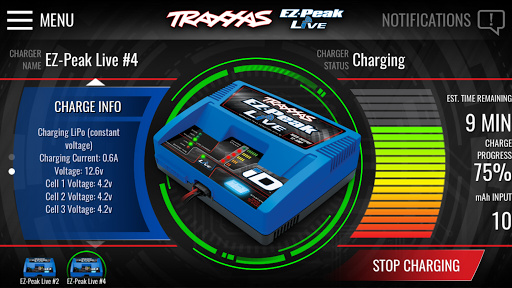
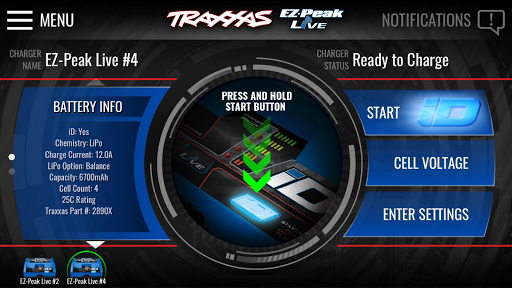
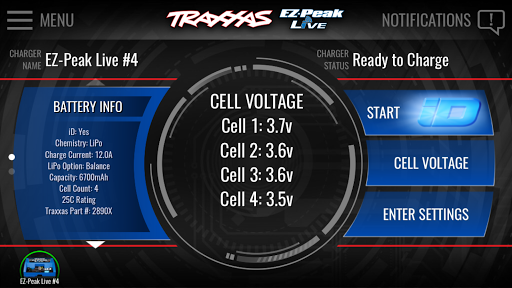
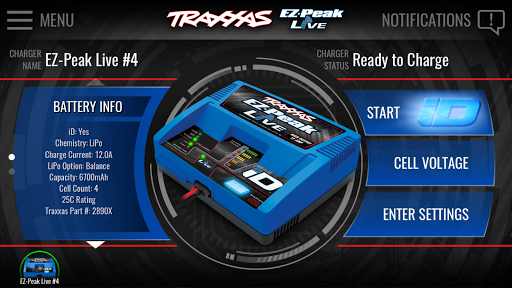
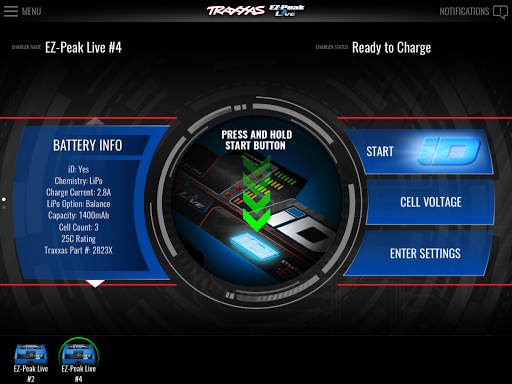
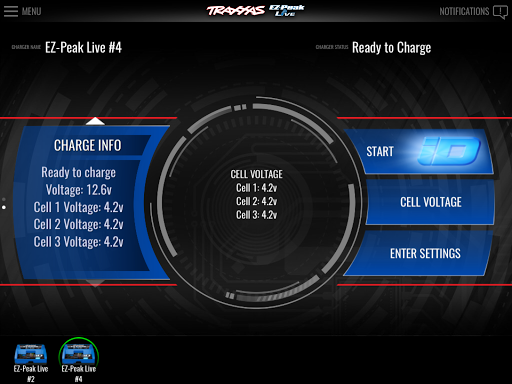
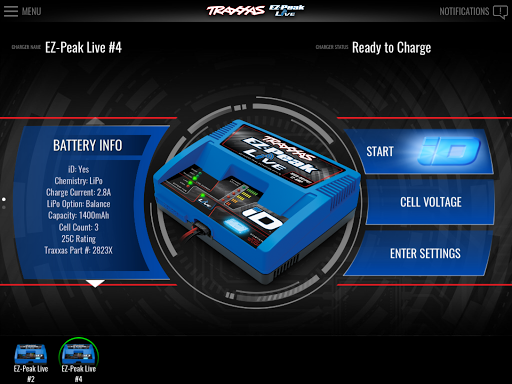
The Traxxas iD system is the easiest and most efficient way to charge your iD-equipped batteries. When you connect an iD-equipped battery to your EZ-Peak Live charger, the battery’s information will automatically be displayed on the app screen. The app allows you to instantly verify your battery’s status and individual LiPo cell voltages with clear and precise readouts. Use the charger’s automatic settings or configure your own with the easy-to-use sliders and buttons on the high-definition graphical interface.
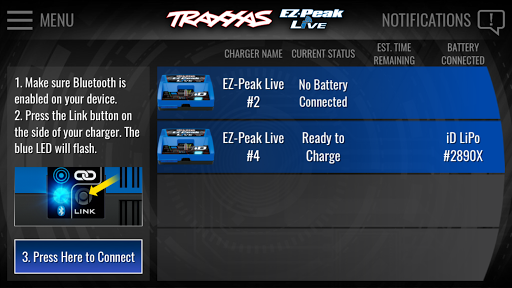
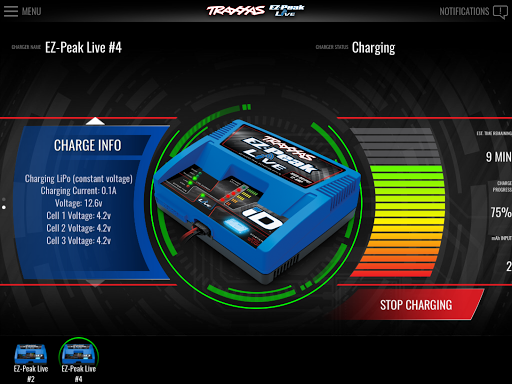
Once charging has begun, the app allows you to monitor the status of up to four connected chargers remotely. Receive real-time updates with charge times, charge progress, mAh input, and estimated time remaining. The app will alert you once the charging cycle is complete or you may also stop the charging cycle at any time. Remote monitoring via the EZ-Peak Live App works within the range of your Bluetooth connection, but remember to always be present to supervise the batteries being charged.
Charging non iD-equipped batteries on your EZ-Peak Live charger requires access to the manual settings. The EZ-Peak Live App is the only way to access these settings. The handy Charge Settings Wizard makes non-iD battery setup a breeze. Helpful menus with high definition images help identify battery types and provide clear and precise instructions. Bold buttons and sliders allow you to choose your settings from the display.
Safety is a prominent feature of the EZ-Peak Live app. The EZ-Peak live charger can be placed in iD Only mode to prevent unauthorized users from accessing the manual settings. It’s a great solution for a charger that will be used in households where there are multiple battery types and different levels of knowledge about batteries and charging. An easy-to-use passcode system restricts unauthorized access to the manual settings while keeping all other functions enabled.
• View individual cell voltages of LiPo batteries
• Monitor charge status with voltage readout, estimated time remaining, and energy added (mAh)
• Configure your charge settings with the easy-to-use graphical interface
• Access manual charge settings for non iD-equipped batteries
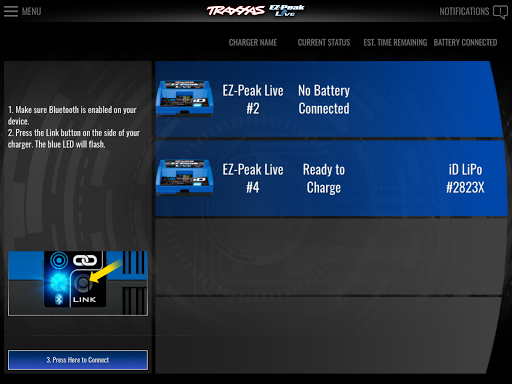
• Recognizes and remembers settings for up to four connected chargers
• Passcode protected iD-Only mode prevents unauthorized access to manual charge settings
• Create battery profiles and store commonly used settings
• Alerts you when firmware updates are available and uploads them to the charger
What's New
Version Information
- Version
- 2.3.5
- Downloads
- 100K+
- Updated on
- Sep 9, 2025
- Released
- Jan 18, 2017
- Requires
- Android 6.0
Statistics
Google Play Rating History
Rating Distribution
Downloads Over Time
EZ-Peak Live has been downloaded times. Over the past 30 days, it averaged downloads per day.
Shaded area shows 30-day prediction based on historical trends
Historical data collection started recently. More data points will be available over time.
EZ-Peak Live users say on Google Play
 Richard
I recommend this app for anyone who is going to stick to traxxas batteries it is amazing what you can do with this app it makes it so you can see every cell percentage, estimated charge time remaining, charge percentage. Its awesome and as for the loud beeping after charging is complete it depends what volume your phone is at is how loud the beeping will be, although it is still loud on purpose so you know charging is complete. Lipos are no joke people.
 A Google user
Works great on my Galaxy tab A. 5 stars if I could figure out how to get a shortcut icon on my homepage.
A Google user
It works fine but I have 2 complaints. 1, I HAVE to use this app to charge 3rd party batteries, which is annoying. 2, the app makes my phone beep obnoxiously loud and it's super annoying.
 Tony Johnson
Like most, the update on 3/29/23 left my charger useless. I had a couple good years and the previous version of the app worked well for me. This is clearly an issue with the app as my hardware and device software has not changed (Galaxy S22 Ultra). Traxxas support tells me it's a Samsung issue and to contact them. I'm an engineer by trade and have a programming background. They could easily push another update to revert back to the old version and make this functional again.
 Ryan Thieschafer
The app is great, when it works. BUT I haven't been able to connect my phone to my charger consistently since mid summer. Worked perfect for a year or so, now it never remembers my charger, and pressing the link button currently does nothing but flash the LED and the app fails to find the charger. The one time I've been able to link again, it didn't remember the charger and now it won't link. 🤷🏻♂️
ApkTrusted Ratings & Reviews
More from Traxxas
See more apps

Scan this QR code to download

Forwarding you to the page at Google Play market in seconds...
Open Google Play market now