Home Network Security v7.04
Trend Micro Inc. / トレンドマイクロ株式会社





About this app
Developer Description
Device Scan & Wi-Fi Security
Smart Protection for Your Connected Devices at Home
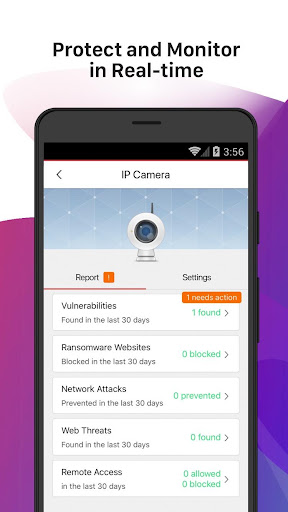
PROTECTS, BLOCKS, MONITORS: Protects Smart Home Devices and prevents your personal and financial data from hacking, phishing, ransomware, viruses and risky remote connections. Blocks dangerous files download and websites browsing. Monitors Wi-Fi and internet network usage and detects threats in real time. A smart internet security and privacy solution for your connected devices.
PARENTAL CONTROLS: Filter content, social media and block inappropriate websites. Set time limits to devices including gaming consoles and tablets. Limit children's time online and internet access. Tracks your kid's network usage.
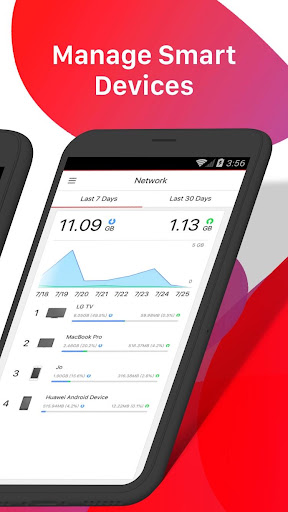
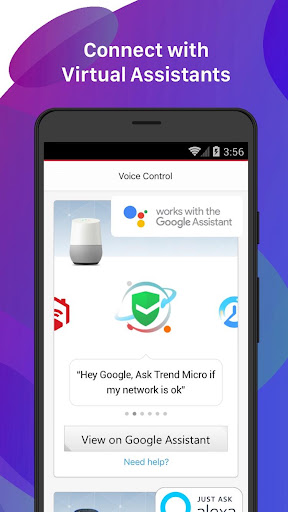
DEVICE MANAGEMENT: Full control of your network and smart devices. Disconnect unwanted devices from your Wi-Fi network. Block new devices joining your network until you approve them. Instant threat notifications. Review recent events with the timeline. Use Amazon Alexa and Google Assistant to manage your security with your voice. Manage devices from anywhere with your smartphone.
EASY TO INSTALL: Simply plug-and-protect to prevent your smart home and connected devices from being hacked secures home Wi-Fi network and smart firewall device. Download, install, and set up in just 3 easy steps.
24/7 CUSTOMER SUPPORT: Trend Micro offers help if you have any trouble with activation or getting Home Network Security station to work with your home router.
CHECK YOUR INTERNET ROUTER COMPATIBILITY: Find the list of router compatibility link from our help center. https://helpcenter.trendmicro.com/en-us/product-support/home-network-security/router-compatibility-list/
Privacy Policy can be found at: https://www.trendmicro.com/en_us/about/legal/privacy/notice-html.html
What's New
Version Information
- Version
- 7.04
- Downloads
- 100K+
- Updated on
- Nov 27, 2023
- Released
- Feb 9, 2017
- Requires
- Android 5.0
Statistics
Google Play Rating History
Rating Distribution
Downloads Over Time
Home Network Security has been downloaded times. Over the past 30 days, it averaged downloads per day.
Shaded area shows 30-day prediction based on historical trends
Historical data collection started recently. More data points will be available over time.
Home Network Security users say on Google Play
 Loki G
Only had this running a few days. Went on a website i frequent, something i thought safe. It prevented a network attack, originating from the US. Allows a lot of control and even more information on what's going on in your network Worth every dollar i spent!
 REBECCA CORNISH
Great app. I have loved what is offers up to this point. Needed an update so I tried to update it in play store and it just spins "waiting for download". I have tried cancelling the update and re-trying. I uninstalled the app and now I can't re-install because the same issue is occurring. I have a child's internet paused that I now can't unpause because i can't access the app (you can imagine how much frustration that is causing)
 A Google user
my trend micro device never turns green so I can't use it and there's no way to figure out what to do now basically I'm out of luck --- update ---- So apparently the documentation provided was not clear enough. The light will turn green but only under the following conditions. You must first connect the network cable then the power....or perhaps the other way around. At any rate it is possible to connect these 2 in the wrong order and end up unable to get it to go green.
 T miller
Seems to work sporadically. For example, I unticked "allow home network access" for a particular machine, it would then block general internet site (the warning would come up and state blocked due to trens micro) but then just open up another tab and put on youtube no problems.....surely blocked means ALL traffic....?
A Google user
07/04/20 I open the app to be told it needs updating. I agree it takes me to Google play where I press update. It says updating then after a few minutes it says nothing and the "OPEN" tab is greyed out. I close out and reopen the app to be again told I need to update it I press update now, it takes me to Google play again and "OPEN" is still greyed out since the last update my station won't go online 😭🤔
ApkTrusted Ratings & Reviews
More from Trend Micro Inc. / トレンドマイクロ株式会社
See more apps


Similar Apps







Scan this QR code to download

Forwarding you to the page at Google Play market in seconds...
Open Google Play market now