ELM327 Test v1.6
Radarbot Company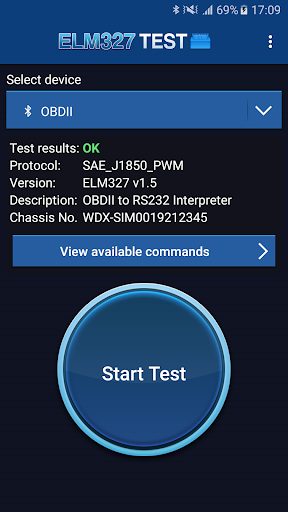
About this app
Developer Description
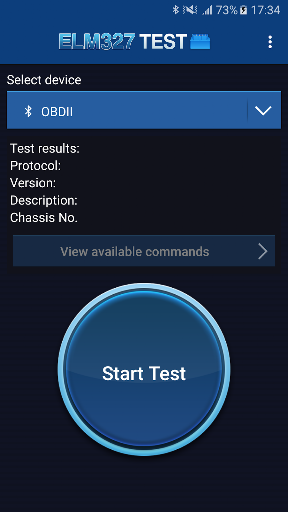
Check your ELM327 device, identify the current version and supported PIDs
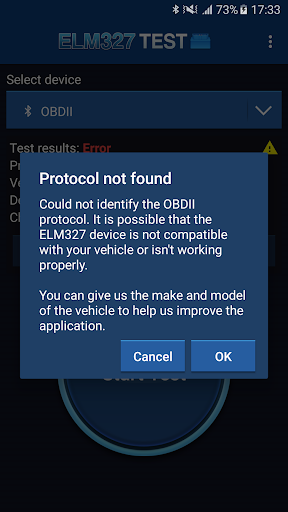
* Check the correct operation of your device or possible connection problems, protocol problems or hardware failures in the device.
* Identify the current version of the device. (ELM327 v1.0, v1.1, v1.2, v1.3, v1.3a, v1.4, v1.4b, v2.0, v2.1, v2.2).
* Detect OBD2 protocol compatible with your vehicle:
- ISO 9141-2
- ISO 14230-4 KWP 2000
- ISO 14230-4 KWP 2000 (FAST)
- ISO 15765-4 CAN-BUS
- SAE J1939 CAN
- SAE J1850 PWM
- SAE J1850 VPW
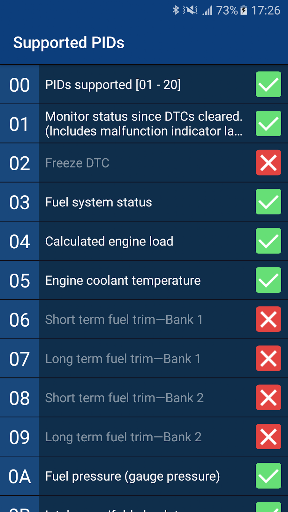
* Show all PID commands supported by the vehicle.
* Display the chassis number of your vehicle.
HOW TO USE THE APPLICATION
1. Connect the ELM327 adapter to your car using the OBD2 socket.
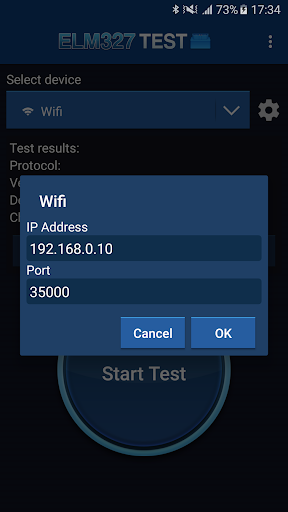
2. Link the adapter from the Bluetooth settings on your Android device or connect your Android device to the device's WiFi.
3. Start the application and select the paired device (Bluetooth or WiFi).
4. Press the "Start Test" button.
5. Wait until the end of the test and check the results.
6. Press the button "View available commands" to show all PIDs commands supported by your vehicle.
For inquiries please email us at support@iteration-mobile.com
What's New
Version Information
- Version
- 1.6
- Downloads
- 500K+
- Updated on
- Oct 6, 2023
- Released
- Jun 29, 2018
- Requires
- Android 4.4
Statistics
Google Play Rating History
Rating Distribution
Downloads Over Time
ELM327 Test has been downloaded times. Over the past 30 days, it averaged downloads per day.
Shaded area shows 30-day prediction based on historical trends
Historical data collection started recently. More data points will be available over time.
ELM327 Test - Google Play Rankings
Top Rankings
| Rank | Country | Category | List | Change |
|---|---|---|---|---|
| — |
Ranking History in
No ranking data available yet. Rankings are updated daily.
#91 in Top Free Auto And Vehicles in Mexico


ELM327 Test users say on Google Play
 A Google user
Simple, and works perfectly!
A Google user
Still struggling to link to device
A Google user
Decent app, have to make sure to turn on bluetooth so as the obd can connect to your phone, then more options than just wifi will appear.
A Google user
It offers only Bluetooth connection.
A Google user
Why can't I give 0 stars?! I trusted this app and wasted 3 weeks and several calls to the manufacturer of an OBD2 interface. 3 vehicles, 3 OBD2 devices (by two different manufacturers) all fail to connect with this app while other apps connect without a problem. I seldom rate this low for anything and almost never suggest something is a waste of time - THIS IS DEFINITELY A WASTE OF TIME!!
ApkTrusted Ratings & Reviews
More from Radarbot Company
See more apps

Scan this QR code to download

Forwarding you to the page at Google Play market in seconds...
Open Google Play market now