
iCut: Video Editor & Maker v1.9.6
iCut -Video Editor & Video Maker App
















About this app
Developer Description
iCut video editor easily adds music, filters, stickers, popular video templates.
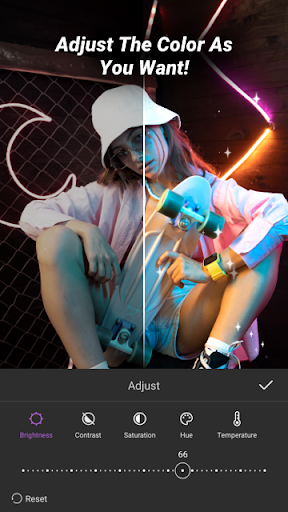
iCut is an all-in-one editing tool for both video and photo. iCut allows you to cut, crop, rotate, merge, split, and add transitions, filters, stickers, texts, music, voice extraction, and more. With iCut, you can easily merge multiple clips, add video effects, and adjust video speed. Additionally, you can fine-tune the brightness, contrast, saturation, speed, volume, and other parameters of your videos and photos. iCut enables you to export your videos in various formats and resolutions, and share them on social media platforms like YouTube, Instagram, and TikTok.
Features:
--Video Editing
•Split/Trim video.
•Cut Video: Precisely cut video clips as desired. Simply drag the timeline to remove the unwanted segments.
•Merge Videos: Combine multiple clips into a seamless, high-quality video.
•Adjust Video Ratio: Fit your video and photo in any aspect ratio for Youtube, TikTok, Instagram, and whatsapp.
•Speed: Video Speed up/ slow. Make slow motion and make the video speed more smooth.
•Add Custom Watermark: Protect your work with personalized watermarks. Essential for any video maker and movie maker.
•Custom Backgrounds: Easily remove background
--Advanced Movie Maker
•Picture-in-Picture(PIP): Overlay a smaller video or image on top of a larger one. Adjust size, position, and opacity for dynamic effects.
•Keyframe: Make video pro: video camera movement, sticker movement, subtitle scrolling, closing effects, etc.
•Reverse: Play the video backwards. Can choose to reverse one clip or the whole video.
•Mask: Hide or reveal parts of the video. You can choose from different shapes, such as circle, square, star, etc, and adjust the size, position, and feather of the mask. You can also animate the mask with keyframes.
•Video Template: Import your local videos into iCut, and then quickly generate to hot style videos.
--Music&Voice-over
•Add sound effect to your video.
•Extract audio from video.
•Music-synced video
•Video Dubbing and voice-over in iCut.
•Adjust volume and make the music fade in /out.
--Sticker&Text
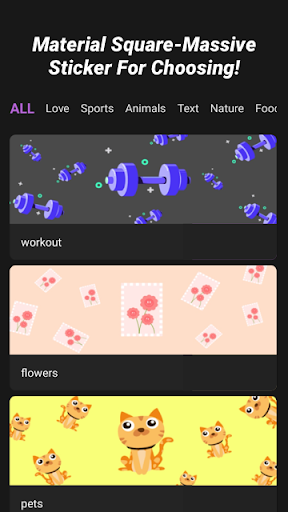
•Multiple and all kinds of stickers and text fonts are available.Add fun and cute elements to your video, such as emojis, animals, flowers, or birthdays stickers.
•Add styles and animations to the subtitle text of your vlog.
•adjust the text animation with key frame.
Filters&Effects
•Change the color, tone, mood, or style of your video, use the preset filters such as black and white, sepia, vintage, or cartoon.or customize your own filter settings.
•Add some magic or drama to your video, such as fire,, snow, or glitch. You can choose from different types of effects and adjust their duration.
iCut is a useful and easy-to-use video editor which has various of video template to use and makes the video editing become fast, and reliable.A powerful video editing tool for video creator and collage maker.
Contact us:
If you have any questions and advise about iCut(quick free video editor, film maker, collage maker),please feel free to contact us through the email address:team@icutservice.com.
More video information and tutorial videos can follow our instagram account:
https://www.instagram.com/icut_editor/
What's New
Thank you for choosing iCut. Let's create wonderful videos together!
Your opinions and feedback are important to us! If you have any questions, please feel free to contact us at: team@icutservice.com
In-app purchases
$1.99 - $43.99 per item
Version Information
- Version
- 1.9.6
- Downloads
- 500K+
- Updated on
- Mar 21, 2025
- Released
- Mar 23, 2023
- Requires
- Android 7.0
Statistics
Google Play Rating History
Rating Distribution
Downloads Over Time
iCut: Video Editor & Maker has been downloaded times. Over the past 30 days, it averaged downloads per day.
Shaded area shows 30-day prediction based on historical trends
Historical data collection started recently. More data points will be available over time.
iCut: Video Editor & Maker - Google Play Rankings
Top Rankings
| Rank | Country | Category | List | Change |
|---|---|---|---|---|
| — |
Ranking History in
No ranking data available yet. Rankings are updated daily.
#72 in Top Grossing Video Players in Australia


#77 in Top Grossing Video Players in United Kingdom


#84 in Top Free Video Players in Australia


iCut: Video Editor & Maker users say on Google Play
 RUTHLESS Smallwood
it's Just Really easy to use, thank you for making this app it's really simple, no adds, not interruptions, you can sit there for hours and do what you need to do. Amazing.
 sanson isele
Neutral/Promising Good for a 3 or 4-star rating So far, the app seems very straightforward and easy to navigate. Excited to see how it works as I start using it more for my studies
 Luke Vee
could have less advertisements
 Henry van Outsem
Whenever I upload my exported videos to youtube shorts they always claim my video is only 5.4 seconds long even though it's 10 seconds. I don't experience this with any other editing app and this bug has been around for a month now. I've tried everything I could: I tried to upload the same short multible times in different ways, reinstalled the app, turned my phone off and on again and I turned that video into 2 5 second videos, but that all didn't work. It's annoying. Please fix all the bugs
 Christy McBride
Experience: Terrible! All I wanted to do was combine 2 videos, then trim the unwanted parts. The app uploaded the videos just fine, but when it came to the editing part-Forget It! There are no clear instructions, and it won't let you select the areas you want to trim. Oh! and the app Is Not Free. You have to commit to a subscription before even accessing the app. You get a 3 day free trial afterward. A complete waste of time, don't bother downloading.
ApkTrusted Ratings & Reviews
Scan this QR code to download

Forwarding you to the page at Google Play market in seconds...
Open Google Play market now