Lockscreen Japanese Word Alarm v1.6.7.1
Wafour Edu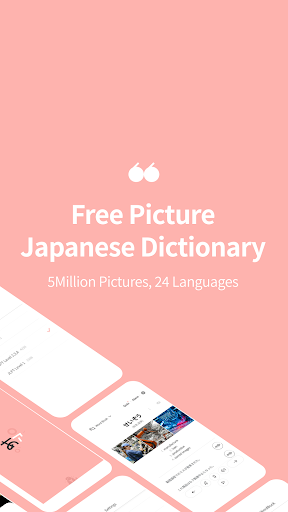


About this app
The Lockscreen Japanese Word Alarm app effectively solves the problem of memorizing Japanese words by providing a unique learning experience through lock screen quizzes and picture-based learning, benefiting language learners and enthusiasts alike. Compared to alternatives in the Education category, this app stands out with its innovative lock screen approach, but may fall short in terms of comprehensive language learning features. With a strong rating of 4.2 and over 1 million downloads, it has established a reputation as a useful tool for Japanese language learners. However, its effectiveness is somewhat diminished by the presence of ads and in-app purchases, which may disrupt the user experience.
Pros
- The app's unique lock screen quiz feature provides an engaging and interactive way to learn Japanese words, making it a valuable tool for language learners.
- With over 1 million downloads and a 4.2 rating, the app has demonstrated its effectiveness and gained the trust of a large user base.
- The developer, Wafour Edu, has a reputation for creating educational content, which lends credibility to the app's learning materials.
- The app's offline capability and lack of required permissions make it a secure and private learning experience.
- The in-app purchases, although potentially disruptive, do offer additional learning content for dedicated users.
Cons
- The presence of ads may disrupt the user experience and detract from the app's educational value.
- Some users may find the in-app purchases to be overly expensive or aggressive, which could negatively impact their perception of the app.
- The app's limited focus on vocabulary building may not provide a comprehensive language learning experience, which could be a drawback for some users.
- The lack of information about the app's update frequency and developer support may raise concerns about its long-term viability and maintenance.
Best for: The ideal user for this app is a motivated and self-directed language learner, likely in the age range of 15-35, who is looking for a unique and engaging way to learn and memorize Japanese words, and is willing to tolerate some ads and in-app purchases in exchange for a convenient and effective learning experience.
Developer Description
Always memorize Japanese words with pictures and quiz alarm on the lock screen
Many proficient Japanese speakers have often learned the language in a country where it is spoken. Our left brain is responsible for language processing, while our right brain processes images. Typically, when we see an image, our right brain reacts first. Traditional learning methods can create faulty language structures because they rely solely on the left brain for memorization through language alone
✔ Key features of Lockscreen Japanese Dictionary
The Lockscreen Japanese Dictionary engages both the left and right brain to learn Japanese vocabulary. This allows you to recall both 'car' and '車' simultaneously when you see a picture of a car. This learning method provides a similar effect to learning the language in a country where it is spoken
✔ Lockscreen memorization
Words are displayed on the lockscreen so that you can learn Japanese every time you turn on your phone.
✔ Quiz alarm
Receive quiz alarms at your desired times to take quizzes. You can choose the word lists at your preferred level and also review your learning statistics.
✔ Choose the level of vocabulary
Japanese vocabulary is sorted into different levels, from beginner to advanced, to match your proficiency.
✔ Example sentences
The example sentences provided are written by native Japanese speakers and are useful for real-life situations.
✔ Personalized Vocabulary List
Create a personalized vocabulary list to focus on words that are hard to remember or commonly mistaken.
✔ Hide Memorized Words
Utilize the word hiding feature to strike out words that have been memorized, preventing them from appearing again.
✔ Automatic Learning
The slide show feature is an advanced feature that can be used to automatically memorize words.
✔ Tips for users experiencing sound issues
1. Install "Google TTS" from the Play Store.
2. Go to Settings > Languages & Input > Text-to-speech output
3. Change the default engine to Google TTS.
4. Go to Google TTS settings.
5. Click Install Voice Data and choose Japanese voice.
6. Finally, check the media volume on your phone.
If it still does not work, try deleting and reinstalling the voice data.
✔ Purpose of app permissions requested before installation
- READ_PHONE_STATE: Permission to stop the app from running to avoid interrupting phone calls.(optional)
- ACCESS_FINE_LOCATION: Permission to request your current location to use the weather service.(optional)
- SYSTEM_ALERT_WINDOW: Permission to display Japanese on the lock screen.(required)
- POST_NOTIFICATION: Permission to receive alarms related to app services.(optional)
✔ Notice: The sole purpose of this app is to help users memorize Japanese on the lock screen.
✔ Lockscreen Japanese Dictionary provides weather based on the user's location for convenience.
✔Customer Support
E-Mail: support@wafour.com
Privacy
Given that the app requires no permissions, it appears to be a secure and private learning experience. However, users should be aware that the app's developer may still collect anonymous usage data or other non-personally identifiable information. To ensure a safe experience, users should review the app's terms of service and privacy policy, and be cautious when making in-app purchases or clicking on ads.
Tips
To get the most out of this app, users should start by setting up the lock screen quiz feature and exploring the various learning modes. Additionally, users can optimize their experience by turning off notifications and other distractions while using the app, and by taking advantage of the app's offline capability to learn on-the-go. Regularly reviewing and practicing learned vocabulary can also help to reinforce new words and phrases.
What's New
In-app purchases
$19.99 per item
Version Information
- Version
- 1.6.7.1
- Downloads
- 1M+
- Updated on
- Nov 18, 2025
- Released
- Nov 16, 2018
- Requires
- Android 6.0
Statistics
Google Play Rating History
Rating Distribution
Downloads Over Time
Lockscreen Japanese Word Alarm has been downloaded times. Over the past 30 days, it averaged downloads per day.
Shaded area shows 30-day prediction based on historical trends
Historical data collection started recently. More data points will be available over time.
Lockscreen Japanese Word Alarm users say on Google Play
 Jacquiline Robayo
Good. Although there were some bugs and problems during the time I used this app, overall this one has not let me down on my journey to learn Japanese. Now, I don't need to waste my time anymore because of this useful tool. Good choice to everyone.
 A Google user
you need some way of comparing the definition of words between languages and the option of it not using the battery until you open the app. also the writing practice needs to show stroke order for the kanji. 🇯🇵🇺🇸
 Ellis M
Takes over the lock screen the moment you open the app with an "Unlock!" button and ads. Prevents you from pressing back to exit (the lock just shakes) you have to press the middle button to get to the proper lock screen. On top of this there is always one notification that can't be cleared. Uninstalled right away because I didn't want this app to mess up anything else on my phone. DO NOT GET THIS APP.
ApkTrusted Ratings & Reviews
More from Wafour Edu
See more apps





Similar Apps






Scan this QR code to download

Forwarding you to the page at Google Play market in seconds...
Open Google Play market now