
Mimicking Tiger ZKin Watch vVARY
ZKin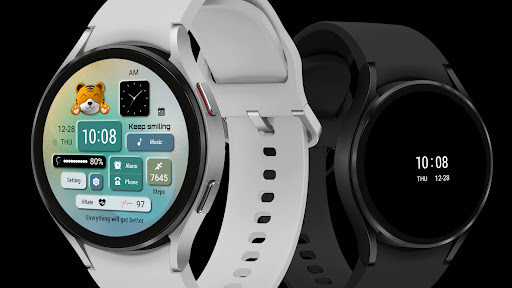





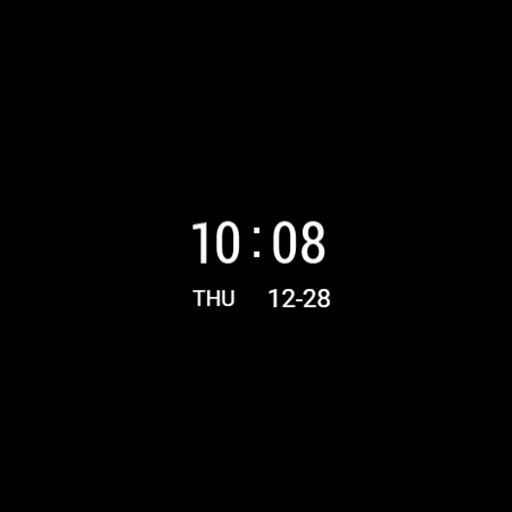
About this app
The Mimicking Tiger ZKin Watch app is designed to provide a unique watch face experience for Wear OS devices, solving the problem of limited personalization options for smartwatch users. This app benefits users who value customization and are looking for a distinctive watch face. Compared to alternatives in the Personalization category, Mimicking Tiger ZKin Watch stands out with its paid model, which may indicate a higher level of quality and dedication from the developer. However, the lack of user rating data and limited download numbers raise concerns about its overall impact and user satisfaction.
Pros
- The app's paid model of $2.99 suggests a high-quality product with minimal to no ads, enhancing the user experience and reducing distractions.
- With zero permissions required, users can be assured that their data is not being collected or shared, which is a significant advantage in terms of privacy and security.
- The app's compatibility with Wear OS devices makes it an attractive option for smartwatch users looking to personalize their devices.
- The developer's email address is provided, which can be seen as a positive sign of transparency and willingness to engage with users and address any concerns.
- The absence of in-app purchases means that users can enjoy the full features of the app without additional costs or surprises.
Cons
- The limited download numbers and lack of user rating data make it challenging to assess the app's overall quality and user satisfaction.
- The app's functionality is limited to providing a watch face, which may not be enough to justify the $2.99 price tag for some users.
- The developer's reputation is not well-established, which may raise concerns about the app's long-term support and updates.
- The app's compatibility with various devices may vary, which could lead to inconsistent performance or issues with certain smartwatches.
Best for: The ideal user for the Mimicking Tiger ZKin Watch app is a tech-savvy individual, likely between the ages of 25 and 45, who values customization and personalization on their smartwatch, has a Wear OS compatible device, and is willing to pay a premium for a high-quality, ad-free watch face experience.
Developer Description
The Watch supports running on Wear OS
🎁Add Telegram group to obtain remaining coupons :
https://t.me/zkinwatch
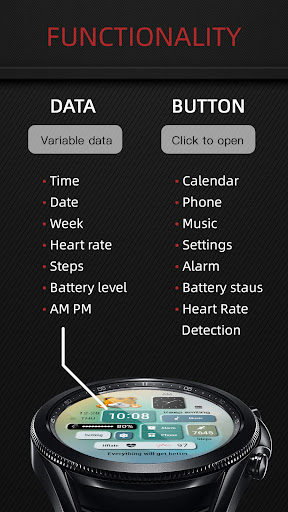
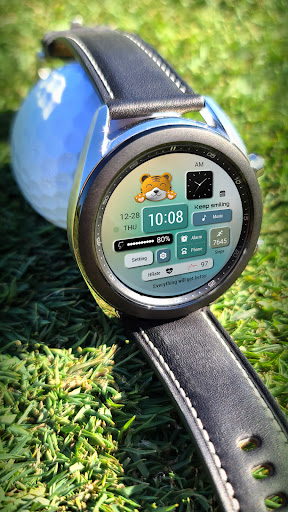
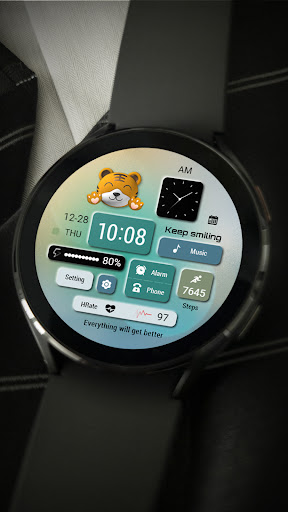
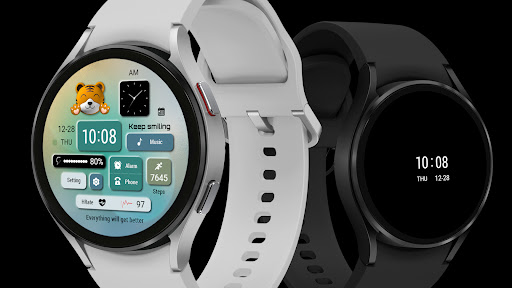
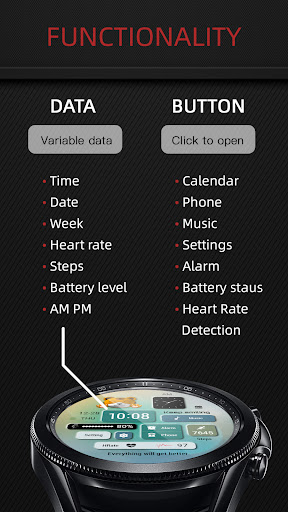
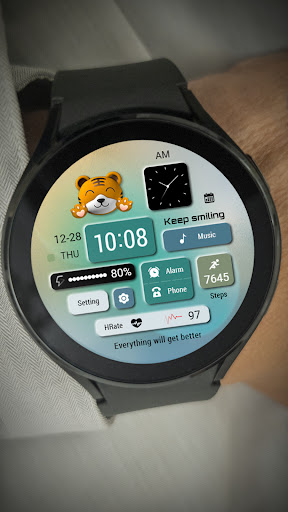
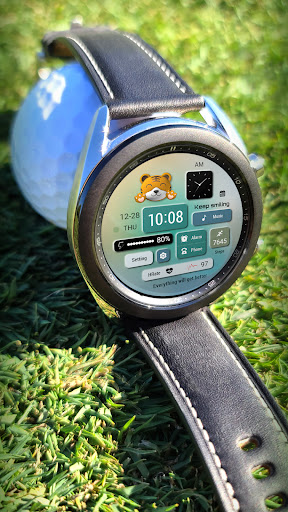
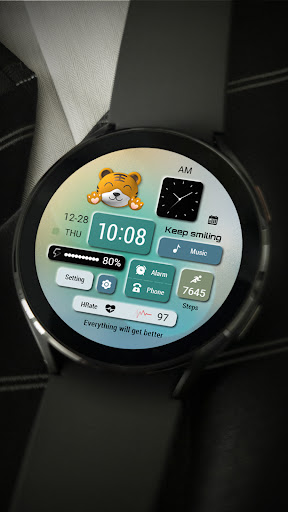
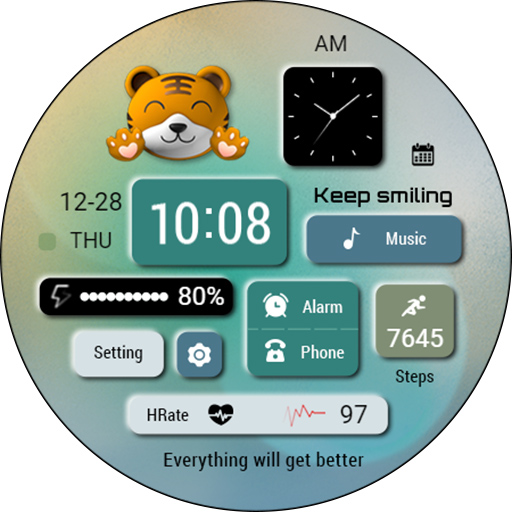
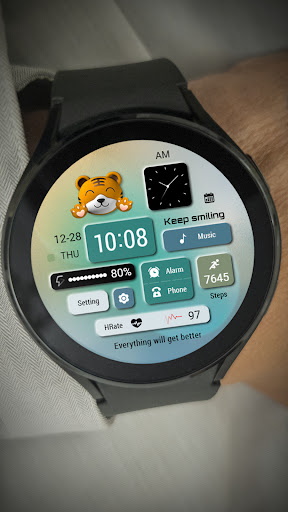
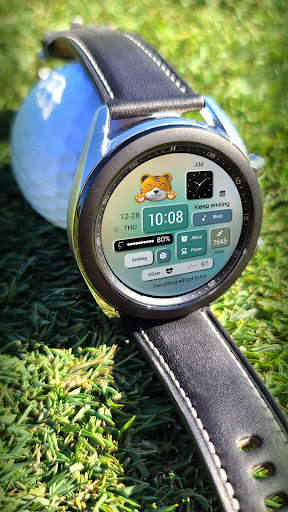
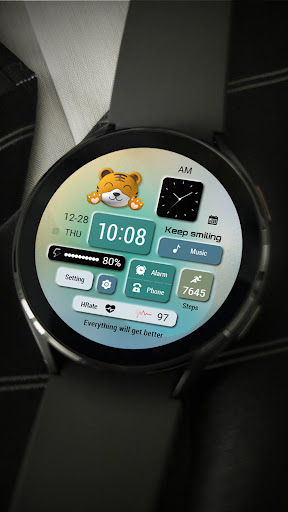
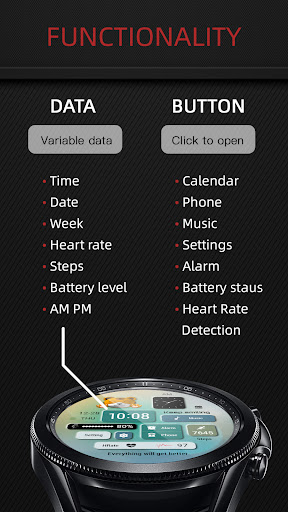
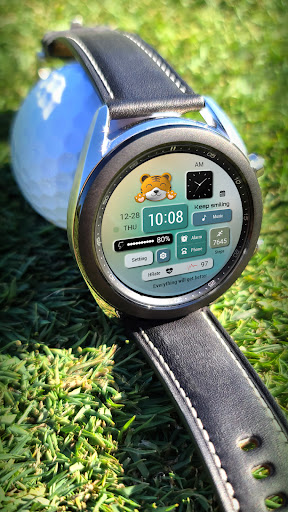
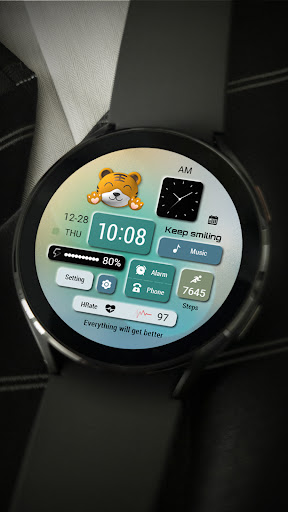
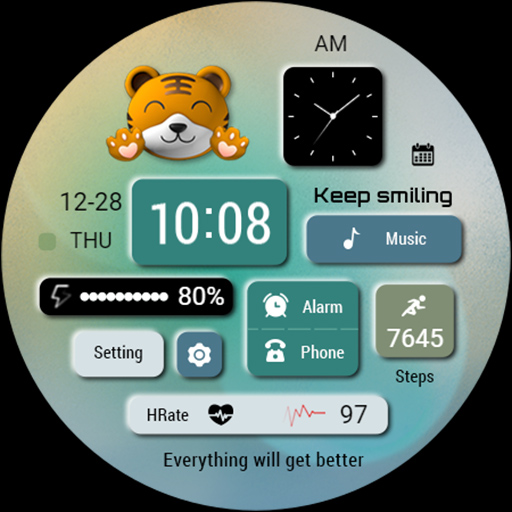
1. Top: AMPM,Calendar
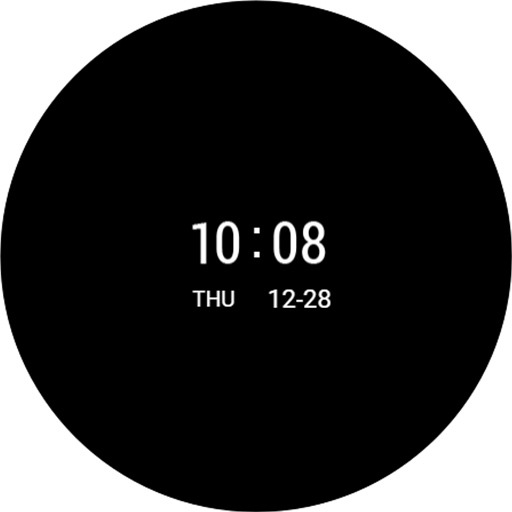
2. Middle: Date, Week, Time, Music, Battery, Settings, Alarm Clock, Phone, Steps
3. Bottom: Heart rate
Compatible devices: Galaxy Watch 4/5/6/7 and other devices that support Wear OS
How do I install the watch face on WearOS ?
1. Install it from Google Play Wear Store on your watch
2. Install the companion app for fully customization (Android phone devices)
Privacy
Given that the app requires zero permissions, users can be confident that their data is not being collected or shared. However, it is essential to note that the developer may still collect anonymous usage data to improve the app. To ensure maximum security, users should only download the app from trusted sources, such as the official Play Store, and keep their devices and apps up to date.
Tips
To get the most out of the Mimicking Tiger ZKin Watch app, users should first ensure their smartwatch is compatible with Wear OS and then follow the in-app instructions for setup. Additionally, users can customize their watch face by exploring the app's features and settings. For optimal performance, it is recommended to close unnecessary apps and background processes on the smartwatch.
What's New
1. Top: AMPM,Calendar
2. Middle: Date, Week, Time, Music, Battery, Settings, Alarm Clock, Phone, Steps
3. Bottom: Heart rate
Compatible devices: Galaxy Watch 4/5/6/7 and other devices that support Wear OS
How do I install the watch face on WearOS ?
1. Install it from Google Play Wear Store on your watch
2. Install the companion app for fully customization (Android phone devices)
Version Information
- Version
- -
- Downloads
- 100+
- Updated on
- Apr 26, 2025
- Released
- Dec 7, 2023
- Requires
- Android Varies with device
Statistics
Google Play Rating History
Rating Distribution
Downloads Over Time
Mimicking Tiger ZKin Watch has been downloaded times. Over the past 30 days, it averaged downloads per day.
Shaded area shows 30-day prediction based on historical trends
Historical data collection started recently. More data points will be available over time.
ApkTrusted Ratings & Reviews
More from ZKin
See more apps
Green Triangle ZKin Watch
Paid
Practical Desktop ZKin Watch
Paid

Golden Green For Wear OS
Paid

ZKin Watch Astronaut Club
Paid

ZKin Watch Face Candy Puppy
Paid

Cherry Milk ZKin Watch
Paid

ZKin Colorful function black
Paid

Cyberpunk ZKin Watch
Paid

Dynamic Desktop ZKin Watch
Paid

Dynamic Blue ZKin Watch
Paid

Gradient Green ZKin Watch
Paid

ZKin Watch Half Of Life
Paid

Kevlar Machinery ZKin Watch
Paid

Mechanical Black Gold Wear OS
Paid

ZKin Watch Mechanical Fighter
Paid

Mechanical Dark Gold ZKinWatch
Paid
Similar Apps

Cat Blocks 2
Paid

Cat Lover 9
Free
WS058 – Cat Watch Face
Free

Cat Lover 4
Paid

artifun.atsbear2.watchface
Paid

SamWatch T Moong Dandelion
Paid

Cat Blocks
Paid

HMK WD001
Paid

N-SPORT518 ForSport Watch Face
Paid

Beach Waves
Paid

fsanimal watchface
Paid

SamWatch T Moong Dandelion V2
Paid

Candy Digital 2
Paid
artifun.rbcloud1
Paid
Summer Vacation - Sunny Vibes
Paid

AIwatch Weather C1 watchface
Free
Scan this QR code to download

Forwarding you to the page at Google Play market in seconds...
Open Google Play market now