
ACRO Genix Digital watchface vVARY
ACROWatch






About this app
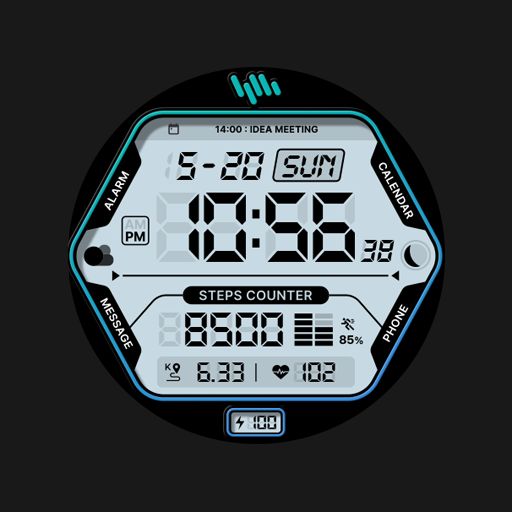
The ACRO Genix Digital watchface is a simple yet functional watch face designed for Wear 2.0 devices, solving the problem of bland and uncustomizable watch faces for users who value personalization. This app benefits users who own Wear 2.0 compatible smartwatches and are looking for a basic digital watch face. Compared to other personalization apps, ACRO Genix Digital watchface stands out with its minimalistic design but falls short in terms of feature variety. Its limited functionality and lack of updates may deter power users seeking more complex watch faces.
Pros
- The ACRO Genix Digital watchface has a good user rating of 3.9 out of 5, indicating a generally positive user experience and social proof with over 1,000 downloads.
- As a paid app with no ads or in-app purchases, users can enjoy an ad-free experience without worrying about additional costs or interruptions.
- The app requires zero permissions, which is a significant advantage in terms of privacy and security, as users do not have to worry about their data being collected or misused.
- The simple design of the watch face may appeal to users who prefer a minimalist aesthetic and are not overwhelmed by too many features or customization options.
- The developer provides a contact email for support, which suggests a level of commitment to user feedback and issue resolution.
Cons
- The app's limited functionality and lack of updates may deter users who are looking for more complex or customizable watch faces, making it less competitive in the personalization category.
- The 'VARY' versioning and 'Varies with device' Android requirement may indicate a lack of transparency or consistency in the app's development and compatibility, potentially leading to issues for some users.
- The relatively low download number of 1,000+ may suggest that the app has not gained significant traction or popularity, which could impact its long-term support and updates.
- There is no developer website provided, which might make it harder for users to find more information about the developer's other projects or to get a broader sense of their reputation and expertise.
Best for: The ideal user for the ACRO Genix Digital watchface is a smartwatch owner, likely in the adult age group, with a basic understanding of smartwatch functionality, who values simplicity and minimalism in their watch face design and is looking for a straightforward, easy-to-use digital watch face without the need for extensive customization options or complex features.
Developer Description
Watchface that supports Wear 2.0
*How to install
Play Store app on smartphone > Payment and installation
Launch the Play Store app on your watch > Apps on your phone > Applicable watch face > Install
*Resolved to be installed display
Copy the play store address of the watch face (click the three dots next to the magnifying glass in the upper right corner of the play store > share)
Go to Samsung Internet and click 'Install on another device' > select watch 4
- In order to use all functions, consent to use the sensor is required.
- Some features may not be available on all watches.
- If the Play Store app is shown as incompatible, please install it using a web web browser on your PC/laptop in addition to the app on your phone.
- this watchface supports wear os devices.
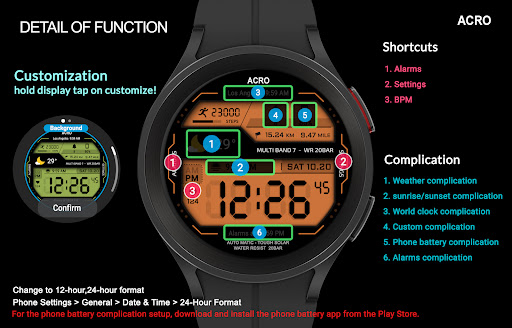
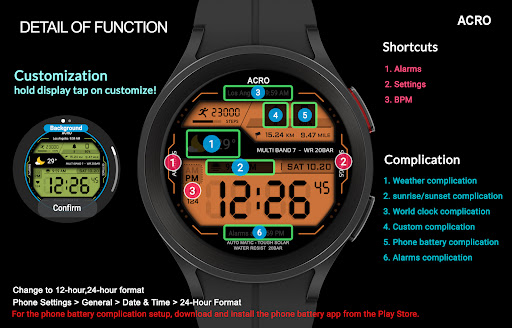
- For the phone battery complication setup, download and install the phone battery app from the Play Store.
https://play.google.com/store/apps/details?id=com.weartools.phonebattcomp
How to set up Customize
1. Press and hold the watch face > 2. Click the Decorate button > 3. Tap each complication area to set the corresponding information > 4. Click OK
Discover the new watch face in the ACRO store
https://play.google.com/store/apps/dev?id=7728319687716467388
For inquiries about the app, please contact us at the email below.
Mail : help.acro@gmail.com
Privacy
Given that the ACRO Genix Digital watchface requires zero permissions, users do not have to worry about their data being collected or misused, making it a relatively safe choice in terms of privacy. However, users should still be cautious when installing any app and ensure they are downloading from a trusted source. It's also a good practice to monitor the app's behavior and report any unexpected issues to the developer.
Tips
To get the most out of the ACRO Genix Digital watchface, users should first ensure their smartwatch is compatible with Wear 2.0. After installation, they can simply select the watch face from their device's settings to apply it. For optimal performance, it's recommended to restart the watch after applying the new face to ensure all features function as expected.
Version Information
- Version
- -
- Downloads
- 1K+
- Updated on
- Oct 12, 2025
- Released
- Nov 4, 2022
- Requires
- Android Varies with device
Statistics
Google Play Rating History
Rating Distribution
Downloads Over Time
ACRO Genix Digital watchface has been downloaded times. Over the past 30 days, it averaged downloads per day.
Shaded area shows 30-day prediction based on historical trends
Historical data collection started recently. More data points will be available over time.
ACRO Genix Digital watchface users say on Google Play
 Giridhar nagichetty
Feels very good on my galaxy watch 4 classic.
 Vishwas Gurung
I liked the watch face, but AOD mode should be better. AOD becomes too much dim, which does not serve purpose of AOD. Developer, please look into it, you may give option to keep AOD bright or dim so users can select what they want.
 Keven Reed
Wanted to like the watch face, but as others have stated on another version, the heart rate monitor does not update despite changing permissions. Uninstalled and requested a refund.
 Ivan Borbon
Issue with installation. It has been "Pending Installation" on my Watch since I purchased the watchface 4 days ago. I've asked for a refund today and will be waiting for this process to complete.
ApkTrusted Ratings & Reviews
More from ACROWatch
See more apps
ACROWatch Classic Sion D700
Paid
ACRO 25 Digi Day Night Watch
Paid

Acro Classic Wonder T50 Watch
Paid
ACRO Genix Digital watchface
Paid

ACRO Classic SPACE1 SIRIUS
Paid
ACRO Aqua Night AN47 Watchface
Paid
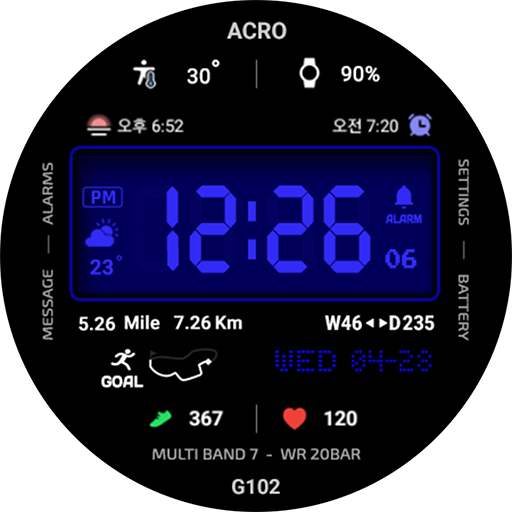
ACRO Genix G102 Digital watch
Paid

ACRO 3D Special Digital Watch
Paid

ACRO 31 luxury GL1872 Watch
Paid

ACRO Classic Gen2 Watchface
Paid
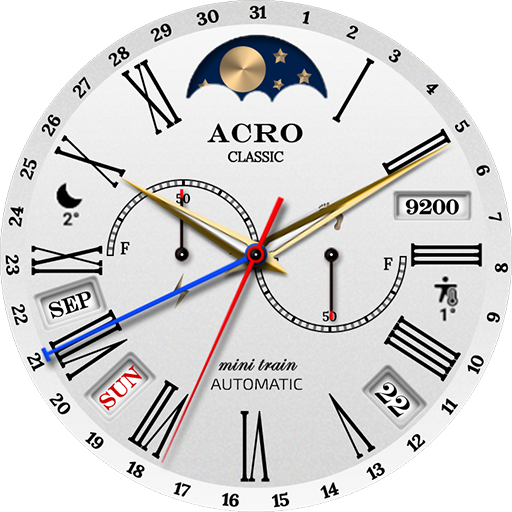
ACRO 30 Classic Minitrain
Paid

ACRO CLASSIC SION T800
Paid
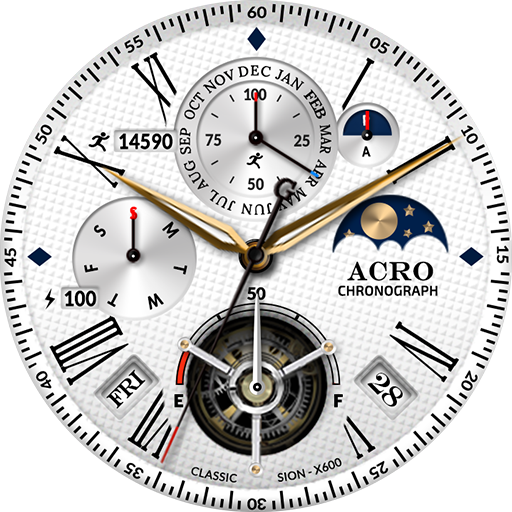
ACRO Classic Sion X600 Watch
Paid

ACRO 27 Simple Gold Watchface
Paid

ACRO 29 Classic wind TA12Watch
Free

ACRO 26 Digital Info Watchface
Paid
Similar Apps

SH100 Watch Face, WearOS watch
Paid

ULTRA Digital Retro watch face
Paid

Oogly Digital Retro
Paid
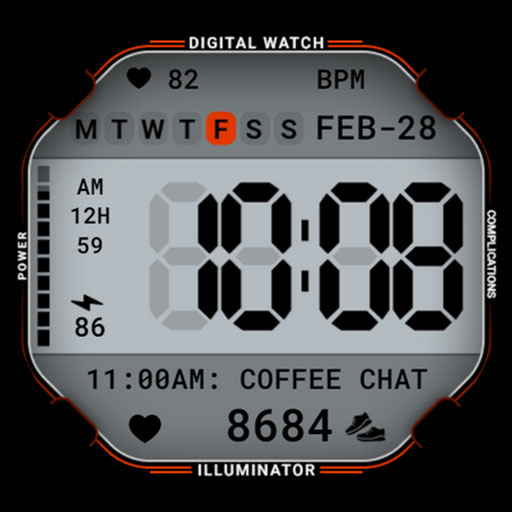
Classic Digital 027
Paid

perslot20
Free

HMKWatch Digital 163 Invert
Paid

CELEST5537 Retro Digital Watch
Paid

JW207 jwstudio watchface
Paid

HMKWatch Digital 163 K Invert
Paid

CELEST5536 Retro Digital Watch
Paid
SamWatch Digital Atum 2
Free

HMKWatch Digital 163 K
Paid

HMKWatch Digital 163
Free

HMKWatch Digital 157 Invert
Free

BRN005 : Watch Face
Paid

SamWatch Digital Shu 8
Paid
Scan this QR code to download

Forwarding you to the page at Google Play market in seconds...
Open Google Play market now