
AI Earth Day v1.0.0
AIwatch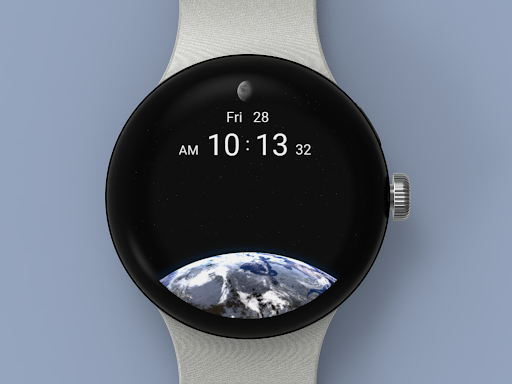





About this app
The AI Earth Day app solves the problem of static watch faces by providing a 3D Earth Day animation, which benefits users looking for unique personalization options. As a paid app with no ads or in-app purchases, it compares favorably to other personalization apps in terms of user experience. However, the lack of user ratings and limited download numbers raise concerns about its overall quality and popularity. The app's standout feature is its 3D animation, but it falls short in terms of social proof and user engagement.
Pros
- The app's paid model with no ads or in-app purchases ensures a distraction-free user experience, allowing users to enjoy the 3D Earth Day animation without interruptions.
- The developer's website and email provide a clear channel for user feedback and support, which is essential for a paid app with limited user ratings.
- The app's small size and variable Android requirement suggest that it is optimized for a wide range of devices, making it accessible to a broader audience.
- The lack of permissions requested by the app is a significant advantage, as it minimizes the risk of data collection and ensures user privacy.
- The app's unique 3D Earth Day animation provides a distinctive personalization option that sets it apart from other watch face apps.
Cons
- The app's limited download numbers and lack of user ratings raise concerns about its overall quality and popularity, making it difficult for users to gauge its effectiveness.
- The app's paid model may deter some users who are accustomed to free or freemium personalization apps, which could limit its appeal to a wider audience.
- The app's limited functionality, which only provides a 3D Earth Day animation, may not be enough to justify the paid price point for some users.
- The developer's reputation and update frequency are unknown, which could impact the app's long-term support and maintenance.
Best for: The ideal user for the AI Earth Day app is a tech-savvy individual with a device that meets the variable Android requirement, who is looking for a unique and distraction-free personalization option to enhance their watch face, and is willing to pay a premium for a high-quality animation that sets their device apart from others.
Developer Description
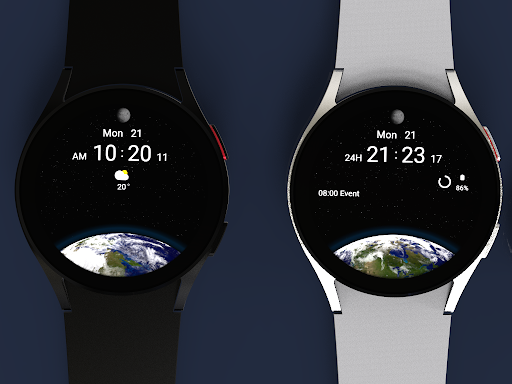
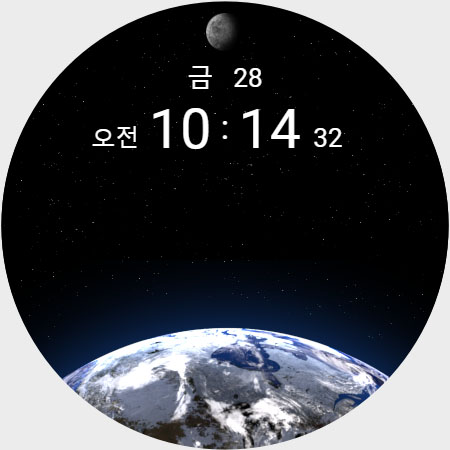
3D Earth Day Animation
- Support wear os
- Square screen watch mode is not supported.
- Earth Animated (Day ver)
- Moonphase (28 step)
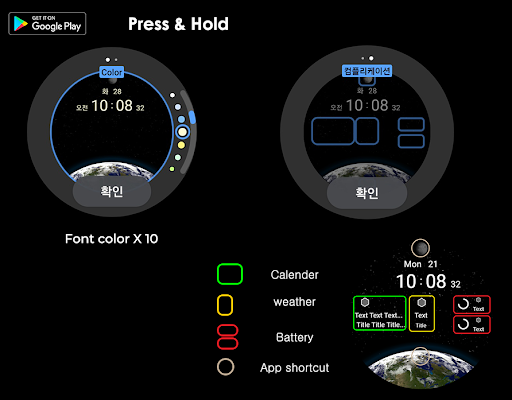
- Font color style change 10 x color
- Date Font style change / Eng & Kor
- Complication
- 4 x Complication user setting
- 2 x appshortcut
*** Installation Guide ***
The mobile app is a helper app for installing the watch app.
1. The watch and mobile phone must be connected via Bluetooth.
2. Tap the "CLICK" button on your phone's companion app.
3. Follow the screen of the watch to install the watch face in a few minutes.
You can also directly search for the watch face in the watch's Google app and install it.
You can search and install it in your mobile Mobile web browser.
support : aiwatchdesign@gmail.com
* Support Wear OS *
Privacy
Given the app's lack of permissions, it is unlikely to collect any sensitive user data, which is a significant advantage in terms of privacy. However, users should still be cautious when installing paid apps from unknown developers and ensure that they are downloading from a trusted source. To further protect their privacy, users can review the app's terms of service and developer website for any data collection policies.
Tips
To get the most out of the AI Earth Day app, users should first ensure that their device meets the variable Android requirement, and then follow the in-app setup instructions to activate the 3D Earth Day animation. Users can also optimize the app's performance by closing other resource-intensive apps and adjusting their device's display settings. Additionally, users can explore the developer's website for any tips or tutorials on customizing the app's animation.
What's New
Version Information
- Version
- 1.0.0
- Downloads
- 100+
- Updated on
- Aug 3, 2025
- Released
- Jun 20, 2022
- Requires
- Android Varies with device
Statistics
Google Play Rating History
Rating Distribution
Downloads Over Time
AI Earth Day has been downloaded times. Over the past 30 days, it averaged downloads per day.
Shaded area shows 30-day prediction based on historical trends
Historical data collection started recently. More data points will be available over time.
AI Earth Day users say on Google Play
 Evelyn Ireola
THE BEST
 Abhilash Dhondalkar
looks good. but I am not getting the moon phase complication. please help
ApkTrusted Ratings & Reviews
More from AIwatch
See more apps
AI Code Black F
Free
AI BRILLIANT 2022
Paid
AI BRILLIANT
Paid
AIwatch BUBBLE
Paid

AI X series V1
Paid

AI A TYPE
Paid

AI 3axis space
Free

AI Design L
Paid
AI Code Black
Paid

AI INTRO WHITE EDITION
Paid
AI CHRISTMAS EDITION
Free

AI Classic B
Free

AI Design E
Paid

AI COLORFUL S
Free

AI COLORFULLY
Paid
AI Constellation
Paid
Similar Apps

TVV Dynamic Earth Watch Face
Free

SamWatch Universe 4
Paid

Space Galaxy Watch
Free
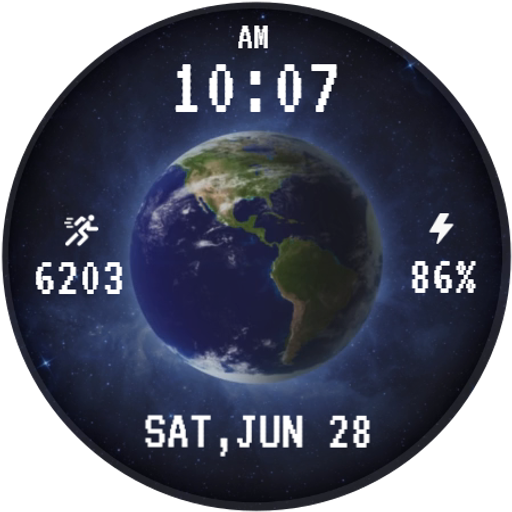
3D Animated Earth WatchFace
Free

EarthSpace Digital Watch Face
Free

Animated Planet Earth Watch
Free

Orbital Watch Face Time Zone
Free

Earth I am Jupiter Watch Face
Free

Earth and Moon
Free

Earth & Moon 3D Watch Face
Free
Animated Moonfall Watch Face
Free

Earth For Wear OS
Free

FS W255 Watch face
Paid

Deep Space Watch Face
Paid

Luna Moon Watch Face
Paid
NXV95 Earth Digital Watch face
Free
Scan this QR code to download

Forwarding you to the page at Google Play market in seconds...
Open Google Play market now