
CELEST5561 Minimalist Watch vVARY
CELEST Watches




About this app
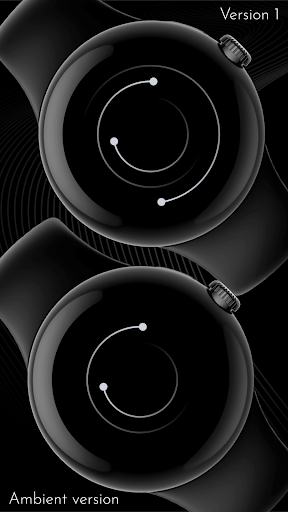
The CELEST5561 Minimalist Watch app solves the problem of cluttered and distracting watch faces by providing a sleek and elegant classic design, benefiting users who value simplicity and style. This app stands out in the Personalization category due to its unique design aesthetic, but falls short in terms of functionality and features compared to more comprehensive watch face apps. The app's limited functionality may appeal to users seeking a minimalist approach, but may not satisfy those seeking more complex features. Overall, the app's design and simplicity make it a solid choice for those seeking a stylish and easy-to-use watch face.
Pros
- The CELEST5561 Minimalist Watch app has a unique and elegant design that sets it apart from other watch face apps, making it a great choice for users who value style and simplicity.
- The app is relatively small in size, making it a good option for users with limited storage space on their devices.
- The app does not contain ads, providing a clean and uninterrupted user experience.
- The developer, CELEST Watches, has a professional website and email, indicating a level of commitment to customer support and feedback.
- The app's paid model, priced at $1.99, is a one-time fee with no in-app purchases, making it a straightforward and transparent monetization model.
Cons
- The app has a limited number of downloads and no user rating data, which may indicate a lack of social proof and make it difficult for potential users to gauge the app's quality.
- The app's functionality is relatively basic, which may not be sufficient for users seeking more complex features and customization options.
- The app's compatibility with various devices is not explicitly stated, which may lead to compatibility issues for some users.
- The app's developer has not provided any information about update frequency or plans for future development, which may raise concerns about the app's long-term support and maintenance.
Best for: The ideal user for the CELEST5561 Minimalist Watch app is a tech-savvy individual, likely between the ages of 25 and 45, who values simplicity, style, and ease of use, and is seeking a unique and elegant watch face design to enhance their Android device's aesthetic appeal.
Developer Description
Sleek and elegant classic watch face from CELEST Watches
🎁 BOGO Promotion: https://celest-watches.com/bogo/
A watch face from CELEST Watches to transform your Wear OS device with a stylish design that's a pleasure to wear.
ABOUT THIS DESIGN ↴
This unique design features a minimalist aesthetic where hours, minutes, and seconds are elegantly represented by three distinct dots, moving in concentric circles from the center outwards. The clean lines and subtle animation provide a sophisticated and uncluttered view of time, perfect for those who appreciate understated elegance. To further enhance readability, you can choose from 9 optional marker styles, making it even easier to tell time at a glance.
Personalize your watch face to match your style and mood with an impressive selection of 30 vibrant color variations. Beyond its striking appearance, this watch face also offers practical functionality with an optional large, color-matched circular complication positioned centrally. This allows you to display any information you choose, seamlessly integrating with the watch face's design while keeping your essential data at a glance.
INSTALLATION GUIDE ↴
Having trouble installing your watch face from the Google Play Store? Follow these steps for a smooth setup:
✅ Watch Face Installed on Your Phone but Not on Your Watch?
This happens because the Play Store may install a companion app instead. To install directly on your watch:
1. Use the Play Store on Your Watch – Open Google Play on your smartwatch, search for the watch face name, and install it directly.
2. Use the Play Store Dropdown Menu – On your phone, tap the small triangular icon next to the "Install" button (https://i.imgur.com/boSIZ5k.png). Then, select your watch as the target device (https://i.imgur.com/HsZD0Xo.jpeg).
3. Try a Web Browser – Open the Play Store in a web browser on your PC, Mac, or laptop to manually select your watch (https://i.imgur.com/Rq6NGAC.png).
✅ Still Not Showing?
If the watch face doesn’t appear on your watch, open your watch's companion app on your phone (for Samsung devices, this is the Galaxy Wearable app):
- Navigate to the Downloaded section under watch faces.
- Find the watch face and tap to install it (https://i.imgur.com/Zi79PFr.png).
✅ Need More Help?
If you're still experiencing issues, contact us at info@celest-watches.com, and we'll help you resolve it quickly.
CUSTOMIZATION OPTIONS ↴
Option #1: Color combination (30 options)
Option #2: Optional markers for easy time reading (none + 9 options)
Option #3: Optional circular color-matched complication in the middle
EXPLORE MORE & GET DISCOUNTS ↴
📌 Full Catalog: https://celest-watches.com/product-category/compatibility/wear-os/
📌 Exclusive Discounts for Wear OS: https://celest-watches.com/product-category/availability/on-sale-on-google-play/
STAY CONNECTED ↴
📸 Instagram: https://www.instagram.com/celestwatches/
📘 Facebook: https://www.facebook.com/celeswatchfaces
🐦 Twitter/X: https://twitter.com/CelestWatches
🎭 Threads: https://www.threads.net/@celestwatches
📌 Pinterest: https://pinterest.com/celestwatches/
🎵 TikTok: https://www.tiktok.com/@celestwatches
📝 Tumblr: https://www.tumblr.com/blog/celestwatches
📢 Telegram: https://t.me/celestwatcheswearos
🎁 Donate: https://buymeacoffee.com/celestwatches
Privacy
Since the CELEST5561 Minimalist Watch app does not request any permissions, users do not need to worry about potential privacy or security risks. However, users should still be cautious when downloading and installing apps from unknown sources, and ensure that they are downloading the app from a trusted source, such as the Google Play Store. Additionally, users should monitor the app's performance and battery usage to ensure that it is not consuming excessive resources.
Tips
To get the most out of the CELEST5561 Minimalist Watch app, users should first ensure that their device is compatible with the app, and then follow the simple installation and setup process. Users can also customize the app's appearance by adjusting the watch face settings, although options may be limited. Additionally, users can optimize the app's performance by closing other resource-intensive apps and ensuring that their device has sufficient storage space.
What's New
Version Information
- Version
- -
- Downloads
- 100+
- Updated on
- Jul 18, 2025
- Released
- Jul 5, 2025
- Requires
- Android Varies with device
Statistics
Google Play Rating History
Rating Distribution
Downloads Over Time
CELEST5561 Minimalist Watch has been downloaded times. Over the past 30 days, it averaged downloads per day.
Shaded area shows 30-day prediction based on historical trends
Historical data collection started recently. More data points will be available over time.
CELEST5561 Minimalist Watch users say on Google Play
 vasos adams
Unique and beautiful!
ApkTrusted Ratings & Reviews
More from CELEST Watches
See more apps
CELEST5415 Retro Digital Watch
Paid

CELEST5409 Military Watch
Paid

CELEST5413 Analog Watch
Paid

CELEST5401 Minimalist Watch
Paid

CELEST5402 Retro Digital Watch
Paid

CELEST5403 Sport Watch
Paid
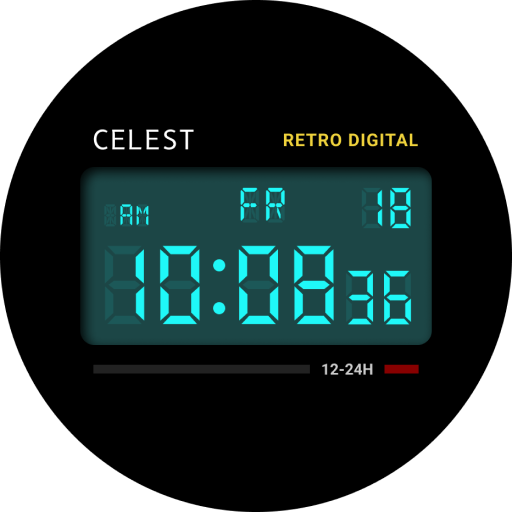
CELEST5404 Retro Digital Watch
Paid

CELEST1000 Military Watch
Paid

CELEST5410 Diver Watch
Paid
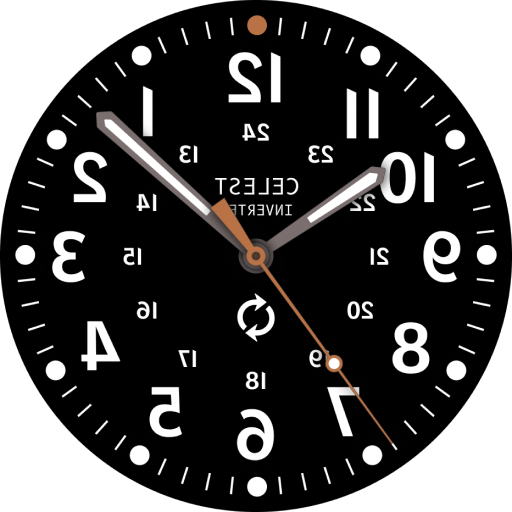
CELEST5405 Mirrored Watch
Paid

CELEST5412 Analog Watch
Paid

Simple Interval Timer
Paid

CELEST5414 Amart analog Watch
Paid

Mini Reader
Paid

CELEST5418 Military Watch
Paid
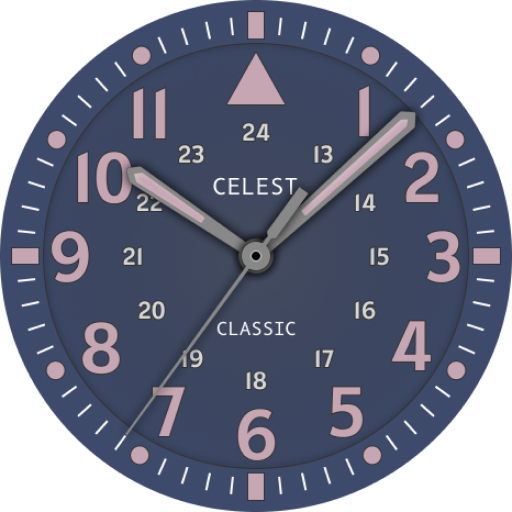
CELEST5419 Military Watch
Paid
Similar Apps

Bindu Marine
Paid
Bindu White
Paid

Bindu Radar
Paid
Watch Face Minimalism 2
Paid

AD Maze - Watch Face
Paid

Ocular - Anime Watch Face
Free

ZenDial - Watch Face
Free

Porda Black
Paid

AD ConveX - Watch Face
Paid

Circles Watch Face by KYB
Free

326 PS
Free

Astral Watch Face
Free

Color ball
Paid

Astronavigator watch face
Free

Animated Rotating Watch Face
Paid
AJ01 Digital Watch Face
Free
Scan this QR code to download

Forwarding you to the page at Google Play market in seconds...
Open Google Play market now