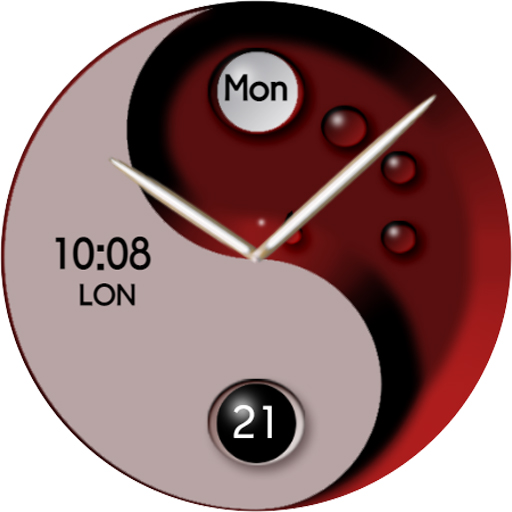
TSD21 YinYang Watch Face vVARY
TS Design T. Saßmannshausen








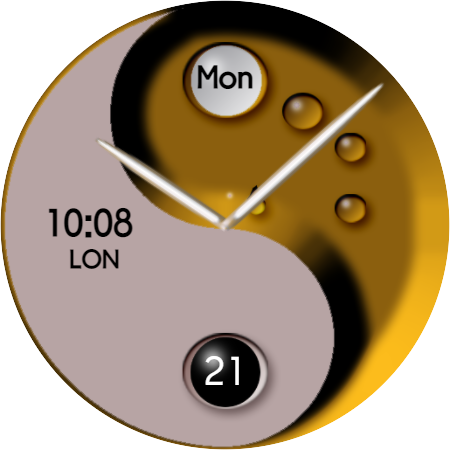

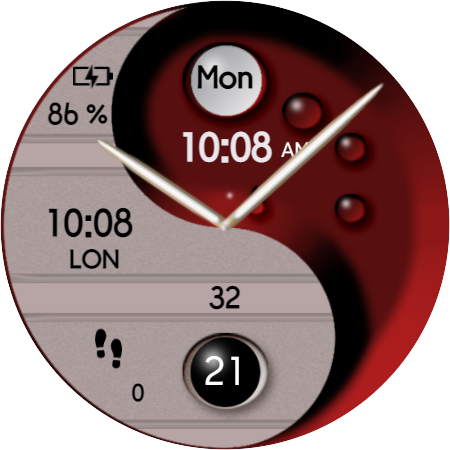


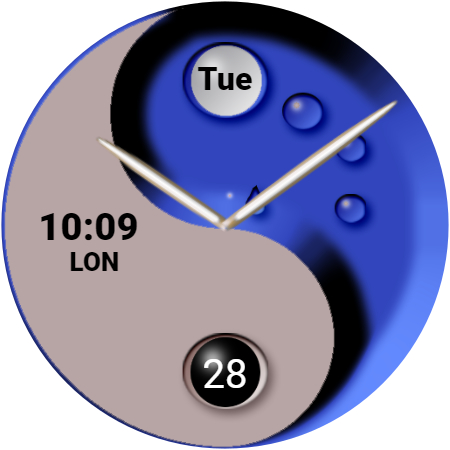
About this app
The TSD21 YinYang Watch Face app solves the problem of bland and static watch faces for Wear OS users, offering a dynamic color change feature that enhances the aesthetic experience. This app benefits users who value customization and personalization, particularly those with a flair for design. Compared to alternatives in the Personalization category, TSD21 YinYang Watch Face stands out with its unique hybrid design approach, although its limited user base and lack of ratings may raise concerns about its overall impact. The app's simplicity and focus on a specific feature set may appeal to users seeking a straightforward, ad-free experience.
Pros
- The app's paid model of $1.49 ensures an ad-free experience, which is a significant advantage for users who prioritize uninterrupted customization.
- With zero permissions required, the app demonstrates a commitment to user privacy and security, minimizing potential risks associated with data collection.
- The developer's provision of a website and email for support suggests a level of accountability and willingness to engage with users, which can be reassuring for those seeking assistance.
- The dynamic color change feature offers a unique and visually appealing experience, catering to users who enjoy personalized and interactive watch faces.
- The absence of in-app purchases means that users can enjoy the full feature set without additional costs, providing a transparent and predictable user experience.
Cons
- The lack of user ratings and limited download numbers may indicate a smaller user base, which could impact the app's visibility and the developer's ability to gather feedback for improvements.
- The app's simplicity, while a pro for some, might be seen as a limitation by users seeking more comprehensive customization options or additional features beyond dynamic color change.
- The varying Android requirements and version compatibility might lead to inconsistencies in performance across different devices, potentially affecting the user experience.
- Without more information on update frequency or a clear roadmap for future developments, users might be uncertain about the app's long-term support and potential for new features.
Best for: The ideal user for the TSD21 YinYang Watch Face is a tech-savvy individual, likely between the ages of 25 and 45, who values unique and personalized watch faces, has a basic understanding of Wear OS customization, and is willing to pay a small fee for ad-free, high-quality experiences that enhance their smartwatch's aesthetic and functional appeal.
Developer Description
Hybrid Watch Face for Wear OS with dynamic color change
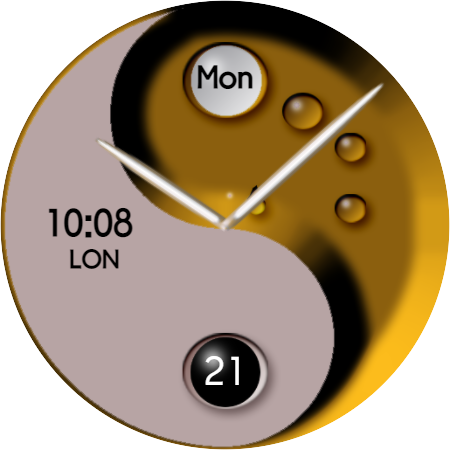
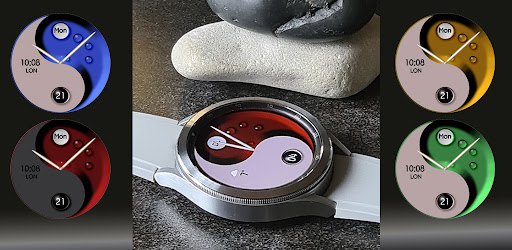
A multifunctional, hybrid Watch Face designed for Wear OS compatible with Galaxy Watch 4 and Galaxy Watch 4 Classic with customizable short cuts, customizable data field and dynamic color change
Features:
- 12/24h format depending on your phone settings
- 1 Customizable Data Field
- 4 Customizable Shortcuts
- Day of the week in short form (multilingual, depending on your phone
settings)
- Date (1-31)
- Step count on the display of the watch
- battery status
- analog and digital time
- Changeable background colors
- dynamic color change when moving your wrist
- Changeable text color
- Tap and hold the display of the watch to customize the watchface.
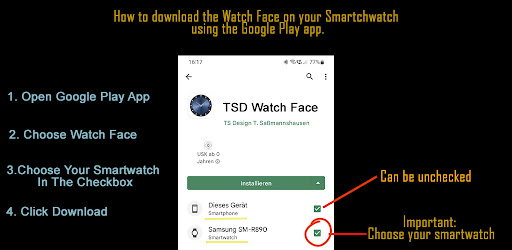
Further information you can get in the pictures
Limited time promotion:
Buy this watch face and get a watch face from our portfolio for free.
Requirements:
1. Purchase this Watch Face
2. Download it to your watch
3. Rate this watchface on Google Play and write a short comment there.
4. Take a screenshot of your rating
5. Send the screenshot to watchface@sureprice.de
and write to us which watch face you want for free.
6. We will send you a code for a coupon as soon as possible
Privacy
Given that the TSD21 YinYang Watch Face requires no permissions, the risk of data collection is minimal, and users can enjoy the app without significant privacy concerns. However, it's always advisable to monitor app updates and review any future permission requests carefully. Users should also ensure they download the app from trusted sources to avoid potential security risks associated with unauthorized versions.
Tips
To get the most out of the TSD21 YinYang Watch Face, users should explore the dynamic color change feature thoroughly to understand its full capabilities and how it can be customized to suit their preferences. Additionally, ensuring that the Wear OS device is updated to the latest software version can help optimize the app's performance. For first-time setup, users should refer to the developer's website or contact support for any specific instructions or troubleshooting tips.
What's New
Version Information
- Version
- -
- Downloads
- 100+
- Updated on
- Jul 16, 2025
- Released
- Jan 4, 2022
- Requires
- Android Varies with device
Statistics
Google Play Rating History
Rating Distribution
Downloads Over Time
TSD21 YinYang Watch Face has been downloaded times. Over the past 30 days, it averaged downloads per day.
Shaded area shows 30-day prediction based on historical trends
Historical data collection started recently. More data points will be available over time.
TSD21 YinYang Watch Face users say on Google Play
 Joseph Kavanagh
Too good to be true but it is true, beautiful and well design watch face, bravo.
 Parampreet Singh
You get what you pay for, I would have liked to be able to customize the background to colours of my choice but that isn't an option however design is identical to the photos you see posted.
ApkTrusted Ratings & Reviews
More from TS Design T. Saßmannshausen
See more apps
Carbon Watch Face Wear OS
Paid

Golden Luxury 2 Watch Face
Paid
Metamorphosis2021 Watch Face
Paid

TSD16 analog Watch Face
Free
TSD17 Glow Watch Face Wear OS
Free

TSD19 Crossword Watch Face
Paid
TSD22 Magic Watch Face Wear OS
Paid

TSD23 Vinyl Watch Face Wear OS
Paid

TSD24 Watch Face Wear OS
Paid

TSD25 Watch Face for Wear OS
Free

TSD28 Watch Face for Wear OS
Free

TSD30 Watch Face for Wear OS
Free

TSD32 Watch Face Wear OS
Paid
TSD33 Watch Face Wear OS
Free
TSD34 Watch Face for Wear OS
Paid
TSD35 Saw Blade Watch Face
Free
Similar Apps

DB033 Harmony Watch Face
Paid
A0021 VNApps Yin Yang
Free

Digital Yin Yang DYY1 Wear OS
Paid

Tao Harmony Hybrid SH1
Free

EY20 Yin Yang Dragon WatchFace
Paid

Night ver 18 - watch face
Paid

Night 07A - Digital Watch Face
Paid

DB017 Harmony
Paid

BFF18- Blackboard Art Tiger
Paid

Acontria Hybrid Watch Face
Paid

DB036 Hollow Sphere Watch Face
Paid

Nothing Watch face WF1
Free

Inner Balance Watch Face
Paid

Key WF86 Analog Sporty Watch
Paid

Nighty Digital 29 - watch face
Paid

Black Red MX Watch Face
Paid
Scan this QR code to download

Forwarding you to the page at Google Play market in seconds...
Open Google Play market now