
Gartner Conference Navigator v4.55
Gartner




About this app
Developer Description
Manage your agenda, anytime, anywhere!
• Simplify your schedule: Easily access, explore, and personalize your conference agenda—anytime, anywhere. Sync effortlessly with your personal or professional calendar to stay organized and on track.
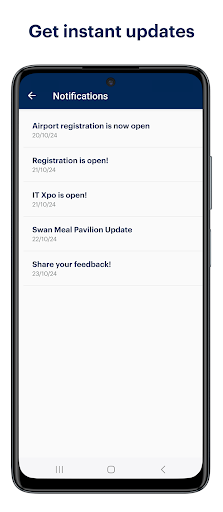
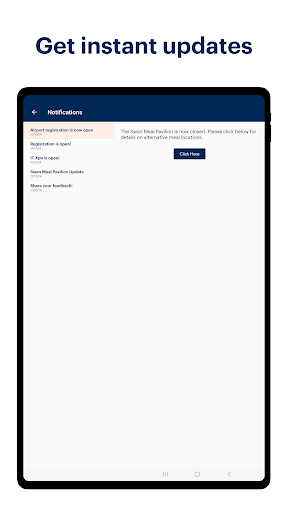
• Get instant updates: Stay informed with real-time alerts on session changes, room updates, and essential announcements.
• Navigate with your conference with ease: Find venue details, explore maps, and receive quick assistance through our “Ask Us” chat. Access attendee, speaker, and exhibitor information – all in one place.
• Access content: Stream session videos, save your session notes, catch replays, and view or download conference presentations.
• Enjoy effortless networking: Connect with fellow attendees and exhibitors using the “Who’s Here” feature and engage with integrated chat features.
Gartner Conference Navigator is available to all conference attendees and registered users.
What's New
If you would like to share feedback, please email us at conferencenavigator@gartner.com.
Version Information
- Version
- 4.55
- Downloads
- 100K+
- Updated on
- Dec 15, 2025
- Released
- Oct 4, 2012
- Requires
- Android 7.0
Statistics
Google Play Rating History
Rating Distribution
Downloads Over Time
Gartner Conference Navigator has been downloaded times. Over the past 30 days, it averaged downloads per day.
Shaded area shows 30-day prediction based on historical trends
Historical data collection started recently. More data points will be available over time.
Gartner Conference Navigator users say on Google Play
 A Google user
One of the best conference apps that I have used.
A Google user
Overall the App is excellent. However it crashes when trying to download materials. You can introduce more features to it like QR code scanner, Reminder for the items in My Agenda, highlight/focus sessions in the agenda which are ongoing.
A Google user
Very clear and easy to use especially for agenda review and building, but still some bugs, like closing unexpectedly when downloading presentations which is frustrating. Also my personalizations disappear on occasion when the agenda refreshes which is annoying.
A Google user
It crashes, does not show data and slow in operating.
A Google user
crashes and has a lot of errors
ApkTrusted Ratings & Reviews
More from Gartner
See more apps
Scan this QR code to download

Forwarding you to the page at Google Play market in seconds...
Open Google Play market now