
Planit: Photo Planner v11.0.7
JIDE Software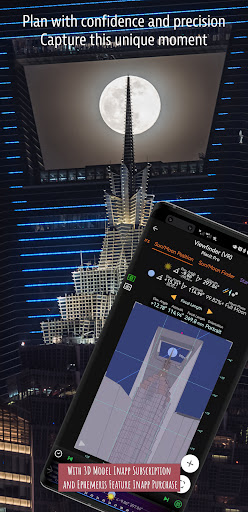


About this app
Developer Description
A must-have app for landscape photographers
Please email info@planitphoto.com for bug reports or feature requests. Please also remember to visit https://youtu.be/JFpSi1u0-is for more video tutorials. Each video only lasts a few minutes but you will sure learn a lot from them. You can also reach us through Instagram or Facebook. Links are under the menu inside the app.
This is a special call to landscape photographers, travel photographers, nature photographers and those who are interested in night photography, city photography, time-lapse, star-trails, milky way or astro-photography: look no more, this is the ultimate app for you - the Planit Pro. It only costs you a cup of Frappuccino but will save you tons of time and effort and a lot of gas money. Most importantly, it will make you enjoying landscape photography even more.
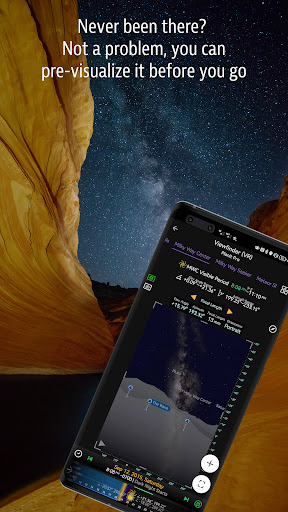
Ansel Adams dedicates the beginning of his first book "Taos Pueblo" to visualization. He introduced the idea of "previsualization", which involved the photographer imagining what he wanted his final print to look like before he even took the shot. Of course, there are many great photos which were taken impromptu. However, for landscape photographers, being able to previsualize the scene before going there will greatly reduce the chance of being caught unprepared and will greatly increase the chance of getting better shots.
Photographers use various tools to help them pre-visualizing the scene. Nowadays, many of those tools are phone apps. Planit Pro is an all-in-one solution that is designed to leverage the map and simulated viewfinder technologies to provide the necessary tools for photographers to pre-visualize the scene in combination with the ground subjects and the celestial objects such as the Sun, the Moon, Stars, Star-trails and Milky Way.
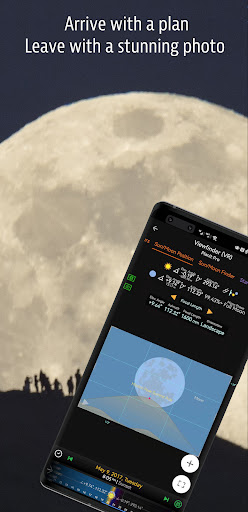
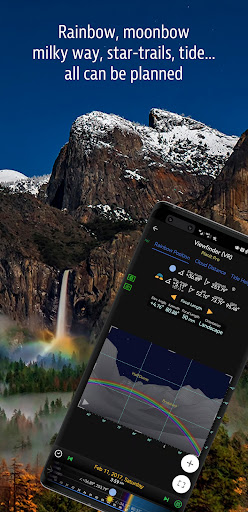
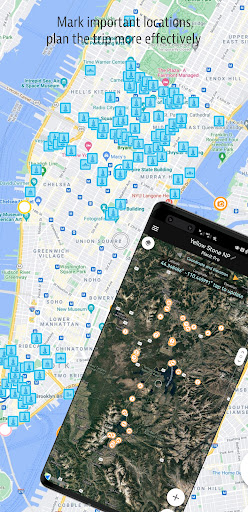
In the Planit Pro app, we packed it with features - from location scouting such as GPS coordinates, elevations, distance, elevation gain, clear view, focal length, depth of field (DoF), hyperfocal distance, panorama and aerial photography, to the Ephemeris features such as the sunrise, sunset, moonrise, moonset time and direction, twilight time, special hours of the day, sun/moon finder, major stars, constellations, nebulae azimuth and elevation angle, star trail planning, time-lapse calculation and simulation, sequence calculation and simulation, milky way searching, solar eclipse and lunar eclipse, exposure/ND filter calculator, light meter, rainbow position prediction, tide height and tide search etc. All the information are either represented on the map as an overlay or visually presented in simulated viewfinders (VR, AR, picture, or street view), just like you look through your camera's viewfinder. Whatever you want for your landscape photography, it is there in the Planit Pro.
Landscape photography is an adventure in the nature world. We understand sometimes there won't be any network connection when you are out exploring. Planit Pro was designed for have it in mind. If you preload the offline elevation files and the offline mbtiles maps, you can use the app fully offline without the need for network connections.
What's New
Made the back gesture working again for newer Android versions.
Fixed an issue opening hourly forecast.
Fixed the menu or the app content is clipped by the navigation bar on some devices.
Now you can assess all weather related features with either location explorer subscription or 3d model subscription.
Menu - Version History has complete change logs.
In-app purchases
$0.99 - $99.99 per item
Version Information
- Version
- 11.0.7
- Downloads
- 100K+
- Updated on
- Jan 4, 2026
- Released
- Aug 5, 2013
- Requires
- Android 7.0
Statistics
Google Play Rating History
Rating Distribution
Downloads Over Time
Planit: Photo Planner has been downloaded times. Over the past 30 days, it averaged downloads per day.
Shaded area shows 30-day prediction based on historical trends
Historical data collection started recently. More data points will be available over time.
Planit: Photo Planner users say on Google Play
 Mirm Flem
I am updating my previous review of 3 stars. Gave the app 3 stars for something that was really a Play Store issue. I'm upgrading my rating to 5 stars and I tell you why. I got a new phone but all of my plans and markers would not transfer over. The developer worked with me to figure out the issue over the last 2 days and was able to successfully resolve the issue. His quick responses to my emails and his responsiveness to the issue was exceptional.
 A Google user
Please consider updating the video relating to the current versions as they come out, or provide a video to cut the learning curve down on how the app functions today, not how it used to function. If there are current videos of current revisions, please provide a video link on the app page.
A Google user
Downloaded hoping to evaluate this app before paying for the full pro version. However I find it difficult to make positive evaluation as it appears to be very restricted and limited in respect to the functions available on the full pro version. This leaves me wondering do I want to pay for it only to find out it is not what I expected ? Also would like to know, but couldn't find info on, does the app require data connection when used out in the field or is able to us offline maps etc. For me I would prefer complete offline usability when away from home or wifi network - I do not use phone data as only on pre-paid PAYG tarrif
A Google user
The free version of this should be removed cause you can't do hardly anything. It's confusing. Just remove the free version and advertise the paid version. There are better options. To the author's comments; The issue is, your free version is not just crippled, it looks different and has no real function at all. If you really don't want to be deceptive, correct the images on this free versions page to look like the free version.
A Google user
The free version is very useless, you can't really evaluate the program to decide if you want to purchase or not given the free version.
ApkTrusted Ratings & Reviews
More from JIDE Software
See more apps
Scan this QR code to download

Forwarding you to the page at Google Play market in seconds...
Open Google Play market now