
Data Usage Alert (Paid) vVARY
HDS Finance Holdings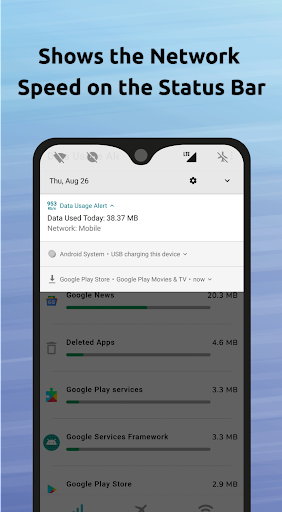
About this app
Developer Description
This is an premium version of the Data Usage Alert + Speed Meter app.
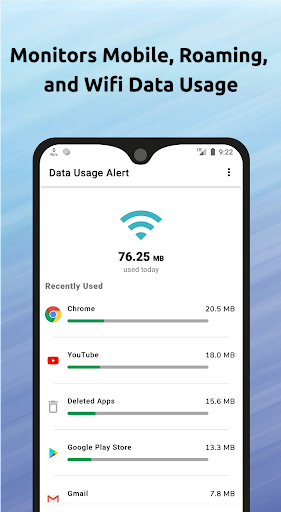
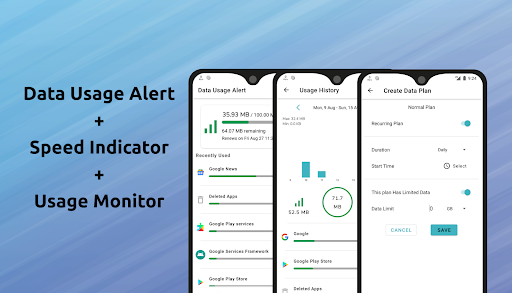
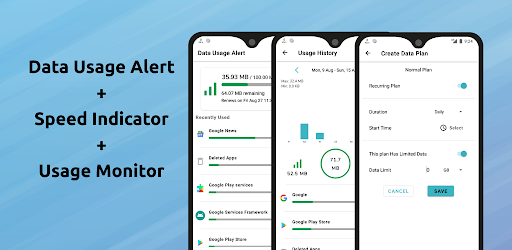
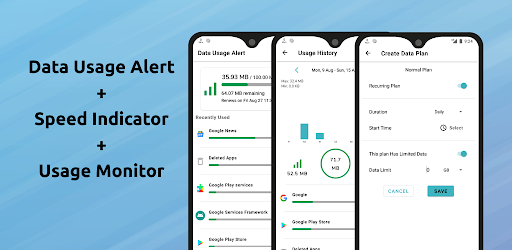
The "Data usage alert, speed indicator, and usage monitor" app does 3 things. It indicates the current network speed on the status bar (not in the notification bar), sends alarm notifications when you reach the data limit (supports mobile, wifi, and roaming networks), and monitors the data usage of all the apps and the device.
Features:
Speed Indicator:
It shows the internet speed on the status bar (on supported devices).
The speed indicator supports all the networks (wifi, mobile, and roaming).
Create Data Plans:
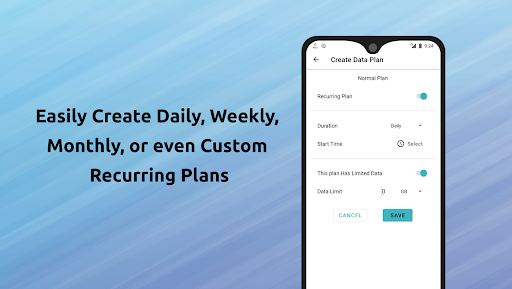
In the Data Plans screen, you can create your customized data plans.
Available options are:
1. Daily - You can set a data usage limit per day
2. Weekly - per week
3. Monthly - per month
4. Custom recurring plan - select a duration period
5. Non-recurring plan
You can also select a limited or unlimited plan.
The cool thing is when you select per day plan, you will be asked to provide the exact renewal time. This way you can track the data consumption in your plan duration.
You can create wifi, roaming, and mobile plans.
If you create a roaming plan, please select the plan type that you want to show on the notification in the settings screen.
Data Limit Alerts - Alarms:
The app sends notifications when you reach 80% and 100% of the data limit you specified in the plans. It saves you from paying extra charges to your mobile carrier.
Data Usage Monitor:
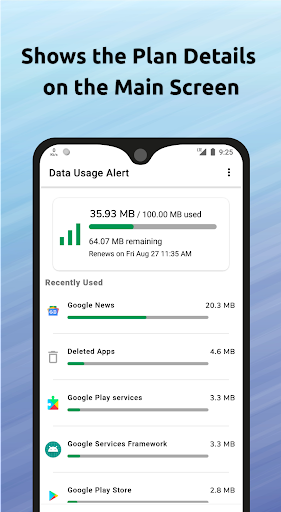
It monitors the data usage of all the installed apps and the device. On the notification bar, it displays the current network name and current day's data usage. If you have a data limit, it shows the remaining data, plan, and renewal date.
Track Hotspot Usage:
The app also displays how much data is consumed by hotspot or tethering (on both mobile and roaming networks).
Real time Speed and Usage Update:
The notification bar will be updated immediately when you switch to a new network (for example, mobile to wifi). The network speed indicator on the status bar will be updated accordingly.
Data Usage History:
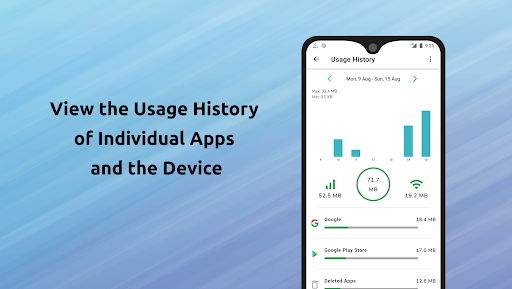
You can track the usage of the device and all the apps. Choose duration (day, week, month) while getting the summary of the data usage. The summary screen displays total, mobile usage, and wifi usage. The chart is added to make you understand the data usage clearly.
Data Tracker:
When you open the app, it displays the plan details and list of all the apps which consumed the internet data in descending order, which means apps that consumed higher data will be listed on the top of the list.
Displays Individual Apps History:
Tap on an app on the Main screen or Usage History screen to get the usage details of that particular app. Tap on the bar chart to get the data usage of that particular period.
Floating Window:
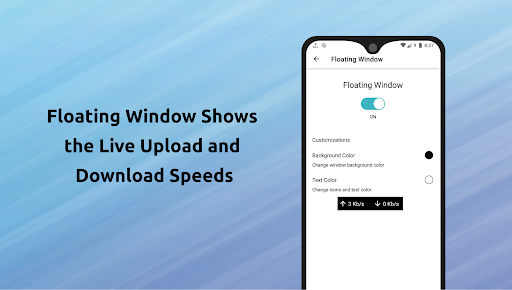
You can enable the floating window by granting the draw on the other apps permission. It displays the current network upload and download speeds. You can change the background and text color.
Data Usage Widget:
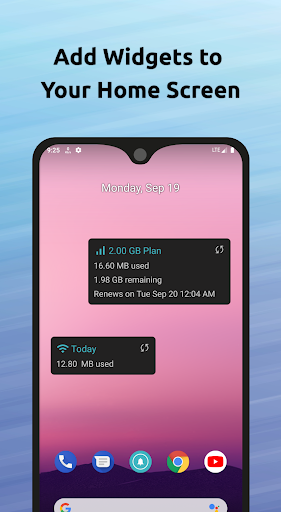
You can add the widget to your home screen to see the internet usage on the go. You can customize the widget to show mobile, wifi, and roaming usage. It shows the plan details also.
*The app is made by an Indian
Version Information
- Version
- -
- Downloads
- 50+
- Updated on
- -
- Released
- Aug 14, 2022
- Requires
- Android Varies with device
Statistics
Google Play Rating History
Rating Distribution
Downloads Over Time
Data Usage Alert (Paid) has been downloaded times. Over the past 30 days, it averaged downloads per day.
Shaded area shows 30-day prediction based on historical trends
Historical data collection started recently. More data points will be available over time.
Data Usage Alert (Paid) users say on Google Play
 Rasheed Benito
Persistent notification keep disappearing though despite ALLOWING all battery optimization setting / background data & unrestricted data / unrestricted power usage.
ApkTrusted Ratings & Reviews
More from HDS Finance Holdings
See more apps
Scan this QR code to download

Forwarding you to the page at Google Play market in seconds...
Open Google Play market now