ImageMeter Pro v3.9.4-8
Dirk Farin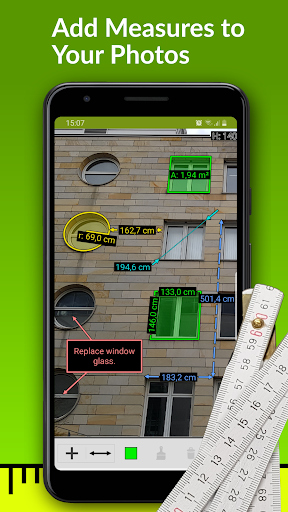
About this app
ImageMeter Pro solves the problem of measuring and annotating images with precision, benefiting professionals and DIY enthusiasts who need to calculate dimensions and add notes to their photos. Compared to other productivity apps, ImageMeter Pro stands out with its support for Bluetooth lasers, making it a valuable tool for those who require accurate measurements. However, its paid model and limited user base may make it less appealing to casual users. Overall, the app's unique feature set and developer reputation make it a solid choice for those who need its specific functionality.
Pros
- ImageMeter Pro has a high user rating of 4.3/5, indicating a well-designed and functional app that meets the needs of its users.
- The app's support for Bluetooth lasers is a significant advantage, allowing for precise measurements and making it a valuable tool for professionals and serious DIY enthusiasts.
- With no ads and a one-time paid model, users can enjoy an uninterrupted experience without worrying about in-app purchases or subscription fees.
- The developer's reputation and website presence suggest a commitment to maintaining and updating the app, ensuring that users receive ongoing support and improvements.
- The app's offline capability and lack of permission requests make it a secure and private option for users who value their data protection.
Cons
- The paid model may deter some users, especially those who are casual or only occasional users of image measurement and annotation tools.
- The limited user base, with only 10,000+ downloads, may indicate a lack of awareness or visibility for the app, potentially limiting its community and support resources.
- Some users may find the app's feature set to be too specialized or niche, making it less appealing to those who require a more general-purpose productivity tool.
- The in-app purchases may be a concern for some users, as they may feel that the initial paid price does not include all the necessary features or functionality.
Best for: The ideal user for ImageMeter Pro is a professional or serious DIY enthusiast, likely in the 25-55 age range, who requires precise measurements and annotations for their work or projects, and has a moderate to high level of technical skill, allowing them to effectively utilize the app's features and integrate it with their existing workflows and tools.
Developer Description
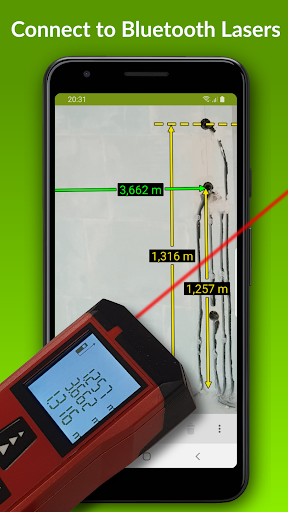
Annotate your images with measurements and notes. Supports your Bluetooth laser.
ImageMeter has the broadest support for Bluetooth laser distance measurement devices. Most devices from various manufacturers are supported (see below for list of devices).
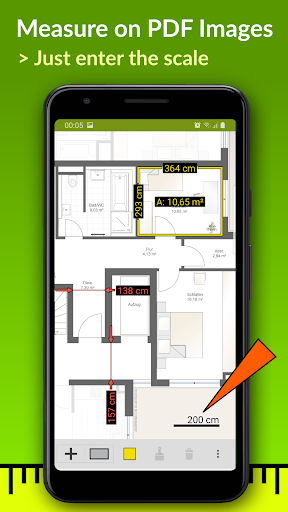
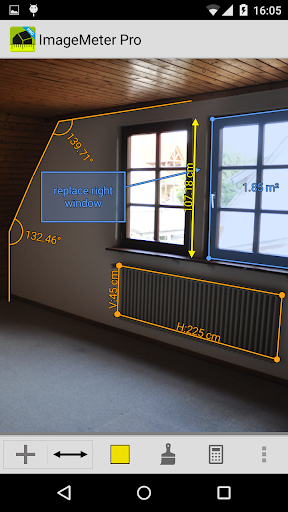
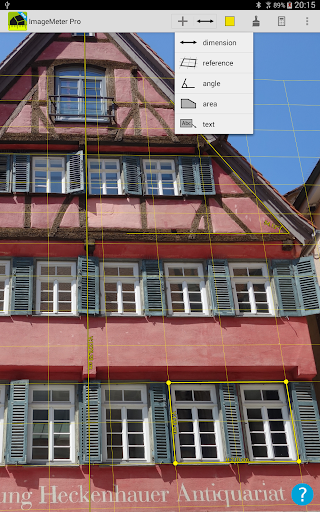
A special feature is that ImageMeter enables you to measure within the image once you calibrated it with a reference object of known size. With this feature, you can also easily measure the dimensions for places which are too difficult to reach or hard to measure for other reasons. ImageMeter can take care of all perspective foreshortening and can still compute the measurements correctly.
Features (Pro version):
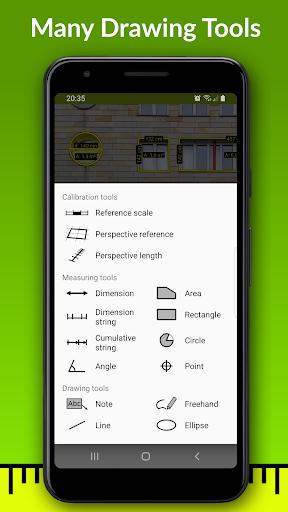
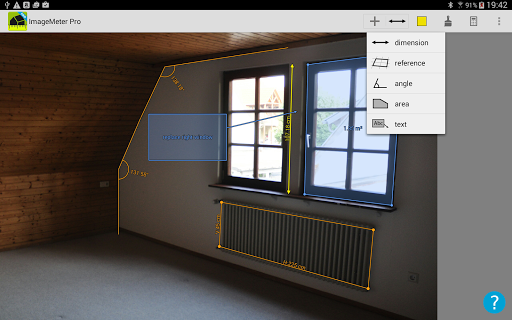
- measure lengths, angles, circles, and arbitrarily shaped areas based on a single reference measure,
- Bluetooth connectivity to laser distance meters for measuring lengths, areas, and angles,
- metric and imperial units (decimal and fractional inches),
- add text notes,
- freehand drawing, draw basic geometric shapes,
- export to PDF, JPEG and PNG,
- adjust brightness, contrast and saturation for better readbility of your annotations,
- draw sketches on empty canvases,
- model-scale mode (show original sizes and scaled size for building models),
- show values in imperial and metric units simultaneously,
- context sensitive cursor snapping to draw quickly and accurately,
- fast and correct value input with autocompletion,
- measure the height of poles using two reference markings on the pole.
Features of Advanced Annotation Add-On:
- import PDF, measure drawings at scale,
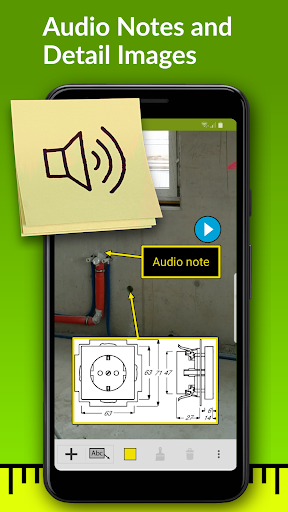
- audio notes, picture-in-picture for detail images,
- draw measurement strings and cumulative strings,
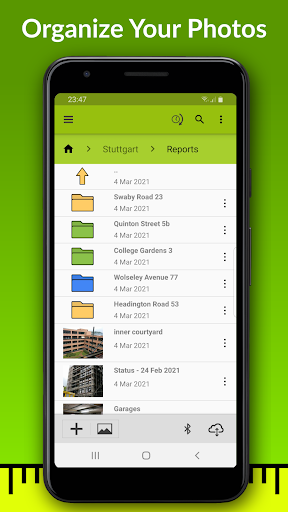
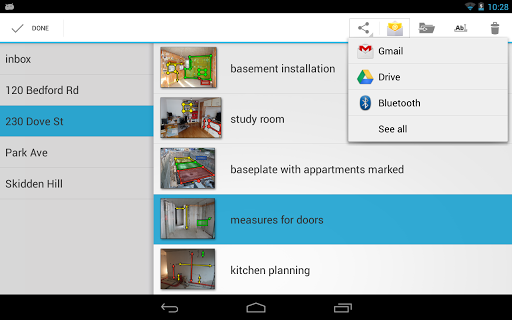
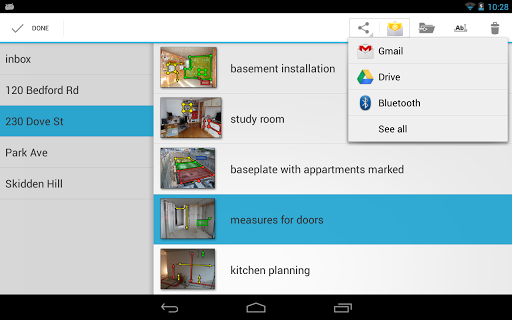
- sort your images into subfolders with color codes.
Business version features:
- automatically upload your photos to your OneDrive, Google Drive, Dropbox, or Nextcloud account,
- access your photos from your desktop PC,
- backup and synchronize the images automatically between multiple devices,
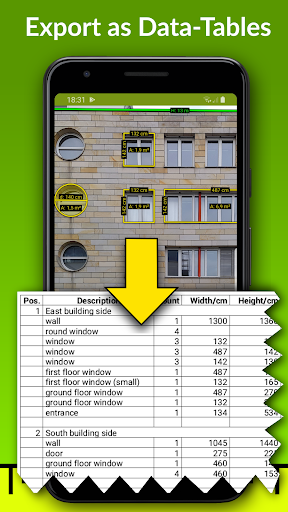
- generate data tables of your measurements,
- export data tables for your spreadsheet program,
- add data tables into exported PDF.
Supported bluetooth laser distance meters:
- Leica Disto D110, D810, D510, S910, D2, X4,
- Leica Disto D3a-BT, D8, A6, D330i,
- Bosch PLR30c, PLR40c, PLR50c, GLM50c, GLM100c, GLM120c, GLM400c,
- Stanley TLM99s, TLM99si,
- Stabila LD520, LD250,
- Hilti PD-I, PD-38,
- CEM iLDM-150, Toolcraft LDM-70BT,
- TruPulse 200 and 360,
- Suaoki D5T, P7,
- Mileseey P7, R2B,
- eTape16,
- Precaster CX100,
- ADA Cosmo 120.
For a full list of supported devices, see here: https://imagemeter.com/manual/bluetooth/devices/
Website with documentation: https://imagemeter.com/manual/measuring/basics/
----------------------------------------------------
ImageMeter is a winner of the "Mopria Tap to Print contest 2017": most creative Android apps with mobile print capabilities.
*** This Old House TOP 100 Best New Home Products: "a superpower for anyone shopping for furnishings to fit a space" ***
------------------------------------------
Support email: info@imagemeter.com.
Feel free to contact me if you observe any problems,
or just want to give feedback. I will answer to your
emails and help you resolve problems.
------------------------------------------
At this place, I'd like to thank all users for all the valuable feedback I get. Many of your proposals have already been implemented and helped significantly to improved the app.
Privacy
Given that ImageMeter Pro requests no permissions, users can be confident that their data is protected and the app is not collecting any sensitive information. However, users should still be cautious when using the app's in-app purchases and ensure that they understand what they are buying. To maintain security, users should only download the app from trusted sources and keep their device's operating system and the app itself up to date.
Tips
To get the most out of ImageMeter Pro, users should first familiarize themselves with the app's interface and features, taking advantage of the developer's website and support resources if needed. For optimal performance, users should ensure that their device's Bluetooth functionality is enabled and paired with their laser device. Additionally, users can optimize their experience by organizing their annotated images into folders and using the app's note-taking features to keep track of their measurements and calculations.
What's New
- 'Parts list' template can now include 'rectangle' tags in order to generate data-tables with width/height columns.
- implement support for Huepar S120 laser
- resolve Reekon T1 tape measure data transmission issues
In-app purchases
$2.49 - $33.99 per item
Version Information
- Version
- 3.9.4-8
- Downloads
- 10K+
- Updated on
- Dec 21, 2025
- Released
- Nov 4, 2011
- Requires
- Android 8.0
Statistics
Google Play Rating History
Rating Distribution
Downloads Over Time
ImageMeter Pro has been downloaded times. Over the past 30 days, it averaged downloads per day.
Shaded area shows 30-day prediction based on historical trends
Historical data collection started recently. More data points will be available over time.
ImageMeter Pro - Google Play Rankings
Top Rankings
| Rank | Country | Category | List | Change |
|---|---|---|---|---|
| — |
Ranking History in
No ranking data available yet. Rankings are updated daily.
#45 in Top Paid Productivity in Germany
ImageMeter Pro users say on Google Play
 Philip Herlihy
This is really, really good, and once the "idiom" of the app is familiar it's quick and efficient to use. I love the "magnifying glass" which allows you to position (and reposition) arrow end-points. Marvellous with a bluetooth laser measure. No more indecipherable sketches! One of the very best apps on my very full mobile.
 A Google user
Great app! Use it just about every day. Only reason it doesn't get 5 stars is because it doesnt keep images in order. You have to scroll through every image you have to find where the ones you just shot are. Also.. If you use feet, theres really no good way to add inches to it. Cant do 6' 4"
 Sam Martz
It is a good app. I have the pro. Would be ranked much higher except you have to pay a yearly fee just to be able to back up to Google cloud. Like that is so lame. It's not as if they have to provide special services to enable the app to do that on their end. In your response you claim that it needs to be maintained yearly, the back up. Maybe, since that's the only way you allow it to be backed up. But, if you let the user back it up by email, or to the hard drive or internal sd card, no prob
 .
.
I need to buy an addon just to make a sub-folder?! FThat. A pro key is it and no more. You purchase then you'll be stung for further add-ons and subscriptions. Went with a pay once good alternative. Look, I get the developer made an advanced online app. Many users don't need that. Those that do want that should pay for it. But making a sub-folder?!
A Google user
too hard to use. directions suck
ApkTrusted Ratings & Reviews
More from Dirk Farin
See more apps

Similar Apps





Scan this QR code to download

Forwarding you to the page at Google Play market in seconds...
Open Google Play market now