PrivacyBlur v2.2.1-full
MATHEMA GmbH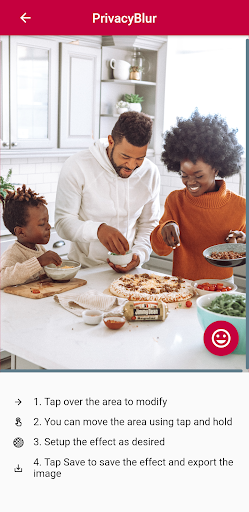






About this app
Developer Description
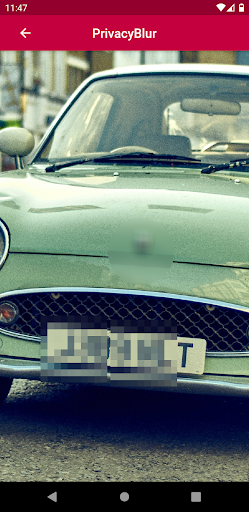
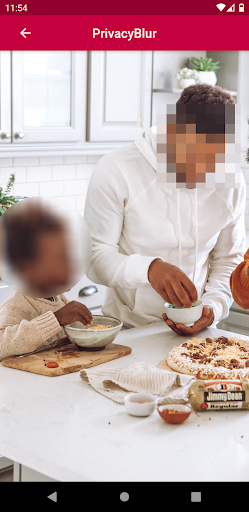
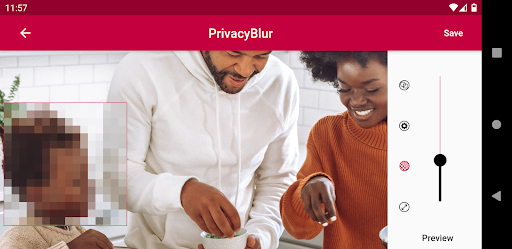
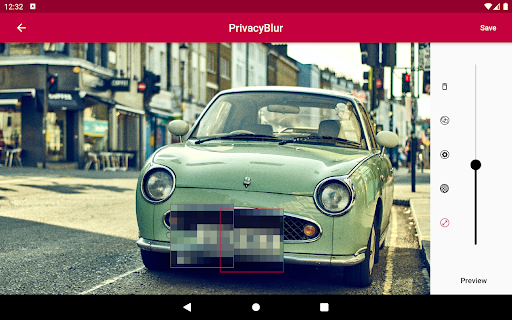
Blur or pixelate faces or sensitive areas in pictures
Faces can be detected automatically. This happens on your phone, the image is not sent to any server.
No ads. No watermark. No hassle.
Features:
- Blur / Pixelate effect
- Faces can be detected automatically
- Fine / coarse grain effect
- Round / Square area
- Export to your camera roll
In-app purchases
$0.99 per item
Version Information
- Version
- 2.2.1-full
- Downloads
- 1M+
- Updated on
- Oct 29, 2025
- Released
- Apr 30, 2021
- Requires
- Android 7.0
Statistics
Google Play Rating History
Rating Distribution
Downloads Over Time
PrivacyBlur has been downloaded times. Over the past 30 days, it averaged downloads per day.
Shaded area shows 30-day prediction based on historical trends
Historical data collection started recently. More data points will be available over time.
PrivacyBlur users say on Google Play
 Robert Anderson
PrivacyBlur is a convenient, simple and easy-to-use open-source app for blurring or pixelating images. The app is straightforward with a simple UI and no ads to clutter the experience. My only suggestion is that the blur function, even on maximum, isn't intense enough (the pixelate feature could be stronger too). Other than that, a very neat app to have on your phone.
 Derek Basthemer
Results are good but the UI is a bit finicky. Doesn't always register when I grab the resize handle. Sometimes it will move the box, sometimes will resize, sometimes will make a whole new box. Auto face detect works well.
 anonymous user
It's odd. You have to click on a face and it will auto blur it for you instead of giving you a blur tool to do it yourself.
 Brandon Kalinowski
Love the concept but the usability is limited. I wanted to redact text but the box is too large and cannot be resized. I can adjust the size before placing but you are guessing and are still limited to a square. I'd prefer to have the option to redact with black rather than a pixelation.
 Airton Ponce
Awful usage. Could not go back on an edit, nor select correctly the blur positioning. Installed and uninstalled in 3 minute
ApkTrusted Ratings & Reviews
Similar Apps

Remove Objects - Photo Editor
Free

Persona: AI Beauty Editor
Free

Meitu- AI Photo & Video Editor
Free
Magic Eraser - Remove Objects
Free
Peachy: Face App & Body Editor
Free
Graphionica: insta story maker
Free

Retouch Remove Objects Editor
Free
Polarr: Photo Filters & Editor
Free
InStories AI Reels Story Maker
Free
PicsKit Photo Editor & Design
Free

Photo Retouch- Object Removal
Free

MakeupPlus - Virtual Makeup
Free

Background Eraser Photo Editor
Free
Photo Editor Pro - Square Pic
Free

EPIK - AI Photo & Video Editor
Free
VSCO: Photo Editor
Free
Scan this QR code to download

Forwarding you to the page at Google Play market in seconds...
Open Google Play market now