
Word Clock Widget v1.0.24
Carsten Wilhelm


About this app
Developer Description
A clock widget that displays the time in a typographic way.
You can change the font size and the colors in the settings (including transparency) - you get an app in the laucher to display these settings.
Currently there are three widget sizes (2x2, 3x3, 4x4), but you may resize the widget using your launcher as well. If you add more than one widget on the homescreen, all will share the same settings )(e.g. colors).
Additionally you can use the word clock as daydream service. You need to select "Word Clock Widget" in your daydream list in the settings app.
NOTICE: this App provides a widget that has to be added to your homescreen. Please refer to your launchers documentation how to add widgets.
What's New
Version Information
- Version
- 1.0.24
- Downloads
- 10K+
- Updated on
- Jul 13, 2025
- Released
- Sep 25, 2014
- Requires
- Android 5.0
Statistics
Google Play Rating History
Rating Distribution
Downloads Over Time
Word Clock Widget has been downloaded times. Over the past 30 days, it averaged downloads per day.
Shaded area shows 30-day prediction based on historical trends
Historical data collection started recently. More data points will be available over time.
Word Clock Widget users say on Google Play
 A Google user
Very clever and quite beautiful. I love the fact that it only updates every 5 minutes. Time is over rated. Live in the moment.
 Ralph Greenwell
Great app, does just what I wanted. However, I'd like the transition time from (for example) "ten to" to "five to" to occur at 7 and a half minutes to the hour (and so on for every five-minute transition). So each five minute statement would apply to the NEAREST actual time rather than the MOST RECENT actual time. Maybe this could be an option. Hope this makes sense!
A Google user
Nice app but Updates after 10 mins.. quarter word never pops up. Fix them.
A Google user
I love the look and everything but the widget goes up, correct time, but the time never changes in It stays frozen at whatever time it said when I put it up, and if I set the screen to FHD+ or WQHD+ it disappears. Probably the word aspect ratio on the Samsung S8.
A Google user
Worthless. Shows the time you added the widget to the home screen; never updates. Unless you remove and re-add.
ApkTrusted Ratings & Reviews
More from Carsten Wilhelm
See more apps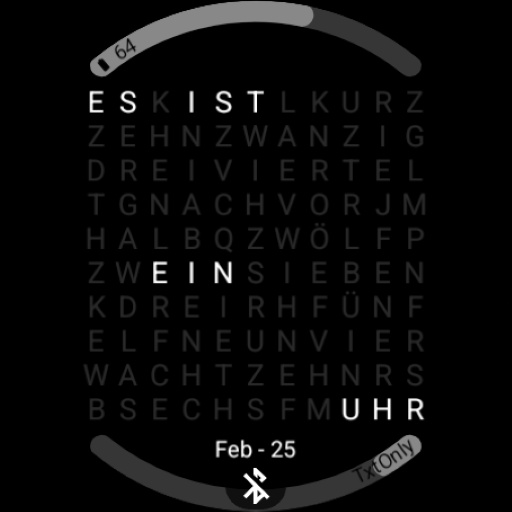
Scan this QR code to download

Forwarding you to the page at Google Play market in seconds...
Open Google Play market now