
Data Recovery - Restore photos v1.3.16
Data Protection Studio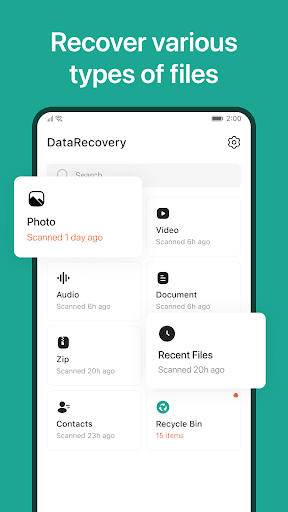


About this app
Developer Description
Restore your lost & deleted photos, videos, audio, documents, contacts...
Data Recovery is a file recovery tools that helps you to find the lost files back. You can scan and find accidentally deleted or hidden files, and recover them with just one click. You can quickly restore the files you want. Data Recovery also supports multiple types of files you can restore, like images, videos, audios, texts and zips. It's very easy to use, with its simple interface to bring a good user experience.
💡 Key Features
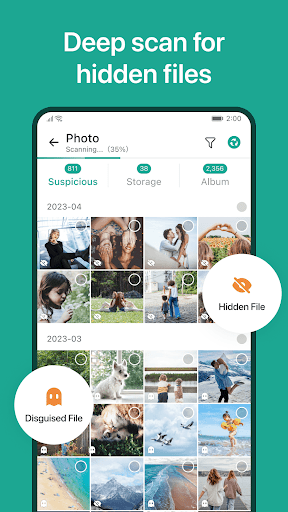
✔ Undelete & recover files deleted or hidden in your device with just one click
✔ Formatted data recovery
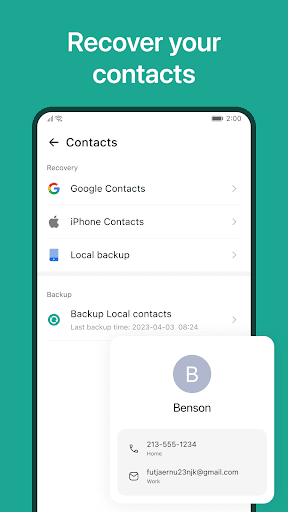
✔ Support restore contacts
✔ Bulk recovery
✔ High speed recovery
✔ Multiple files format ( .jpg, .mp4, .mp3, .doc, .txt, .zip... ) supported
✔ Recover the deleted files in original quality
✔ Export the recovered files
✔ Keyword searching supported
✔ No root needed
✔ Internet not required
✔ Simple interface and easy-to-use
♻ Deleted files recovery ♻
Data Recovery is a file recovery application for users who want to find the lost files. It can help you to scan your device deeply, find the lost files you deleted accidentally or hidden in the device, and show a list for you to choose which files you want to restore. You can undelete & recover the files you want back with just one click.
♻ Multiple types of file recovery ♻
Data Recovery supports a lot of types of files that could be restored. You can recover images, videos, medias, texts, audios and even zip files. What's more, there is a powerful function for Zip format. You also can unzip the files in Data Recovery, and choose one or more of them to recover.
♻ Contacts recovery ♻
If you want to find lost friends or family members back, Data Recovery will be your good choice. There is a function for contact recovery. Data Recovery will help you to scan the lost contacts from Google Contacts or iPhone Contacts. You can recover the contacts you want to restore through simple operation, with just one click.
♻ Keywords searching ♻
You can retrieve lost files through the keyword search function. Data Recovery will search deeply to find files whose names match the keywords you enter. And you can undelete the files you found correctly.
♻ Export supported ♻
After scanning and recovering the files you want, you can export them to your device. It's very convenient for you to find & undelete files back easily.
♻ A good recovered files manager ♻
There are well-organized files in a list for you so that you can easily check, view and manage them. You can preview them before recovering to ensure if they are you want to recover. And after sure, you can choose to retrieve them or delete them permanently.
♻ Safe and private ♻
Data Recovery never uploads your files, all processing is done locally. We will not access or delete or upload any files without your permission.
Retrieve lost files from your device using our powerful file recovery app. Download now and never fear the delete button again!
In-app purchases
$4.99 - $37.99 per item
Version Information
- Version
- 1.3.16
- Downloads
- 500K+
- Updated on
- Jan 21, 2025
- Released
- Jun 21, 2023
- Requires
- Android 6.0
Statistics
Google Play Rating History
Rating Distribution
Downloads Over Time
Data Recovery - Restore photos has been downloaded times. Over the past 30 days, it averaged downloads per day.
Shaded area shows 30-day prediction based on historical trends
Historical data collection started recently. More data points will be available over time.
Data Recovery - Restore photos users say on Google Play
 rudolph mkhonto
This app works 100%
 Candace Dress
Didn't find two videos I wanted
 Alexander Coronel
I was able to get all of my photos and videos back after my phone storage was corrupted, the only problem was that I had to go and put a handful of them in manually. I wish it was a little easier to manage the UI but other than that great app.
 Craig Humphreys
Works well but will make you pay to even see what can be recovered. I paid the money and it still didn't find my file. so I essentially chucked my money away
 Yolandi Laubscher
I downloaded this app within minutes after accidentally deleting a video. After selecting the video option, it continued scanning for quite some time. In the little preview, it showed some of the bigger videos I deleted a few days ago. But I didn't have the option to view all the files without paying to go pro. So I did. The moment I paid and selected to view the videos. Preview videos were gone. It only showed the videos still on my phone, along with stupid gifs never stored in my gallery.
ApkTrusted Ratings & Reviews
More from Data Protection Studio
See more apps

Similar Apps






Scan this QR code to download

Forwarding you to the page at Google Play market in seconds...
Open Google Play market now