
Kids Games (10 in 1) v7.0
GhTeam-old




About this app
Developer Description
Educational games for kids
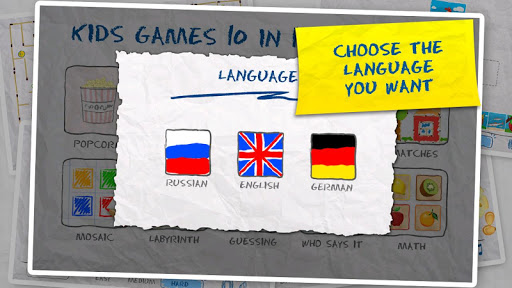
In this set of games your kid will face:
-clapping corns with tiny fingers, turning it into golden popcorn (motor development)
-painting bright pictures, following the offered form (brain building and basic colour palette study)
-Placing correctly letters and figures and learning its sounding (abc and figures study)
-driving out The little round bun from complicated labyrinths (brain building, memory, motility)
-learning what different animals eat (associative thinking, memory)
-Searching pairs of similar pictures with animals, names of which the kid will hear under proper solution (memory training)
-composing its own melodies (tuneful ear development)
-guessing animals on sounds, which they pronounce (associative thinking, memory)
-Piecing together an interesting jigsaw puzzle from matches (motility, logic)
-do simple sums (mathematic skills development)
In case if kid can’t handle a task, a prompt button, included in game, will help him. It also worth marking, that this game has an option of switching languages (for now these are Russian, German and English languages) and continuous appending of the game with new levels.
We wish your kid fun and useful pastime!
What's New
Minor bugs fixed and performance improved.
Version Information
- Version
- 7.0
- Downloads
- 1K+
- Updated on
- Nov 29, 2025
- Released
- Jun 15, 2013
- Requires
- Android 7.0
Statistics
Google Play Rating History
Rating Distribution
Downloads Over Time
Kids Games (10 in 1) has been downloaded times. Over the past 30 days, it averaged downloads per day.
Shaded area shows 30-day prediction based on historical trends
Historical data collection started recently. More data points will be available over time.
Kids Games (10 in 1) users say on Google Play
 A Google user
Very good! Presentation-wise simple elegant and vivid game. Grabs kids attention. One thing to consider for the developer is: the "tap" region is somewhat small - becomes real challenge in games where object "grabbing" is essential. My kid is 4. When she looks at an object and tries to "grab" it, she offsets her finger slightly to the edge of the object (square block) in order to see it. But the block isn't responsive until tapped in the middle. I would assume many kids would do that. May be you want to expand "grabbing" region left and right couple more pixels. Again, up to you.
ApkTrusted Ratings & Reviews
More from GhTeam-old
See more apps

Scan this QR code to download

Forwarding you to the page at Google Play market in seconds...
Open Google Play market now