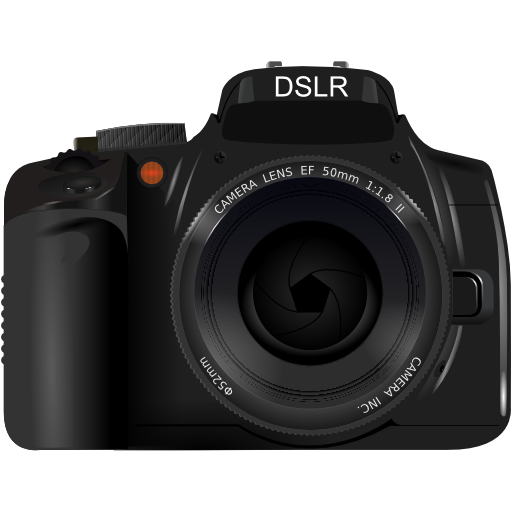
qDslrDashboard v3.6.15
Zoltan Hubai


About this app
Developer Description
Application for remote controlling DSLR
For USB connection an USB OTG adapter is needed and the device must have the USB host function.
qDslrDashboard home: http://dslrdashboard.info
FAQ: http://dslrdashboard.info/phpBB3/viewtopic.php?f=6&t=1574
qDslrDashboard feautres:
Multiple camera support
Remote capture,
Synchronized capture,
Connect to DSLR using protable wireless router (ddserver),
Change camera properties,
Browse images on camera,
Transfer images from camera to Android device,
Preview images (jpg and raw),
Live view,
Live view histogram,
Manual focus movement while in live view,
Start movie recording (only on camera models that support it),
Custom bracketing,
Focus stacking,
Time-lapse (simple and advanced with control file and ability to move focus and send commands to Arduino),
Sound initiated capture (with spectral display and frequency/intensity selector,
DoF calculator.
Rule600 calculator.
Sky stacking helper.
Custom profiles.
Remote control over wireless network (Android devices must be on same network)
Support for WU-1a/1b adapter (PTP/IP)
LRTimelapse screen for auto holy grail timelapse
Dynamic Perception NMX motion controller support over Bluetooth LE
Interval controller.
What's New
Fix a property mapping
Various fixes reported by users
Version Information
- Version
- 3.6.15
- Downloads
- 50K+
- Updated on
- Jun 9, 2025
- Released
- Nov 19, 2015
- Requires
- Android Varies with device
Statistics
Google Play Rating History
Rating Distribution
Downloads Over Time
qDslrDashboard has been downloaded times. Over the past 30 days, it averaged downloads per day.
Shaded area shows 30-day prediction based on historical trends
Historical data collection started recently. More data points will be available over time.
qDslrDashboard - Google Play Rankings
Top Rankings
| Rank | Country | Category | List | Change |
|---|---|---|---|---|
| — |
Ranking History in
No ranking data available yet. Rankings are updated daily.
#25 in Top Paid Photography in United States
#12 in Top Paid Photography in United Kingdom
#18 in Top Paid Photography in Germany
#24 in Top Paid Photography in Thailand

qDslrDashboard users say on Google Play
 Kevin Key
Great app. Just learn how to use and configure it - read the docs on the author's website - before you get frustrated and leave a bad review. I've used qDslrDashboard with various Android devices and Canon cameras over the years. Anytime there's been a problem, it's ended up being a hardware issue - such as a bad USB cable or weak Wi-Fi signal - and not a problem with the app itself. If you need help, ask on the forums.
 Paul Holman
Works well, once connected. Documentation could do with some better explanations of how WiFi connections have to be set up with Canon cameras. It's far from intuitive and although not the developer's fault, this app relies on the user understanding the nuances of Canon WiFi options. The huge range of options means some icons aren't particularly intuitive, so needs reference to the manual, but overall probably the best app for controlling cannon DSLRs remotely.
 Pitikero Photography
Pictures is not viewable in portrait mode, especially if I shoot in portrait mode. It is always in landscape mode. We should have an option to choose how we want the pictures to be viewed. There should be an option to choose portrait or landscape mode for pictures. And also a tether mode should be wherein pictures will be automatically displayed right after every shot, and only pictures will be shown.No liveview to show. Timelapse mode error in "display next picture" need to be pressed always
 Fabien
Connection to my Sony A7RII was a bit tedious, and works randomly after restarting the app several times. White Balance can be set to Color Temperature, but you can't chose the temperature value. I initially bought it for the extended exposure bracketing, but while you can shoot up to 21 images in a row, the exposure offset is clamped between -5 EV and +5 EV, making the feature useless unfortunately. Sad because it's definitely the most fully fledged remote control app.
 Corey Mashburn
Waste of money ! Tried connecting to Nikon D810 with USB cable to Android phone (Google 3a). Nothing works. I am usually fairly tech savvy. Cannot find anything to make this work. The app appears to recognize the camera connection since the app starts up when the cable is connected. But cannot see anything that shows the app is connected to the camera.
ApkTrusted Ratings & Reviews
Scan this QR code to download

Forwarding you to the page at Google Play market in seconds...
Open Google Play market now