Midi Poly Grid vVARY
anzbert




About this app
Developer Description
Open Source USB/BLE Midi Pad Controller with MPE and Polyphonic Aftertouch
This App is Open Source. Access the code here: https://github.com/anzbert/beat_pads
## Important Disclaimer
This App is **ONLY** usable as a Midi Controller. It does **NOT** produce any sound on its own and requires a host application or a second device with a DAW or other sound production app.
## Information
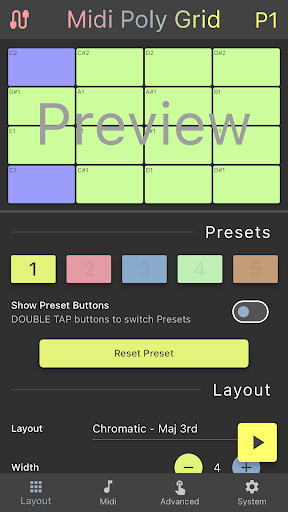
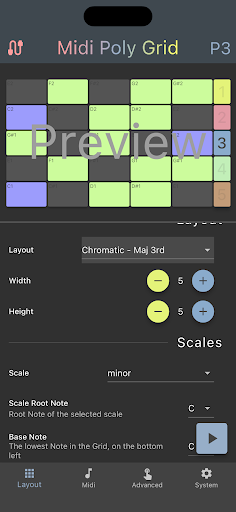
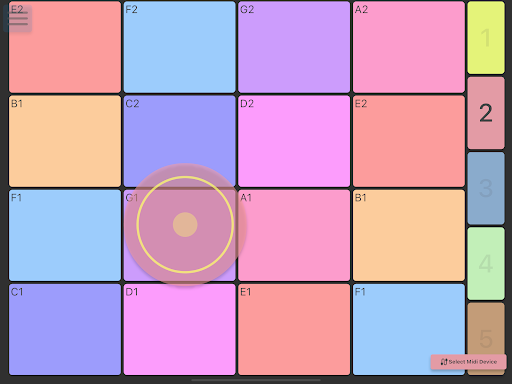
Midi Poly Grid is a lightweight Midi Controller app for mobile phones and tablets for melodies and finger drumming at home and on the go. Connections can be made virtually to other apps via platform midi channels, or via USB or Bluetooth Midi to other devices.
This app aims to be an easy-to-use pad input device featuring a variety of layouts, intuitive playability and modern modulation options, such as MPE and Polyphonic Aftertouch. It was designed for people that prefer pads to pianos! The focus of this app is not to be a jack-of-all-trades Midi swiss army knife, but instead to be a great at one thing: Intuitive and versatile pad controls.
## Features
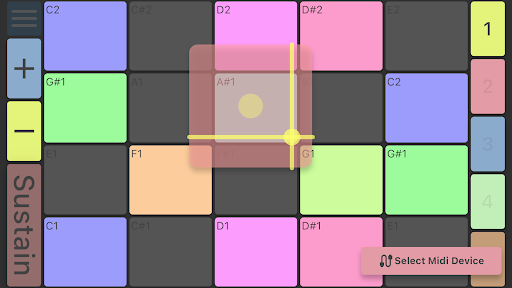
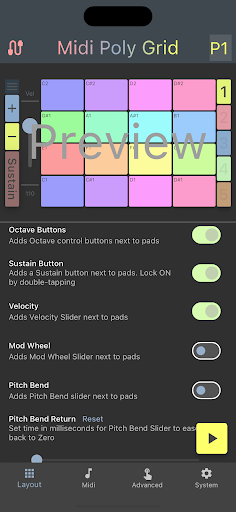
- A size-adjustable grid of pads for finger drumming and melody input
- Various layouts and colors, inspired by the Ableton Push
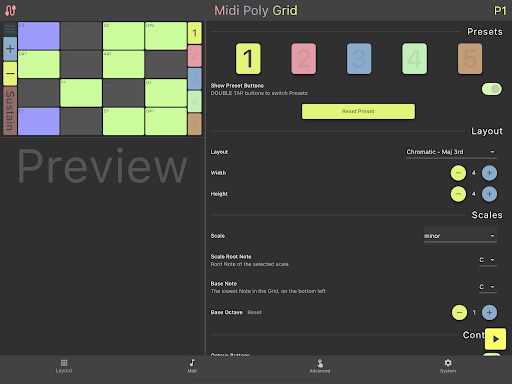
- Presets can be saved with different pad setups
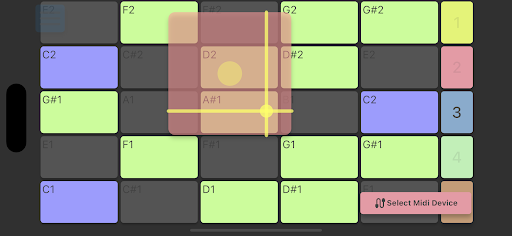
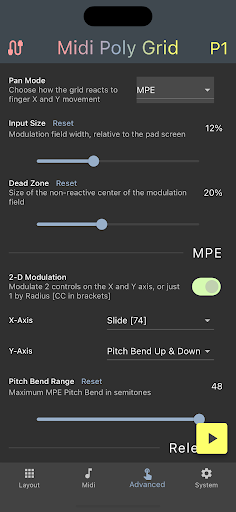
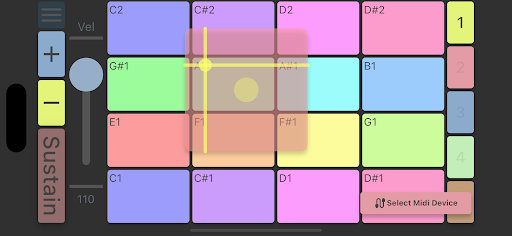
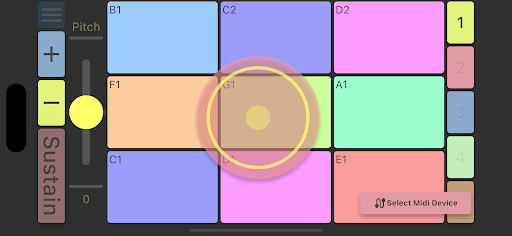
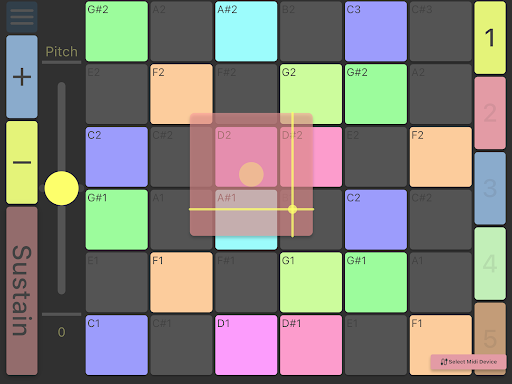
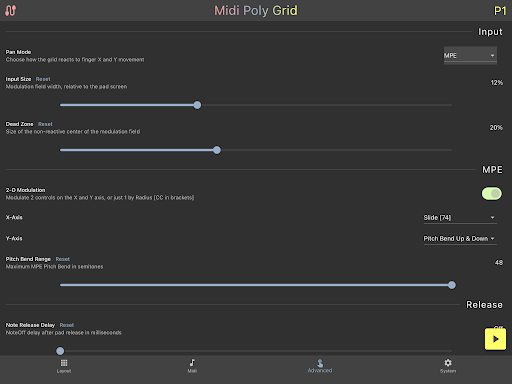
- Innovative MPE and polyphonic Aftertouch modulation with graphical feedback
- Push Style MPE pitchbend and slide
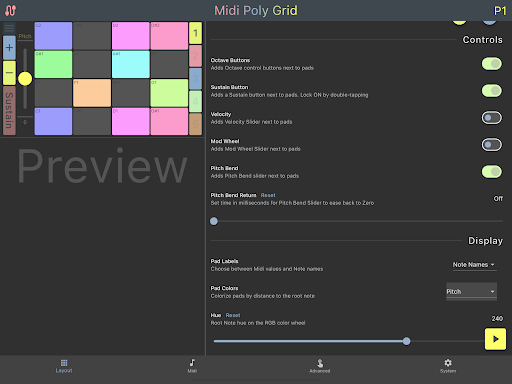
- Send Velocity by Y position on pad, randomly or with a fixed value
- Usable as a standard MIDI device with any PC, Mac or other USB or Bluetooth device
- Optional controls, such as Pitch Bend, Mod Wheel and Sustain
- Highligh a large number of musical scales
- Receives Midi Notes, making the pads usable like a Launchpad
- Custom grid creation based on the note intervals on the X and Y Axis to create Grids inspired by the Harmonic Table, Wicki Hayden, MidiMech and others
- Supports virtual Midi connection to other apps on your device
- Built-In support for the popular finger drumming courses from XpressPads.com
- And more...
## Feedback and Contributions
Anyone is most welcome to contribute, report an issue or start a discussion in the Github repository. Thanks!
## Licence
Licenced under GPL3. The code in this project is freely usable in any other open source project. Enjoy!
## Android Specific Information
Can be used with any Mac or PC via USB or Bluetooth Midi. Also usable with a virtual connection on your Android device to other installed Apps which support this feature.
Version Information
- Version
- -
- Downloads
- 100+
- Updated on
- -
- Released
- Jul 9, 2022
- Requires
- Android Varies with device
Statistics
Google Play Rating History
Rating Distribution
Downloads Over Time
Midi Poly Grid has been downloaded times. Over the past 30 days, it averaged downloads per day.
Shaded area shows 30-day prediction based on historical trends
Historical data collection started recently. More data points will be available over time.
Midi Poly Grid users say on Google Play
 Jason Westfall
This is a special app that just keeps getting cooler the more settings I try out. I was able to customize the grid to a 8x8 layout and basically had the software version of my favorite controller with even more customization in scale layout. I can just relax and practice on my tablet now instead of hauling the heavy controller and laptop in my room and setting up the DAW. When I put it in MPE mode and realized each finger had XY control..mind blown. I'm using fluidsynth to test it out
 _
_
Great app, but please make splash screen skippable and dark mode friendly. For some reason, it takes quite a while for the app to start, a bit too long. Also, app should remember previous screen state and restore it automatically, but it shows layout settings after app reload/restart. PS: After restarting the app or during a reload (e.g., resizing or using screen mirroring tools like scrcpy), the layout setup screen appears instead of restoring the last used state.
 Guy Dresher
thought it was accessible, but it's not. the screen turns to landscape moment you touch the pads. waisted money.
ApkTrusted Ratings & Reviews
Similar Apps






Scan this QR code to download

Forwarding you to the page at Google Play market in seconds...
Open Google Play market now