
FamilyTime Jr. v3.19.6.ps
Azizolious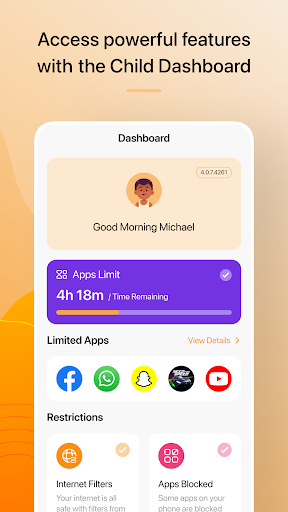










About this app
Developer Description
FamilyTime Jr. must be installed on your child's phone or tablet.
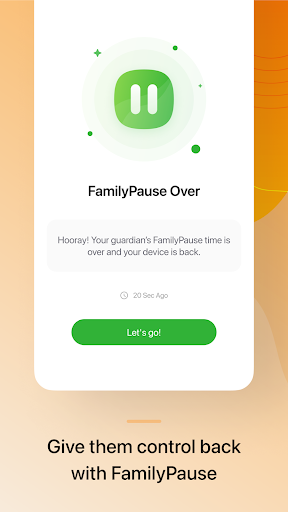
That's why parents need to limit screen time to secure children's health and digital well-being. This parental control app restricts time spent on mobile gadgets and applications. Limit the following device use:
• during classes at school
• when doing homework
• at bedtime or rest hours
• when house rules don't allow it
Features
★ Internet Schedule - Manage and create a customized schedule to restrict your kid's internet access.
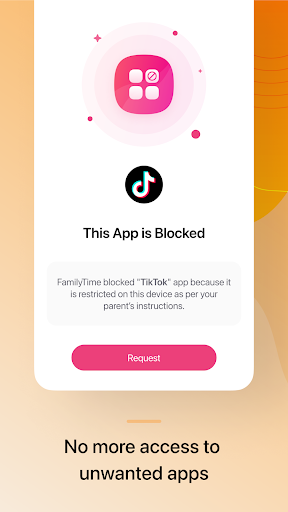
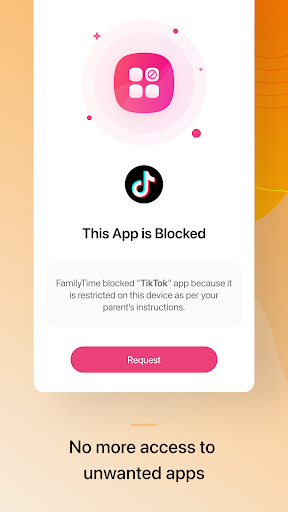
★ Approve Apps - Control which apps can be used on a device by granting or denying permission.
★ Filter the content they can access on the internet and block unwanted site categories with Web Blocker.
★ Use SafeSearch to secure their Google, Bing, and YouTube searches.
★ Set a flexible schedule for the use of apps via the Manage Limits option
★ Individual App Limit - Set specific usage time limits for each app on a device.
★ Parents can monitor their child’s social media app activities (WhatsApp, BiP, Instagram, TikTok, YouTube, and more.)
★ Low battery alerts: Receive notifications when the device's battery level is critically low
★ Child can view Blocked Apps or Limited Apps on FamilyTime Jr. App’s dashboard
★ TimeBank: Teach your children to bank any unused screen time for later use.
★FunTime - Allow your children to set aside minutes from their daily screen time for fun.
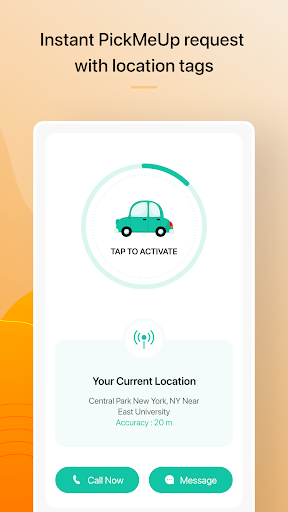
★ Using PickMeUp Alerts, the child can notify the parent/ guardian about the pickup time and location in real time.
★ Review how often your kid uses each app in the Reports section
★ Automatically apply limits to newly added apps.
★ Don't like an app they are using? Block it down.
★ Monitor your kid's location through the Location Tracker, geofencing, and FamilyLocator.
★ Track all SMS messages with the comprehensive SMS tracker.
★ Use the Call Tracker to track calls and view contacts.
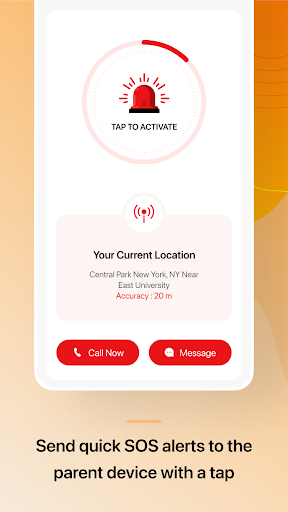
★ Your children can generate an SOS alert with one press to send you their GPS location details immediately.
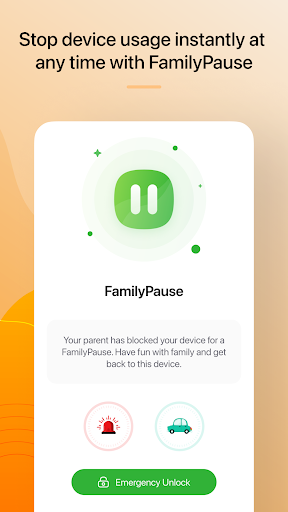
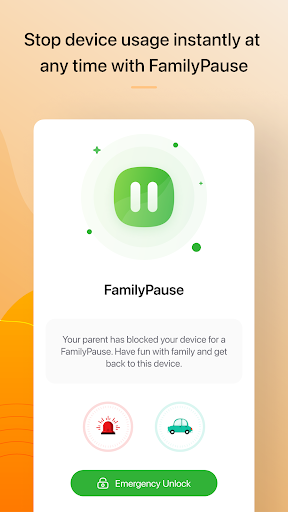
★ The child can unlock the device in the Emergency Unlock feature using the pin provided by the parent.
★ View detailed and actionable reports, including your child's phone usage, location history, and other activity reports.
And the best part: it lets you do it all remotely through a parent mobile app or a web control panel created especially for you so you can control your child's safety.
Feedback
If you have any problems, please look at our help pages or contact us via the contact page of our website since we cannot always help you if you post questions in the reviews.
Note:
① This app uses the Device Administrator's permission.
②. To know what information this app collects from the device, check our App Permissions here: https://familytime.io/kb/getting-started/familytime-child-app-permissions-on-android.html.
③. Data charges may apply for using this app over cellular data. Contact your provider for details.
④. Continued use of GPS running in the mobile device's background can drain battery life.
⑤. FamilyTime Jr. requires AccessibilityService API to work Screen Time Limit, App Usage, App Blocker, Daily Limit features, Browser history, Youtube history, or TikTok history.
⑥. FamilyTime Jr. uses VpnService to work Internet Filters, Safe Search, and Safe Internet Features. Those features restrict kids from accessing any inappropriate content.
We take your privacy very seriously, and please visit the pages below for more details:
➠ Privacy Policy at https://familytime.io/legal/privacy-policy.html
➠ Terms and Conditions at https://familytime.io/legal/terms-conditions.html
What's New
Every update of the FamilyTime App includes:
- New Features Released
-- Social Monitoring
-- Youtube Monitoring
-- Web Blocker
-- Web Filtering
-- Family Locator
- UI Improvements
- Performance Upgrades
- Other Bug fixes
Version Information
- Version
- 3.19.6.ps
- Downloads
- 100K+
- Updated on
- Oct 16, 2025
- Released
- Nov 7, 2017
- Requires
- Android 7.0
Statistics
Google Play Rating History
Rating Distribution
Downloads Over Time
FamilyTime Jr. has been downloaded times. Over the past 30 days, it averaged downloads per day.
Shaded area shows 30-day prediction based on historical trends
Historical data collection started recently. More data points will be available over time.
FamilyTime Jr. users say on Google Play
 Hephzibah
This app is great! I'm actually using it for myself cuz I want to do less screen time it's pretty easy to use, I did have a little trouble setting up 🙁 the only thing is to in order to use this app you have to download another app which some people might not like
 Brad Felardo
I like it. I have tried other apps such as MMgaurdian. Don't get MMgaurdian, It has many glitches and I have found 3 or 4 ways around the time limits. This app has good performance and it runs smoothly and effectively, if you want a time limit app, definitely buy this one. I, even though it is annoying for me to have, is much better than some of the other ones out there.
 gabriel ho
The app is good but when the time limit for the free version runs out, and you forget the password for accessing the settings to deactivate the app,there is no way to recover the password.Can the developer solve this problem as soon as possible?
 v0id_eater
My child keeps on uninstalling the program doesn't work if they can uninstall it all the time!
 i TrOllEr
This app is highly below IQ. You could practically disable the app without parents knowing. The parental status is pointless. Thus, you could almost do about anything without parents knowing. Note for kids: disable all permissions, make sure it doesn't overdraw other apps, clear storage if possible, then simply disable the app itself. Kids with strict parents that try these steps, just keep the app.
ApkTrusted Ratings & Reviews
More from Azizolious
See more apps
Similar Apps

App Limit - Limit apps
Free

Parental Control App- FamiSafe
Free

OurFamilyWizard Co-Parent App
Free

ParentSider
Free
Alli360 by Kids360
Free

Parental Control - Kidslox
Free
YourHour - Screen Time Control
Free

KidsGuard Pro-Phone Monitoring
Free

Parental Control App Blocker
Free

Headlamp Health
Free

AnyTracker - track anything!
Free
UBhind(App lock/Screen time)
Free

Famly
Free

Screen time: App blocking
Free

ZenAlarm: Smart Wake Up
Paid

Screen Time for Focus -Blockin
Free
Scan this QR code to download

Forwarding you to the page at Google Play market in seconds...
Open Google Play market now