Service Menu Exp LG TV PRO v2.00.18
Underground Lab




About this app
Developer Description
Easy access of service menu in your LG TV
*** COMPATIBILITY ***
Look at the end of description for compatible android devices
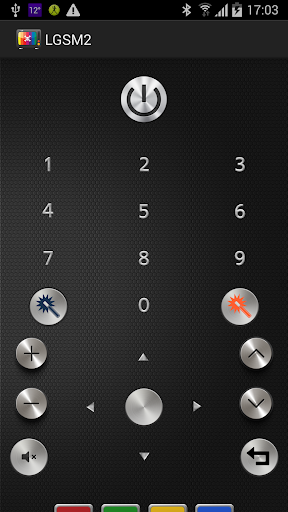
Why have I to buy a new remote controller (like Logitech Harmony Remote) when I have an Android phone? It does much more at a smaller price and you can take it with you anywhere!
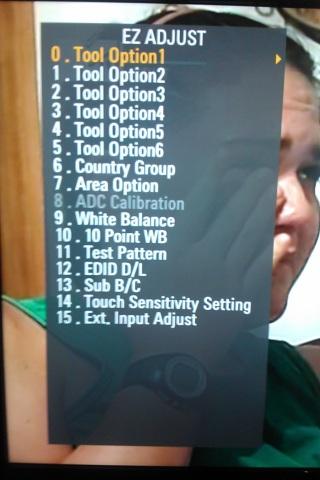
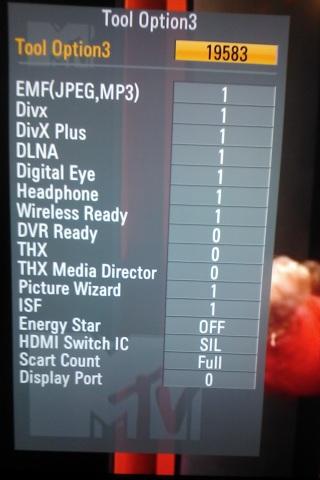
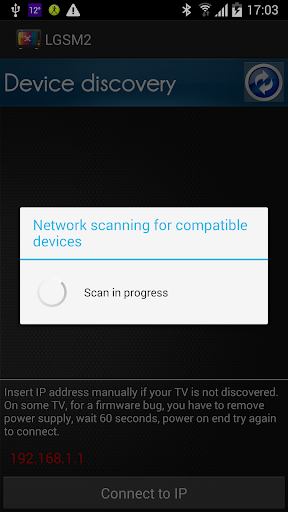
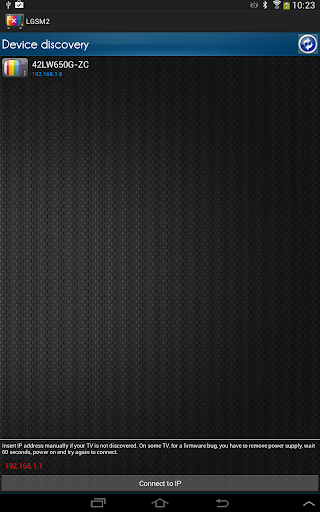
This application (the 1st and only that work through network connection and infrared) is very simple, use it to enable the two secret service menu of LG TVs, so you can have extra functionality like DIVX and DVR and much more! In addition to that, the app is also a remote controller and allows you to use the DVR functionality. You can control all TV models from the old to the newer. Only 2011 models supports network connection, for all other models you must use infrared. Supported infrared are phones with builtin infrared transmitter o infrared dongle like IRDroid V1.0 (open source project at www.irdorid.com) connected to headphone connector. The application is tested with 42LW650G and some 2013 / 2014 models.
This is an unofficial LG application. It lets you enter and edit the parameters and the features (THX, THX cinema, DVR, DIVX, USB, Language ... ) of the LG televisions equipped with WIFI or Ethernet connection, by entering the two secret Service Menu 1 and 2. Editing parameters and functions in the secret menus can damage or cause malfunctioning of the TV device if used without expertise. These damages could invalidate the warranty. Some of the devices could miss some of the software features. The user is responsible for every action made with this application and underwrites the full responsibility for that. The company and its employees disclaim all responsibility for damages caused to person or things consequent to the use of this software.
- HTC all models with infrared are supported
- SAMSUNG all models with infrared are supported
- LG only device listed below are compatible (list is provided by LG technical support) for any issue you have to contact LG customer support directly.
G Flex2 (LGAS995, LG-F510K, LG-F510L, LG-F510S, LG-H950, LG-H955, G-H959, LGLS996, LGUS995)
G2 (LG-D800, LG-D801, LG-D802, LG-D802T, LG-D802TR, LG-D805, LG-D806, LG-F320K, LG-F320L, LG-F320S, LG-LS980)
G3 (AS985, LG-AS990, LG-D850, LG-D851, LG-D852, LG-D852G, LG-D855, LG-F400K, LG-F400L, LG-F400S, LGUS990, VS985 4G)
G3 Cat6 (LG-F460K, LG-F460L, LG-F460S)
G3 A (LG-F410S)
G3 Screen (LG-F490L)
G Pro2 (LG-D838, LG-F350K, LG-F350L, LG-F350S)
G4 (AS986, LG-AS811, LG-AS991, LG-F500K, LG-F500L, LG-F500S, LG-H810, LG-H811, LG-H812, LG-H815, LG-H818, LG-H819, LGLS991, LGUS991, VS986)
V10 (LG-F600K, LG-F600L, LG-F600S, LG-H900, LG-H900PR, LG-H901, LG-H960, LG-H961AN, LG-H961N, LG-H961S, LG-H962, LG-H968, RS987, VS990)
All new LG Android smartphones launching from 2016 with IR Blaster and QRemote (or QuickRemote) app
- SONY not compatible, this is not an app limitation, but a SONY problem, SONY is not compliant with Google directives.
For all other devices with KITKAT or newer with infrared should work, but is not guaranteed
For all devices that doesn't have a compatible IR transmitter, we suggest to use an external IR dongle on headphone connector. IRDroid V1 is fulli tested and supported.
What's New
Version Information
- Version
- 2.00.18
- Downloads
- 5K+
- Updated on
- Jun 10, 2018
- Released
- Feb 20, 2012
- Requires
- Android 4.0
Statistics
Google Play Rating History
Rating Distribution
Downloads Over Time
Service Menu Exp LG TV PRO has been downloaded times. Over the past 30 days, it averaged downloads per day.
Shaded area shows 30-day prediction based on historical trends
Historical data collection started recently. More data points will be available over time.
Service Menu Exp LG TV PRO users say on Google Play
 A Google user
Bought a 55UH625V a couple of weeks ago. After loads of useless info on Google gave this a shot. Pressed the red button and straight in to the service menu. 10/10. Anyone know which settings to change so it will recognise a USB hub?
A Google user
Tried it on my S5 Galaxy with a 2nd hand TV (2010 model 42LD450) to change from Central European to Australian region and it worked perfectly. Would prefer some on screen help or guide as the buttons were not self explanatory though.
A Google user
it works perfectly
A Google user
it works one time, then after i give reset the tv it doesn't work. please tell me how it will work again. after reset tv the location service shows loading but don't show any country or others. please advice me how the service mode can qork again.
A Google user
none of the connection options allowed access to the LG OLED from an Android phone
ApkTrusted Ratings & Reviews
More from Underground Lab
See more apps

Scan this QR code to download

Forwarding you to the page at Google Play market in seconds...
Open Google Play market now