
競馬新聞 馬サブロー電子版 vVARY
TheKobeshimbun



About this app
Developer Description
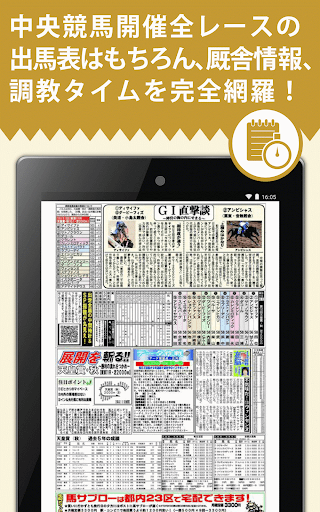
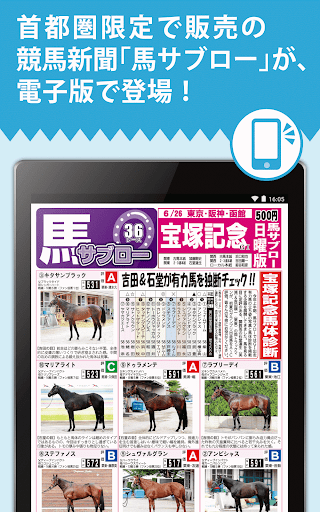
As it is the paper image of horse racing newspaper horse Sabouraud, it is a service that can be viewed on Android compatible handsets.
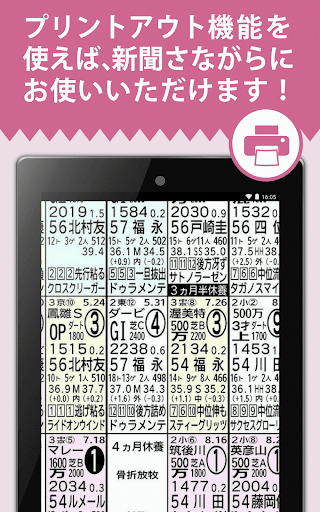
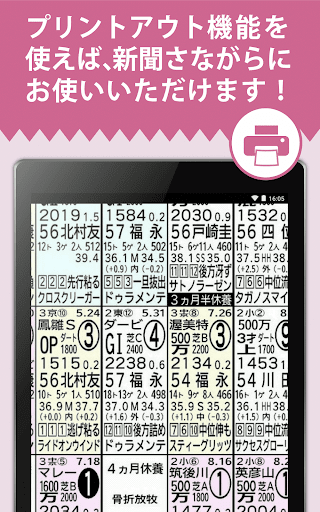
You can view the paper image on your smartphone or tablet, or print any page using your home printer.
If you subscribe, you can try it for free for 30 days for the first time!
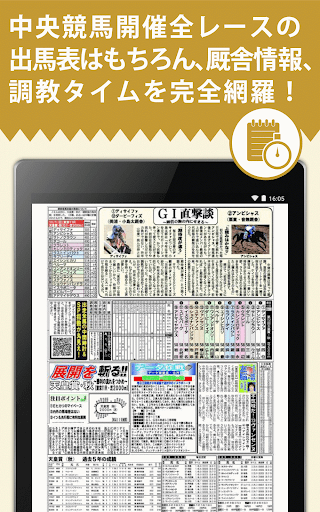
Full coverage of race listings for all races held by Central Horse Racing, as well as stable information and training times!
The staff generously provides information obtained at the Miho/Ritto Training Center.
We will thoroughly support your horse racing strategy.
[Fees] *Pay at Play Store
Some sales 500 yen (tax included)
Regular subscription: 3,500 yen per month (tax included)
-You can try it for free for 30 days for the first time. The subscription period starts from the date of purchase. After the free period ends, it will automatically switch to a paid subscription. If you do not wish to receive a paid subscription, please cancel it from your Play Store account settings.
- Save 500 yen for 4 weeks, and 1,500 yen for 5 weeks.
[Features]
-The next day's paper will be uploaded around 1:00 pm the day before the event. You can download it at home and read it offline.
- You can print any page using the print function. (See below for details)
[Disclaimer]
・Purchased papers can only be viewed on the device on which they were purchased.
・Some articles, photos, and advertisements may not be published.
- Saved newspaper pages that are 90 days old from the date of publication will be deleted from your device when you start the app.
- If you uninstall the app, saved pages that are older than 90 days will also be deleted.
・As this is a high-definition paper image, we recommend downloading using Wi-Fi.
・Precautions when using the print function
A separate printer compatible with wireless LAN is required.
Print using the "Google Cloud Print" function.
For information on how to set up your printer, please check the manual or website for each printer.
The paper size when printing is fixed to A4 size.
Please try unchecking "Print in high quality" in "Settings".
Depending on the device, printing may fail due to insufficient memory.
【how to use】
-Tap the icon to launch the app.
・After starting the app, download the paper you want to view. Once the download is complete, the page will be displayed.
・Double tap allows you to zoom in 4 steps. Double-tap again in the 4th stage to return to full screen display.
- To go forward or backward through the page, press the "Forward" or "Back" button at the bottom of the screen, or flick the page.
-Press the "Menu" button at the bottom of the screen to display the "Page List" and "Print" menus.
・A blue circle on the "Page List" screen indicates that the download has been completed. A yellow circle indicates that the download is in progress. Page names in black are unread, and page names in gray are read.
・You can print the currently displayed page by selecting "Print" from the menu.
- If there is additional content, you can view it by long-pressing the icon ▼ displayed on the page.
- For regular subscriptions, tap "Purchase" to start the purchase procedure. Your subscription will continue automatically. The subscription period starts from the date of purchase. If you do not wish to continue your subscription, please cancel from your Play Store account settings. You cannot cancel from the app.
- If you delete this app during the subscription period, download it again, and are no longer able to subscribe, tap "Restore subscription" to restore the subscription purchase information.
In-app purchases
$1.99 - $31.99 per item
Version Information
- Version
- -
- Downloads
- 10K+
- Updated on
- -
- Released
- Nov 9, 2015
- Requires
- Android Varies with device
Statistics
Google Play Rating History
Rating Distribution
Downloads Over Time
競馬新聞 馬サブロー電子版 has been downloaded times. Over the past 30 days, it averaged downloads per day.
Shaded area shows 30-day prediction based on historical trends
Historical data collection started recently. More data points will be available over time.
ApkTrusted Ratings & Reviews
More from TheKobeshimbun
See more apps
Scan this QR code to download

Forwarding you to the page at Google Play market in seconds...
Open Google Play market now