
anywhereVR v1.2
Sony Music Entertainment (Japan) Inc.


About this app
Developer Description
The ultimate relaxation space is here…!
Please note it cannot be played with only this application.
[What is anywhereVR?]
This project is based on the concept of “favorite place ∽ favorite things” and will continue to develop and provide various supreme relaxation lifestyle spaces to be enjoyed through the PlayStation®4.
[What you can do with this app]
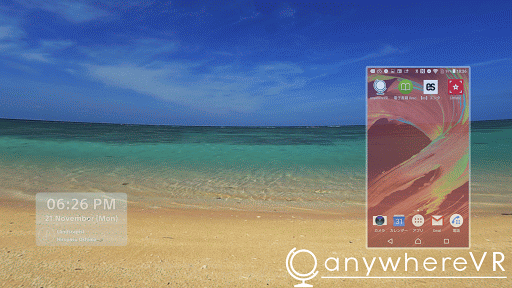
Surrounded by beautiful land and soundscapes, use your smartphone and enjoy your everyday within a new, never before experienced world.
[System Requirements]
・OS version: Android 5.0 or higher
*Tablet compatibility is not guranteed.
*It is possible that some devices with required OS version or higher may not work.
・To enjoy this application, you will require a PlayStation®4 and the main anywhereVR title (Free to play).
・PlayStation®VR enables you to enjoy an even more supreme relaxation experience.
*It is possible that some system requirements or compatible devices may change with future updates.
What's New
Version Information
- Version
- 1.2
- Downloads
- 50K+
- Updated on
- Aug 28, 2018
- Released
- Dec 6, 2016
- Requires
- Android 5.0
Statistics
Google Play Rating History
Rating Distribution
Downloads Over Time
anywhereVR has been downloaded times. Over the past 30 days, it averaged downloads per day.
Shaded area shows 30-day prediction based on historical trends
Historical data collection started recently. More data points will be available over time.
anywhereVR users say on Google Play
 A Google user
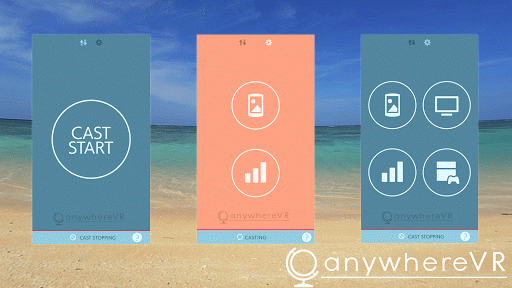
For those that can't get this to work, once the app is connected to your ps4, start the app on your ps4. Then once in the location of your choice, press "Square" or the "Touch pad" (I can't remember which I pressed) on your ps4 controller. This should bring up a menu. There is a setting in there to display your phone in the psvr. I hope this helps.
A Google user
For people having problems casting your phone: enter the developer options on android and activate "authorize wireless display device" this seemed to solve any issue I had. For extra user comfort enable "show touches" as well, so you can see where you are touching. Typing is difficult so voice to text is the best option. Extremely impressed with this app. I do wish the packs were a bit cheaper and higher resolution, but to support the developer I would consider buying one. Great job!
A Google user
I think apps cool just wish was movies and games could be played while looking at phone instead the ocean whole time
A Google user
The playstation version is good but the app won't even find my playstation when the two devices are on the same network.
A Google user
Doesn't work!
ApkTrusted Ratings & Reviews
More from Sony Music Entertainment (Japan) Inc.
See more apps
Similar Apps

Koala Sampler
Paid

Gallup Access
Free

UDisc Disc Golf App
Free

IMSLP
Free

Cubasis 3 - DAW & Music Studio
Paid
USB Audio Player PRO
Paid

Spark: Chords, Backing Tracks
Free

GameStop
Free

Backbone — Next-Level Play
Free

Bose Connect
Free

Yoto: Music, Stories, Sleep
Free

Napster - AI Music & Experts
Free

Songstats: Music Analytics
Free
n-Track Studio Pro | DAW
Paid
Scan this QR code to download

Forwarding you to the page at Google Play market in seconds...
Open Google Play market now