
Workout Calendar vVARY
Hobby Bowl



About this app
Developer Description
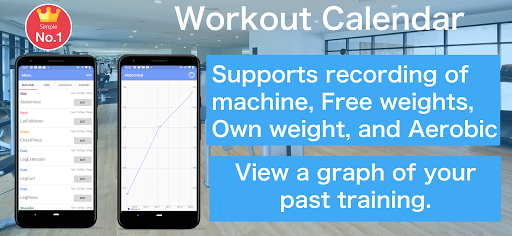
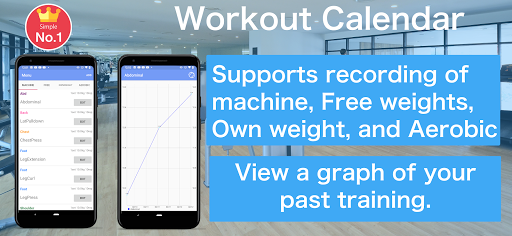
Workout and Fitness Log for Calendar
how to use
1. Press the Record button on the calendar screen to move to the training menu screen
2. The training menu can be selected from "machine", "free", "own weight" and "Aerobic"
3. Enter and save basic training content. Even if the training day has not been decided, you can save it without completing it.
4. If you select a saved training menu, it will be recorded on the date selected in the calendar
5. You can edit it by selecting the recorded training
6. On the scheduled training day, the part name is displayed lightly in the calendar
7. Tap on the training schedule record will be recorded in the calendar
8. You can check the weight you recorded on the graph.
9. You can check past training records from the recording screen. Tap the training you want to check and a list of past records will be displayed.
In-app purchases
$2.00 - $14.90 per item
Version Information
- Version
- -
- Downloads
- 10K+
- Updated on
- -
- Released
- Feb 10, 2021
- Requires
- Android Varies with device
Statistics
Google Play Rating History
Rating Distribution
Downloads Over Time
Workout Calendar has been downloaded times. Over the past 30 days, it averaged downloads per day.
Shaded area shows 30-day prediction based on historical trends
Historical data collection started recently. More data points will be available over time.
ApkTrusted Ratings & Reviews
More from Hobby Bowl
See more apps



Similar Apps



Scan this QR code to download

Forwarding you to the page at Google Play market in seconds...
Open Google Play market now