
메리츠화재 영업지원 모바일 v10.8
메리츠화재해상보험주식회사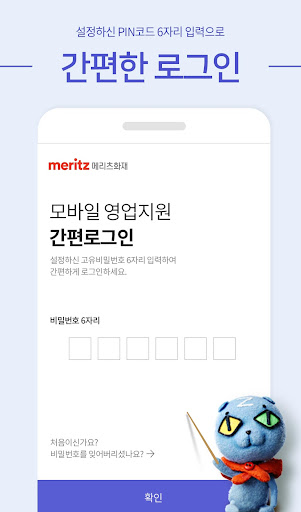

About this app
Developer Description
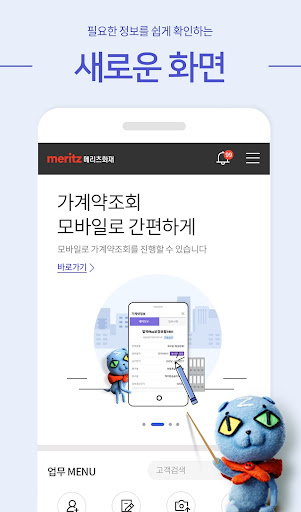
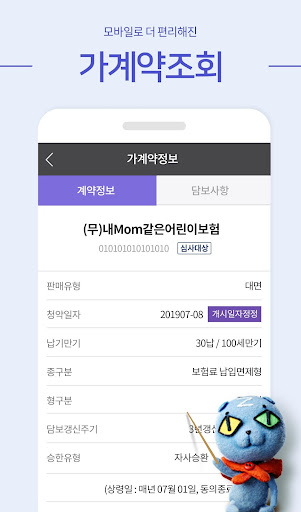
This application contains functions for the Meritz Fir Sales family.
-------------------------------------------------- ------
This application contains functions for Meritz Fire & Marine Insurance sales family.
Please understand that since this is an in-house application, access to it by those not related to the relevant work is restricted.
※ The main functions for the person in charge are:
1. Customer management
2. Coverage analysis
3. Subscription management
4. Contract management
5. Payment management
6. Compensation inquiry
7. Provision of other services
[Access permission items and reasons for need for Meritz Fire & Marine Insurance’s sales support mobile app]
Meritz Fire & Marine Insurance provides information on items required to use the service and requests access rights in accordance with the Information and Communications Network Act.
If you do not agree, you may be restricted from using the app service.
1. Required access rights
- Phone permission: Calling function
- Storage space permission: file attachment and attached file search function
-Camera permission: Ability to take photos when attaching a file
[etc]
-Normal use is not possible if the app has been forged or has been rooted.
※ Supported devices
1. Android 7.0 (Nougat) or higher version
2. Devices capable of using 3G/4G/5G networks
[What to do if the app cannot be installed/updated]
1. If an error message appears
1) Run smartphone settings > Applications > Select ‘Google Play Store’
2) Click the ‘Delete Data’ button in the ‘Storage Space’ menu
3) Turn off the smartphone, restart it, and then proceed to install the ‘Sales Support Mobile’ app.
2. If the standby state continues
1) Select an account on the ‘Google Play Store’ main screen
2) Go to the Update tab in the My Apps/Game menu
3) ‘Stop’ all items waiting for update and proceed with installing the ‘Sales Support Mobile’ app
3. If a message asking you to update continues to appear
1) Run smartphone settings > Applications > Select ‘Google Play Store’
2) Click the ‘Delete Data’ button in the ‘Storage Space’ menu
3) Turn off the smartphone, restart it, and then proceed to install the ‘Sales Support Mobile’ app.
What's New
1.오류 메시지가 나올 경우
1)스마트폰 설정 실행>애플리케이션>'Google Play 스토어' 선택
2)'저장공간' 메뉴의 '데이터 삭제' 버튼 클릭
3)스마트폰 전원 종료후 재시작한 다음 '영업지원 모바일' 앱 설치 진행
2.대기 상태가 지속될 경우
1)Google Play 스토어' 메인화면에서 계정 선택
2)내 앱/게임 메뉴의 업데이트 탭으로 이동
3)업데이트 대기중인 항목을 모두 '중지'하고 '영업지원 모바일' 앱 설치 진행
[업데이트 내용]
v.10.8(682)
- 버그수정
Version Information
- Version
- 10.8
- Downloads
- 100K+
- Updated on
- Jan 6, 2026
- Released
- Jul 23, 2019
- Requires
- Android 7.0
Statistics
Google Play Rating History
Rating Distribution
Downloads Over Time
메리츠화재 영업지원 모바일 has been downloaded times. Over the past 30 days, it averaged downloads per day.
Shaded area shows 30-day prediction based on historical trends
Historical data collection started recently. More data points will be available over time.
ApkTrusted Ratings & Reviews
More from 메리츠화재해상보험주식회사
See more apps



Scan this QR code to download

Forwarding you to the page at Google Play market in seconds...
Open Google Play market now