Pie Launcher version 2026 v13.4.1
Beauty Apps Studio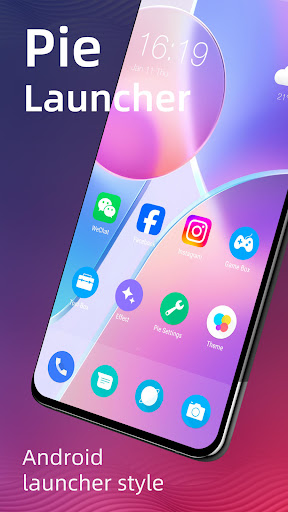
About this app
Developer Description
Pie Launcher is inspired by Android launcher, adding many useful feature
👍 Pie Launcher features:
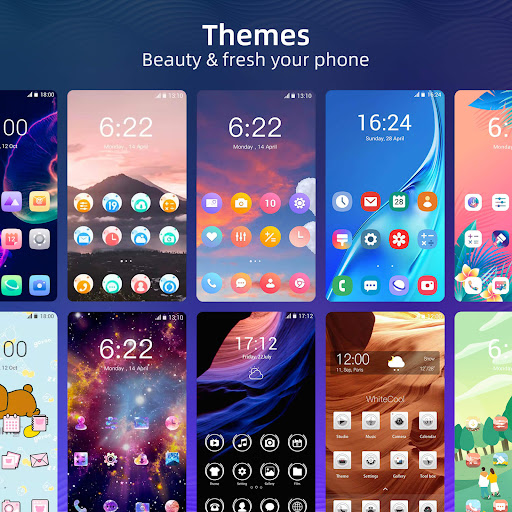
> Theme support, more than 1000+ cool themes
> Icon pack support, support most of the icon pack in Google Play Store
> Base on Android 11/12/13/14 launcher code, can run on all Android 5.0+ devices
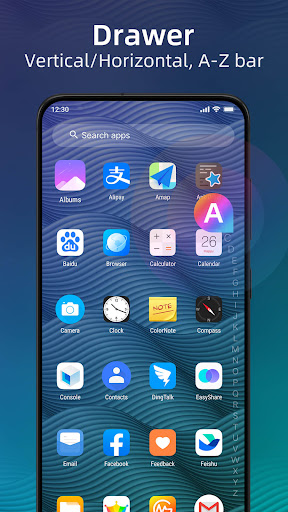
> Apps drawer is vertical mode by default, it also support horizontal mode
> Pie Launcher support hide unused or private apps
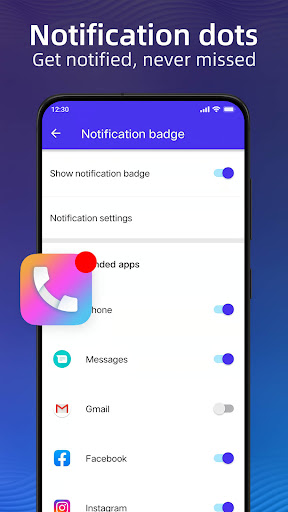
> Pie Launcher support notification dots
> Pie Launcher support ✌️gestures, such as swipe down/up, pinch in/out, double tap, swipe down/up(two fingers)
> Pie Launcher support handy ✌️Gesture feature in Android launcher P 9.0: Swipe up for all app drawer, Swipe down back to desktop
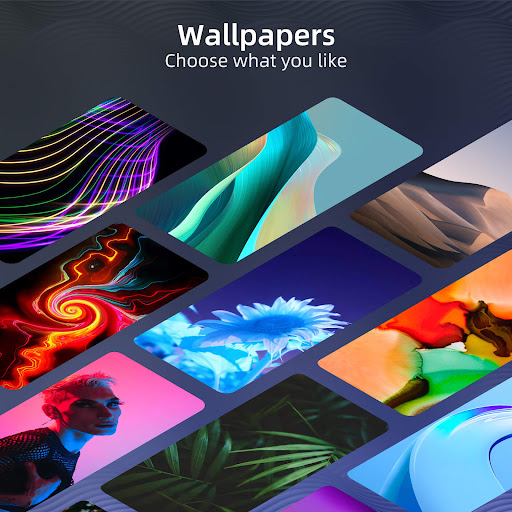
> Many beautiful online wallpapers for your choice
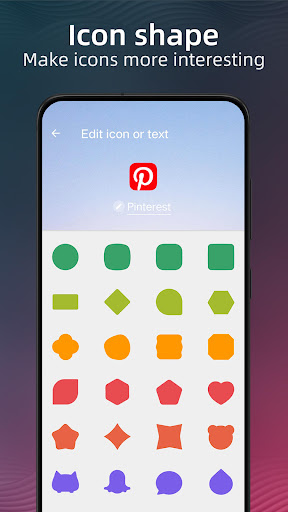
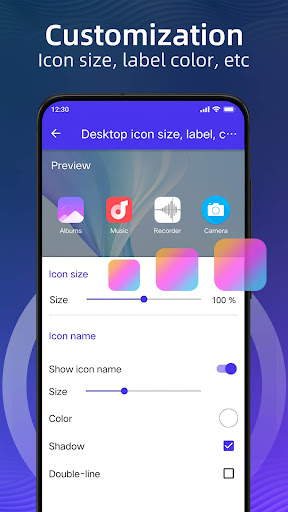
> Many options, you can change grid size, icon size, label size and color, etc
> You can lock desktop to avoid being messed up
> Drawer background support light, dark, blur, transparent and custom
> Dock background support rectangle, rounded, arc, platform or none
> Search bar support various style, you have the choice
> Wallpaper scrolling or not option
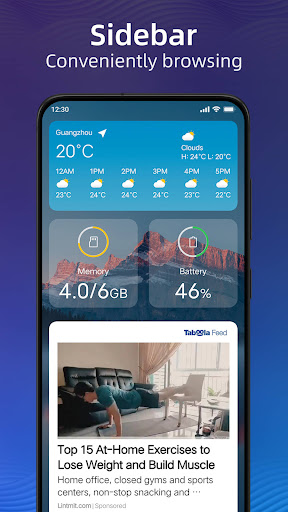
> Latest Android widgets drawer
Notice:
1. Android™ is a registered trademark of Google, Inc. Pie Launcher is inspired by Android Launcher, but please be noted that it is NOT Google official product.
❤️ We are working hard to make Pie Launcher better, please rate us if you like, thanks!
What's New
1. Fixed the crash bugs due to the update of IronSource SDK
In-app purchases
$3.99 - $9.99 per item
Version Information
- Version
- 13.4.1
- Downloads
- 1M+
- Updated on
- Oct 30, 2025
- Released
- Jun 23, 2018
- Requires
- Android 5.0
Statistics
Google Play Rating History
Rating Distribution
Downloads Over Time
Pie Launcher version 2026 has been downloaded times. Over the past 30 days, it averaged downloads per day.
Shaded area shows 30-day prediction based on historical trends
Historical data collection started recently. More data points will be available over time.
Pie Launcher version 2026 users say on Google Play
 Michelle Perkins
HANDS DOWN ONE OF THE BEST LAUNCHERS! I DID PURCHASE THE PRO VERSION WHICH TOOK ANY ADDS AWAY. I'm still finding different things within the app and IVE hd it for a bit. I guess I have nothing bad to say♥️
 Brittain Mitchell
I don't use it but it was really a good app launcher I'm just so used to moto launcher that I've kept it, that's the only reason I kept it is because I'm used to it. this pile launcher was really great,
 John “ZoomZoom” Hoit
This shows a lot of promise but it has to have more improvement before I will justify the high cost. This has a boatload of bells and whistles with lots of pretty choices but I would like to see more system improvements for the layout and options. I'm putting this aside for the moment and I'll check how it's doing from time to time.
 M Hoffman
Paid for the app and it still get a nag screen for reviews. it never stops.
 nageshwar rao adhikarala
Appearance, notifications, gesture are minimal requirements and are as Premium features with 3 days trial.
ApkTrusted Ratings & Reviews
More from Beauty Apps Studio
See more apps
Beauty Camera X, Selfie Camera
Free

S Camera for S26 Camera V2026
Free

MiX Camera for Mi Camera
Free

MiX Camera for Mi Camera
Free

3D Color Droid 16 Launcher
Free

3D Effect Launcher, Cool Live
Free

3D Launcher - Perfect 3D Live
Free
Perfect Galaxy Note20 Launcher
Free

Mix Launcher
Free

Perfect Live Wallpapers
Free
Similar Apps

GO Launcher S – 3D Theme, Wall
Free

Action Launcher: Pixel Edition
Free
Square Home
Free

Color Launcher, cool themes
Free
POCO Launcher 2.0 - Customize,
Free

AIO Launcher
Free

P Launcher
Free

CMM Launcher 2.0
Free
HiOS Launcher - Fast
Free

Newer Launcher 2026 launcher
Free
XOS Launcher -Cool Stylish
Free
Magazine Lockscreen XOS
Free

Nova Launcher
Free

Cool Mi Launcher - CC Launcher
Free
A Launcher : Galaxy A Launcher
Free

Ares Dark Icon Pack
Paid
Scan this QR code to download

Forwarding you to the page at Google Play market in seconds...
Open Google Play market now