
AI Drawing Trace & Sketch v1.7
Miled Apps Studio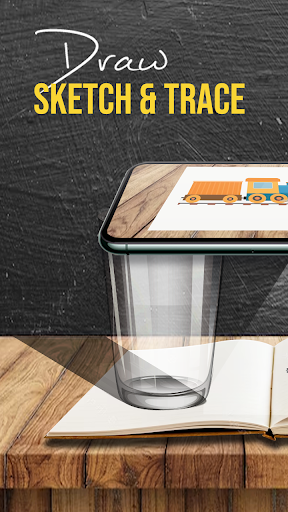



About this app
Developer Description
AR Draw & Sketch is simple with AI Drawing. Learn Anime Sketching with Camera.
This AR Drawing app has a pre-defined images from different categories like Animals, Cartoons, Foods, Birds, Trees, Rangolis and many others images & sketch drawing.
➤ Features of Draw Sketch &Trace App :-
• Copy Sketch
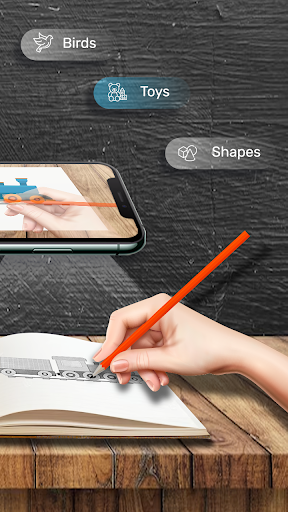
- Select image from in-built images or from phone's storage and Trace image using the camera. Place phone on Tripod above distance of 1 feet from paper and look into the phone and draw on paper.
• Trace Sketch
- Draw on paper by looking at phone with transparent image.
• Image To Sketch
- Convert color image to sketch image with different sketch mode.
• Word Trace
- This Easy Drawing app has inbuilt fancy font word creator where you can type any word or sentence with different fonts in the app itself and then trace the result into paper.
• Transparency Adjustment
The Trace Drawing app allows you to adjust the transparency or opacity of the overlaid image. This feature enables you to make the image more or less visible, depending on your preference.
• Record video
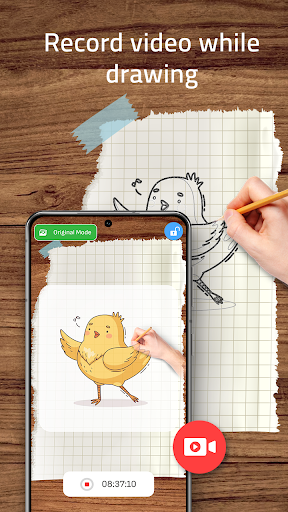
This Trace Drawing app has a dedicated recording button within the app's interface. By tapping on this button, you can start recording a video while you trace on tracing paper.
• Simple Drawing UI
This Sketch AR app has a very simple user interface with best trace elements that you can manage it easily and draw it.
➤ Steps to use Sketch and Trace app
1. Import or select the image you want to trace.
2. Set up your paper or sketch pad in a well-lit area.
3. Adjust the image overlay and position it correctly on your device's screen.
4. Start tracing the image on paper, following its details.
And that's it.
This Draw Sketch & Trace app is as a versatile tool for artists, designers, and creative individuals. Download now for FREE!!!
What's New
Crash resolved.
Improved Stability
In-app purchases
$20.99 per item
Version Information
- Version
- 1.7
- Downloads
- 100K+
- Updated on
- Jun 11, 2025
- Released
- Sep 1, 2023
- Requires
- Android 7.0
Statistics
Google Play Rating History
Rating Distribution
Downloads Over Time
AI Drawing Trace & Sketch has been downloaded times. Over the past 30 days, it averaged downloads per day.
Shaded area shows 30-day prediction based on historical trends
Historical data collection started recently. More data points will be available over time.
AI Drawing Trace & Sketch users say on Google Play
 Abhi Jot
It is very interesting app I like this app whatever's I can draw it should become same like given in picture 🖼️🖼️
 Sini Shaji
Good app I will give 4 stars to rate up for this app because a big problem ,I drawed pictures are not saving to the gallery it's the problem... And nothing more than... No more ads.......ahhh... I like this app
 Poppy Baron-Medlam
It's OK but there are not another of options and I think that there should be a thing where u can trace a Google image or a image from your device. Anyway it is a good app overall
 Jaydevi Maurya
Good
 Shreya . S
The way they show ad there is nothing like that the show you some easy kids drawing so better don't download
ApkTrusted Ratings & Reviews
More from Miled Apps Studio
See more apps




Scan this QR code to download

Forwarding you to the page at Google Play market in seconds...
Open Google Play market now