
qBittorrent Remote v1.5.1
fengmlo







About this app
Developer Description
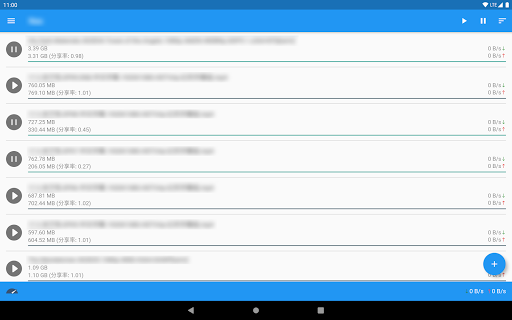
Remotely control your qBittorrent client. This is not a downloader!
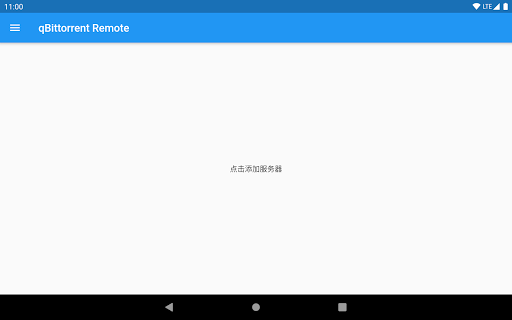
- Add multiple servers;
- Add torrents to server via magnet link and torrent file;
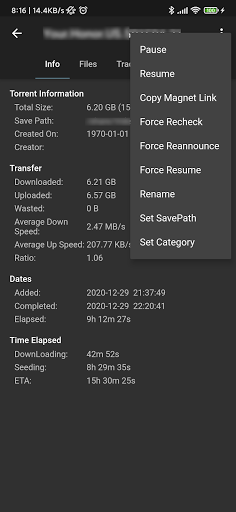
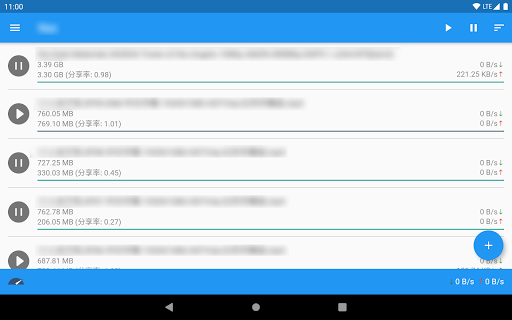
- Pause, resume, delete, copy magnet link, rename, change category, change save location and other useful functions;
- Switch between global speed limit and backup speed limit;
Notice:
- This app will not download anything to your phone. It just a remote.
- App development on API 2.6.1 (qbittorrent 4.3.1), in order to ensure the best user experience, please try to upgrade qbittorrent to 4.3.1 or higher;
- If you want to help with translation, visit https://github.com/fengmlo/qbittorrent-remote-translation
- The old versions is here https://drive.google.com/drive/folders/1Ua_481vHfX9st5XSHpu41lvhk-zV_0Cr?usp=sharing
What's New
- Some improvements.
Version Information
- Version
- 1.5.1
- Downloads
- 5K+
- Updated on
- Jan 4, 2026
- Released
- Dec 2, 2020
- Requires
- Android 5.0
Statistics
Google Play Rating History
Rating Distribution
Downloads Over Time
qBittorrent Remote has been downloaded times. Over the past 30 days, it averaged downloads per day.
Shaded area shows 30-day prediction based on historical trends
Historical data collection started recently. More data points will be available over time.
qBittorrent Remote - Google Play Rankings
Top Rankings
| Rank | Country | Category | List | Change |
|---|---|---|---|---|
| — |
Ranking History in
No ranking data available yet. Rankings are updated daily.
#20 in Top Paid Tools in Canada


#33 in Top Paid Tools in France


qBittorrent Remote users say on Google Play
 Lucas Newton
A very good looking and functioning app! There's only two things that aren't perfect about it: My qBittorrent box is set up to use HTTPS with a valid Let's Encrypt certificate. But for some reason, I have to select the option "Trust self signed ssl certificates" for it to work, even though it isn't self-signed. I would also like it if there was a way to show only resumed torrents, like you can in the regular WebUI.
 Stephen Bates
Almost perfect. It would be great if the number of active/available seeds were visible in the torrent list rather than having to click on it and see the full details. Can an option to stay in the category you've selected until I change it be added please? I seed a lot, so I like to be in 'uncategorised' to see current downloads and if I refresh it shows All again. Oh and the ability to auto switch to the local IP when connected to your home network would be great. Other than that, a great app.
 Alex Finlay
This would be 5 stara however I rate this issue very highly... When uploading a lot I get a "Type '_Double is not a subtype of 'int'" Frustrating If I try to connect through my ddns it works
 Tyler Limperes
It works, but it's extremely not-enjoyable to use. In dark mode, the light-pink/white download progress bars are difficult to see. The current view wastes a ton of screen space and is barely comparable to the grid-like view of any torrent desktop app, in both portrait and landscape view. Pause buttons are always visible and interactable on all seeding torrents, meaning that anyone scrolling through their torrents might accidentally pause a torrent without realizing it.
 Jonny Bone
It's asking me to add my own server totally have no idea how to do all that... Frustrating. I thought it was just install and go and that's it. If the creators can give me all the credentials and everything that would be great I use a VPN etc Can you please give me the details to put in for the server Thank you kindly then you will get a five stars because the free version of qbit doesn't ask me for this. Waste of money.
ApkTrusted Ratings & Reviews
Scan this QR code to download

Forwarding you to the page at Google Play market in seconds...
Open Google Play market now