ProRemote for ProPresenter v2.4.8
Alex Corn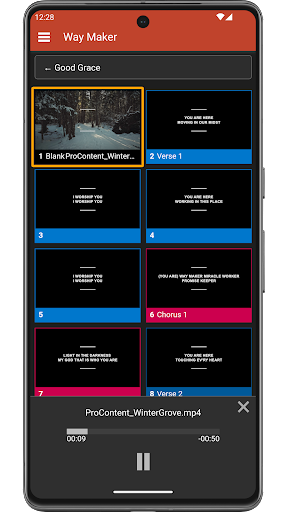


About this app
Developer Description
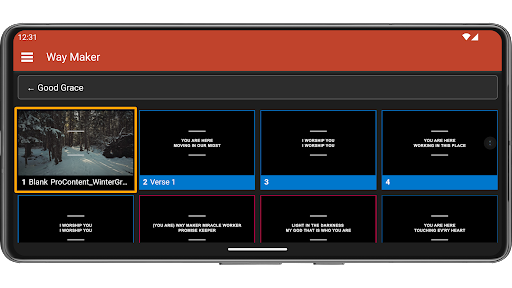
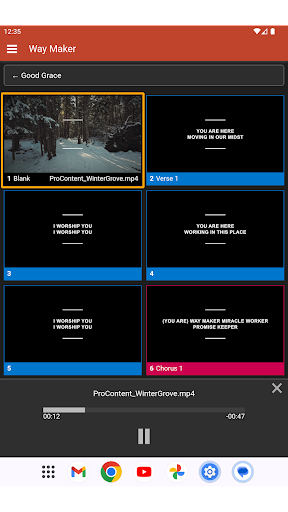
Enables remote controlling ProPresenter slides from a mobile device
ProPresenter 7.9.1 or later is required to use ProRemote.
ProPresenter is a trademark of Renewed Vision, LLC. ProRemote is made by an independent developer with no relation to Renewed Vision, LLC. Any questions, comments, or concerns about ProPresenter desktop software should be directed to Renewed Vision. The ProRemote developer cannot offer any support for ProPresenter desktop software.
What's New
- Added auto scroll option
- Added notification alert about ProPresenter 18 bug
2.3:
- Added overflow menu at top right
- Added option in overflow menu to clear layers
- Moved Disconnect and Settings from nav flyout to overflow menu
2.2:
- Added persistent notification when connected to ProPresenter
2.1:
- Added optional setting to keep device screen on while the app is visible
- Added ability to use a connected keyboard to control slides
Version Information
- Version
- 2.4.8
- Downloads
- 10K+
- Updated on
- Jul 22, 2025
- Released
- Nov 6, 2023
- Requires
- Android 7.0
Statistics
Google Play Rating History
Rating Distribution
Downloads Over Time
ProRemote for ProPresenter has been downloaded times. Over the past 30 days, it averaged downloads per day.
Shaded area shows 30-day prediction based on historical trends
Historical data collection started recently. More data points will be available over time.
ProRemote for ProPresenter users say on Google Play
 Sean Atwell
Holy cow, this app is sharp. Infinitely better than the unsupported one from RenewedVision. And the dev is responsive as hell. Had a feature request (wanted to use the volume buttons to do next/previous slide), and sent him an email. My guy had the feature pushed the next day. Incredibly impressed top to bottom. Can't recommend enough.
 Ray Sir
Works great, very responsive on switching slides. However, if there are edits or new slides added during use, it does not reflect on the app until you change slides from the app. It seems like it refreshes only when an action is taken on the app.
 Matthew Denny
Can not connect to the app! I am currently using 7.9.2 and when I try to connect I get the error "Cannot connect to propresenter, check your ip address and port...." IP address and port are correct, its even auto detected in the app and still won't connect.
 Mark Maxwell
After reading the reviews I had high hopes but was disappointed. I cannot find a way to switch between songs/presentations in the playlist. Maybe I just don't understand how to use this app. Am I missing something? We are using ProPresenter 7.16.1 on an Mac. I'm running ProRemote on a Pixel 6a. Edit: The menu did not give me a way to switch presentations. It listed the options: the computer I was connected to, About, and Disconnect.
ApkTrusted Ratings & Reviews
More from Alex Corn
See more apps
Scan this QR code to download

Forwarding you to the page at Google Play market in seconds...
Open Google Play market now