DrawPlan v5.0.3
Fleet Investments LLC







About this app
Developer Description
Draw floor plans with touch or AI. Accurate plans or quick sketches.
DRAW YOUR WAY
• Sketch freely with your finger for fast layouts
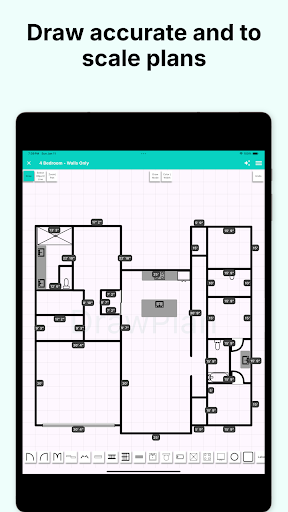
• Or draw accurate, to-scale plans with automatic dimensions
• Easily adjust walls and see measurements update instantly
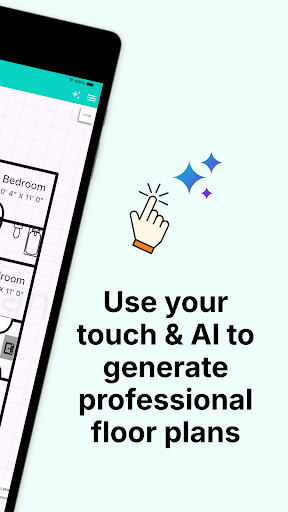
AI-ASSISTED DRAWING
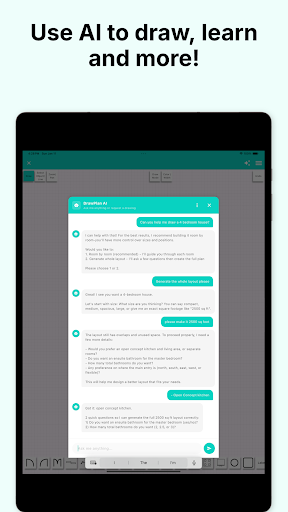
• Describe what you want to draw
• Use AI to help plan layouts, learn tools, and work faster
• Perfect for getting started or refining complex plans
OBJECTS & DETAILS
• Add doors, windows, furniture, fixtures, labels, and dimensions
• Create and save your own custom objects
• Rotate, scale, and position objects with simple gestures
TRACE & REFINE
• Import images or existing plans
• Trace or draw directly over backgrounds
• Ideal for renovations, redraws, or site sketches
BUILT FOR REAL WORK
• Designed for trades, designers, real estate, renovations, and planning
• Create plans that are clear, accurate, and easy to communicate
• Suitable for both casual users and professionals
UNLIMITED PROJECTS
• Create and manage as many floor plans as you need
• Access your plans across devices with cloud sync
• Keep all your work organized in one place
PREMIUM FEATURES
Upgrade to a monthly or yearly subscription to unlock:
• Cloud sync across all your devices
• High-resolution exports (PNG and PDF)
• Clean exports without grids or watermarks
• Priority support and early access to new features
Try DrawPlan for free and start creating floor plans your way.
What's New
- New to-scale drawing mode with dimensions on every line
- Choose between accurate measured plans or free sketch mode
- AI assistance to help draw, plan, and learn faster
- Improved tools for professional workflows
- Performance improvements and refinements
In-app purchases
$3.99 - $99.99 per item
Version Information
- Version
- 5.0.3
- Downloads
- 1M+
- Updated on
- Jan 14, 2026
- Released
- Aug 18, 2021
- Requires
- Android 7.0
Statistics
Google Play Rating History
Rating Distribution
Downloads Over Time
DrawPlan has been downloaded times. Over the past 30 days, it averaged downloads per day.
Shaded area shows 30-day prediction based on historical trends
Historical data collection started recently. More data points will be available over time.
DrawPlan users say on Google Play
 Asja Asllani
this app is not showing up in the lock screen. pleas tell me how to set it.
 Ahmed Kazi
I have just discovered your app and it looks so simple that I think everyone can use it. Not too professional, in fact. Congrat!😊
 Sunil Kumar
very good
 Rebekah Hartung
On android, if you need to move move away from the plan, SAVE it before you go to view a text or answer a call. The plan disappears. Maybe it would be better to use a desktop or laptop with this app. I have Pro, and I don't see any difference other than price... I'm not sure why.
 Daniel Robinson
Drawing features are basic. The downside is that you can't resize the grid scale or open saved plans without purchasing a subscription. I think it is just a teaser app to get you to subscribe. I am removing the app.
ApkTrusted Ratings & Reviews
Similar Apps

ArcSite
Free
Floor Plan Creator
Free

magicplan
Free
AutoCAD - DWG Viewer & Editor
Free
Moblo - furniture 3D modeling
Free

Planner 5D: AI Home Design
Free

AR Plan 3D Tape Measure, Ruler
Free

HomeByMe
Free

EdrawMax: AI Flowchart Diagram
Free

Paint my Room - Try wall color
Free
Easy Area : Land Area Measure
Free

Home Planner AI: Room Interior
Free

Remodel AI - Home Renovation
Free
ZWCAD Mobile - DWG Viewer
Free

Houzz - Home Design & Remodel
Free

Renovate AI : House Design
Free
Scan this QR code to download

Forwarding you to the page at Google Play market in seconds...
Open Google Play market now